Minutes Tracker is a fun and inventive way to track your overall T-Mobile usage from one month to another. The program offers minute threshold notifications plenty of preference selections and a nice sleek graphical design that’s laid out in a simple to follow manner.
Overall Use (4 out of 5)
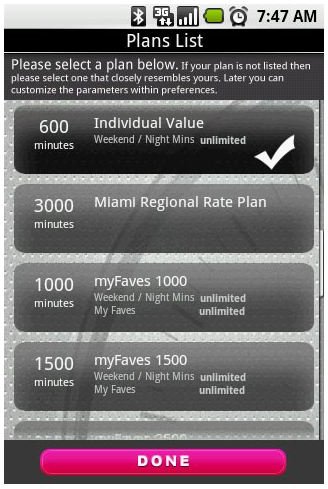
The Minutes Tracker application takes advantage of the T-Mobile API set which means the information provided is as accurate as T-Mobile numbers will allow. Getting started is a simple process, first users pick their T-Mobile plan from the available list. This list includes all currently available plans such as the 600 Minute Individual Plan, MyFaves 1000 and all other plans. Just click on your plan and press done.
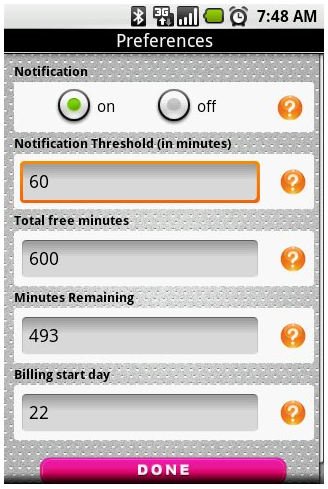
Once I chose my plan I then setup my settings notification screen. This is the section where I could tell the program to notify me with a pop up alert once my threshold of remaining minutes had been reached. I just chose to turn the notifications “On” and then chose my threshold minutes. I also made sure the minutes available was correct and I chose what day my billing started on. It’s important that the proper “billing start day” is chosen so minutes can properly be tracked.
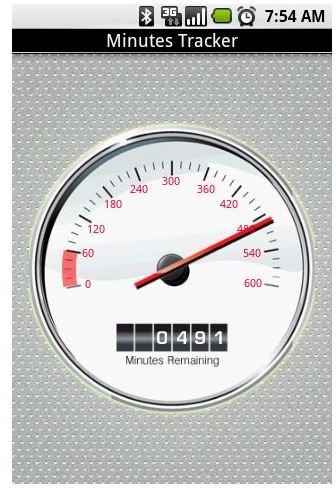
After each call users are shown their available minutes. I really liked the “Odometer” option as it added a fun reading to the program that’s unique to this application. I also liked that it was large enough to easily read while also providing easily outputted numbers.
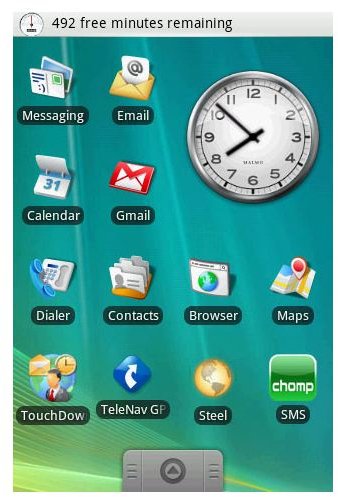
Finally the program provides a shade to hide the larger readout feature while still making it simple to see minutes remaining right from the homescreen of my device. The shade simply provides the number of minutes remaining at the top of your devices screen.
Conclusion
Minutes Tracker is a great option if you’re constantly going over your minutes, a simple thing to do with a Smartphone when you’re constantly in contact with business partners, friends and family.
I really liked the graphical interface that showed off my remaining minutes, alongside the simple to customize options that made using the program a breeze.
Next time your in the Android Market put up the $.99 to buy this app and you won’t be caught unaware of your minute overages as they occur, which in the long run can save you more than $.99 considering each minute over your bill can run you $.10/minute so a 10 minute overage would already pay for the program.


