What is the Best Task Manager for Android?
Android Memory Management
The Android operating system was designed by Google developers using the Linux Kernel as its power-plant. It is streamlined compared to desktop flavors of Linux using a smaller array of libraries. Memory management has a different work-flow on the Android operating system compared to Windows or the like. When more memory is needed, Android is coded so that it will kill running tasks to free up space in memory. It is also designed to kill tasks when it is finished using them and kill those that have not been used for a significant amount of time. By design, the Android operating system should not need a task management application for memory management. However, with an open developer market place, the potential for badly written applications could make task management applications useful if managed properly.
Advanced Task Killer
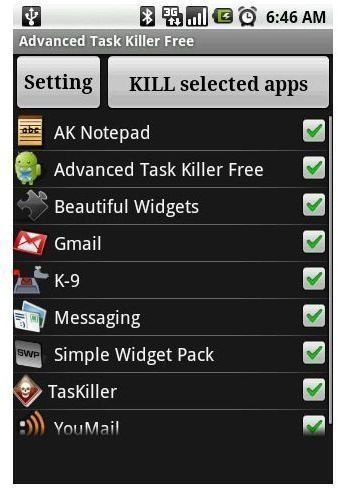
If you need to download any task management application for your Android phone, Advanced Task Killer, also known as ATK, would be your first choice. ATK is a very intuitive application that allows you to see what applications are currently running
on your phone and gives you the option to kill the process with ease. ATK displays the tasks in a scrolling list with check boxes to leave the application running or to disable it. It is recommended to keep certain applications running such as messaging and voice-mail for them to receive updates. Once you have selected the application you would like to kill, select the “Kill Selected Apps” button and the processes will end. If you want to remove certain applications from showing up in the list, ATK allows you to be specific and add certain tasks to an ignore list. The ignore list can be modified at any time in the ATK settings menu. ATK also shows an icon in the notification bar for you to easily access the application at any time.
SystemPanel
SystemPanel is a much more robust application when compared to Advanced Task Killer. It was not solely designed for task management
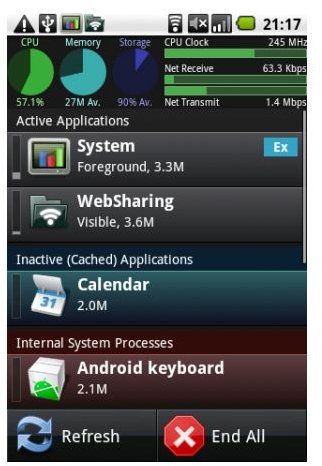
ent, but more of a swiss army knife for Android resource monitoring with task killing capabilities. It does not include the automatic task killing option that Advanced Task Killer offers. SystemPanel compiles a list of all running applications and allows you to view information such as CPU and memory usage with the option to kill individual processes or all of them in one button click. SystemPanel offers a nice display of meters and charts to display CPU usage, memory usage and SD card usage. If you really want to drill down into the core of the Android operating system, SystemPanel would be the choice for you.
Automatic Task Killer
Automatic Task Killer is very similar to Advanced Task Killer with a slightly different management interface. Automatic Ta
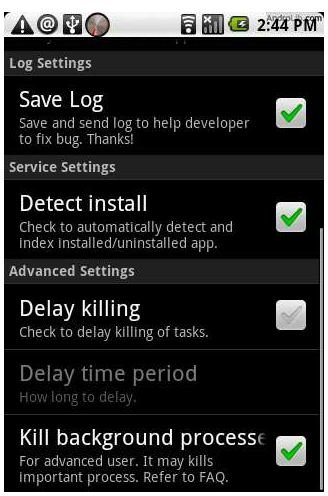
sk Killer runs behind the scenes and kills all the processes you do not want running continuously. Automatic Task Killer offers the ability to select which applications you want to start running when you unlock your screen. Once you have your list set, you can let Automatic Task Killer do its duty to keep your unwanted programs from running when your phone is idle. Automatic Task Killer also has a notification bar icon for easy access.
Taskiller
A simple yet efficient addition to the list of available task management applications available on the Andoid Market would be Taskiller. It offers a very simple interface for ma
naging running processes with a user friendly color coded interface. Applications in the list that have white text are processes that are in memory but not consuming any CPU resources. Applications listed in yellow text are processes that are active and consuming CPU resources. Finally, applications listed in gray text are labeled as background services. Taskiller allows you to click on specific processes to kill them and offers an ignore list for better manageability.
Advanced Task Manager
Last but not least in this lineup is Advanced Task Manager. A strong contender in the many available task management appl
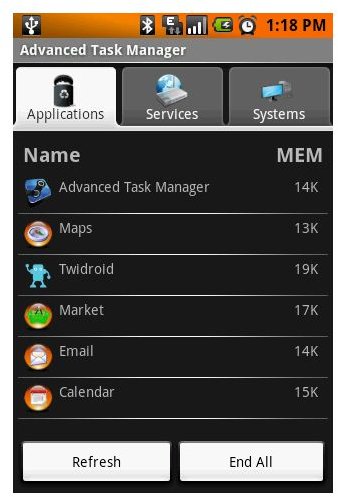
ications for Android, Advanced Task Manager is very much like SystemPanel offering a graphical interface to view resource usage and task management. One difference that Advanced Task Manager has over the competitors is that it runs as a super user on the Andriod operating system. This gives you the ability to kill specific services, but you make sure you know exactly what you are doing before killing them. Advanced Task Manager also offers the ability to exclude certain applications if you choose to do so.
Conclusion
While only five task management applications were covered in this article, they are some of the best available in the Andriod Market. As stated earlier, by design, the Android operating system should not need a task management application to control memory usage. However, with the potential for poorly written applications in the open developer Android Market, you may find the need for a task management application. Hopefully this article provided enough information for you to make an informed decision about the best task manager for Android.