A Review of the Kobo BlackBerry App eReader
Kobo App Features
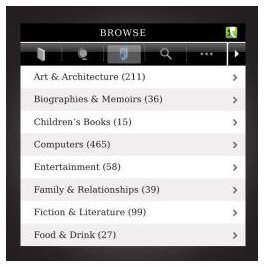
Kobo, Inc. released the Kobo BlackBerry app in version 3.0 in March of 2010. The file size is 839KB and users have awarded this app a three star rating. This app supports all countries, devices, and carriers.
I was able to download this free app easily from BlackBerry App World; it took less than 30 seconds to install. You will be first directed to the home screen where you can browse featured eBooks by the most popular and also find out about new releases on this Kobo BlackBerry app.
Although the app is free, you must create a username (your email) and choose a password and not every eBook title is free. Once done, I searched the “most popular” eBook titles and found The Lost Symbol by Dan Brown ($9.99) as well as other bestselling titles.
You can get some of the classics for free like Pride and Prejudice by Jane Austen and for kids you can even get titles like Alice in Wonderland at no cost. Under the What’s New tab, the titles offered are supposed to be new to eBooks, although I bet Dale Carnegie’s How to Win Friends and Influence People is offered in an eBook format from the Barnes & Noble eReader or the Amazon Kindle. I’m assuming here the What’s New tab is what’s new in the Kobo BlackBerry app.
The tab for Purchased shows what eBook titles you bought and then saved in an “I’m Reading” folder. The List feature gives you options to browse New York Times bestsellers, Oprah’s picks, In the News eBooks, and even Book Club reads. The topics under the List feature are too many to name here, but you can browse by Reads for Gals or Guys, Kids, Cheap reads, Prize Winners or find the latest Harlequin romance novel. You can also use the Search function to find an eBook by keyword or author.
The settings tab allows you to change the size and type of font and you can check on local data storage or change your account settings.
Choose & Download Titles
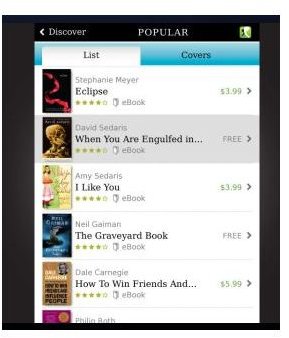
I liked the “List” feature best because you can choose by category. If you find one that interests you, a simple click offers how many chapters the eBook contains and a brief description. Every eBook you purchase offers free excerpts and a chapter or two and for the non-fiction titles, a free table of contents is a must and a nice feature.
I decided to choose a free e-read so I searched the classics and skipped the 366 chapters of War and Peace by Tolstoy! I was happy that Flaubert’s Madame Bovary was a choice, however. I clicked on chapter 1 and the font I like most is the BlackBerry Alpha Serif and the normal size font (you can choose from very small to very large) was very easy to read and a simple touch of the screen glides you from page to page. If you need to take a break, you can bookmark the section and pick it up again under the “I’m Reading” tab.
Bottom Line
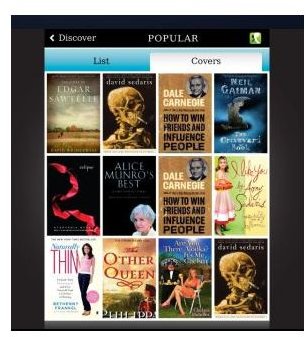
I like this Kobo BlackBerry App. I’m not real fond of e-readers in general (because I like the feel and smell of a good old book), but this could really come in handy on long drives or airport waits. The format is clear and the app is easy to use and it’s nice they offer some free titles—some from new or upcoming eBook authors that are only one chapter.
If you enjoy having a good read nearby, the Kobo BlackBerry app costs you nothing and if you’ve never read War and Peace, maybe now’s the time!
Screenshots by author courtesy of BlackBerry App World
