The BB2BB File Transfer v1.0.0.1 by Chocolate Chunk Apps believes that sharing is caring! This little nifty application lets users share all kinds of multimedia files over a Wi-Fi network. Now BlackBerry users can wirelessly transfer their files without any hassles or huge data plan bills!
Introduction
We all covet our BlackBerry devices but sometimes even a hard core BlackBerry connoisseur can get frustrated with all the work around methods when it comes to certain aspects. Say for example, transferring some files through Bluetooth. If you’ve ever tried sending large files over Bluetooth you can vouch how slow it can get at times or how complicated sometimes its to set up permissions between two devices. The BB2BB File Transfer takes care of this as the hassele by circumventing the bluetooth connection and allowing BlackBerry users transfer files over a Wi-Fi network.
Overall Usage (4 out of 5)
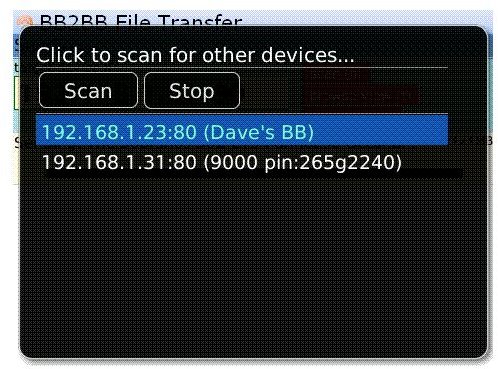
Once I downloaded and installed the application on my handset and a friends, I hit the auto scan button on my device. Voila, the application found the second device in a few seconds and it was ready for action.
Since the application integrated flawlessly to my OS, I had no problem figuring it out and decided to send a cute little picture of my pooch, which wasn’t more then 200k to the second device.
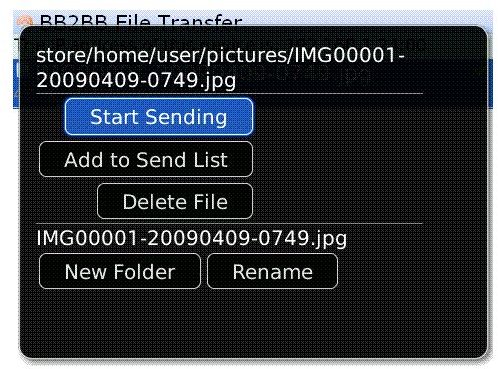
On selecting, I found the following options: “Start to Send” and “Add to Send List”. I Selected the second one and then decided to add a couple of more pictures since this saved time over individual file sending.
Since my broadband connection is over 2mbps, the files were sent in about a minute. It worked as advertised and I noticed no bugs.
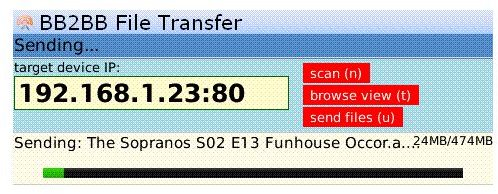
However I must admit that once while transferring a 10MB MP3, the application lost the connection and I had to resend the file. This happened only once which could have been an error on my device and not the program.
The BB2BB File Transfer is a thoughtful little application as it lets one:
Full Feature List (via BlackBerry Apps ):
- Transfer all sorts of multimedia files including avis, 3GP etc
- Supports transfer of Office documents as well Ringtones
- Is compatible with SD Cards
- Lets users enter an IP address manually or can auto scan for other Blackberrys
Verdict (4 out of 5)
The BB2BB File Transfer v1.0.0.1 by Chocolate Chunk Apps solves a problem, which many BlackBerry users face. It works well, has a simple interface and also more importantly has an acceptable price tag of $3.99. While I did notice a little lag while transferring large files, overall I recommend this software.


