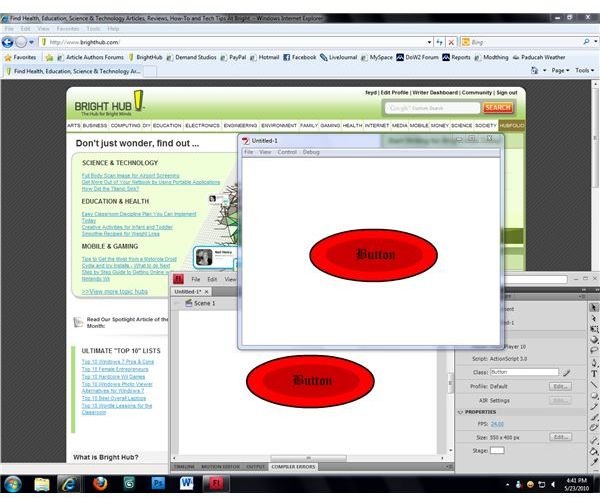
Adobe Flash CS4 introduces a number of changes to the program to make it more powerful. The program uses ActionScript 3.0 for scripting, making some older ActionScript commands obsolete. Inserting a link into a Flash CS4 movie is different than in some older versions, but still is not difficult.
Links in Flash CS4
Links are commonly placed in Flash movies and games to allow users to visit specific websites or web apps. The script to insert links into Flash became fairly commonplace, but with the introduction of ActionScript 3.0 and the Flash.NET architecture with Flash CS3 the old code became obsolete. This became a problem for older Flash users who decided to upgrade to Flash CS4 when it was released, as they would get errors in their movies and games when they were compiled because of the differences between the old code and the new.
Fortunately, inserting a link in Flash CS4 is no more difficult than it was in previous versions of Flash. Though the syntax of the ActionScript code has changed, the actual coding of the link itself still requires only a few lines.
For those who are interested, the Flash file used to create the button in this tutorial is available here so that you can view the script in Flash for yourself.
Creating Your Link Object
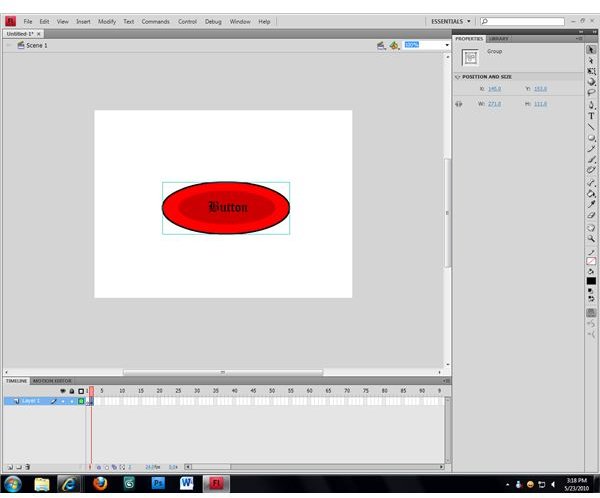
The first step in adding a link in Flash CS4 is to create a link object. The object can be basic text, a static image, or an animation. For the purpose of this example, a basic button is being created that will open the linked webpage when it is clicked. The button was made using two ovals of slightly different colors and a bit of text, with the three objects grouped together to make a single image. When making a multi-layer button to attach a link to, you can group the objects using the “Group” function in the “Modify” menu.
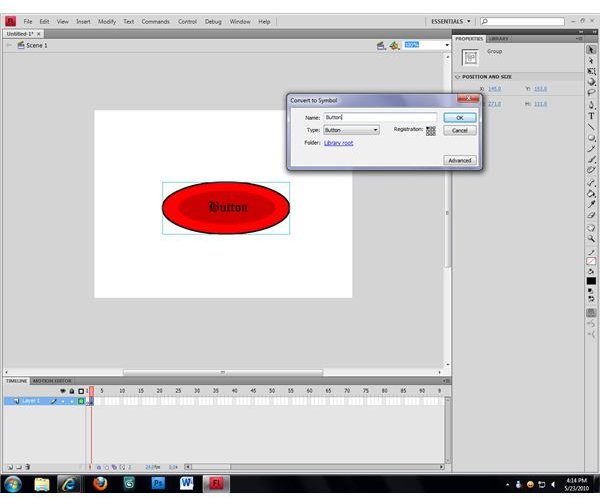
Once you’ve created your link object, open the “Modify” menu again and select the “Convert to Symbol…” option. A window will open asking you to name the symbol and select a symbol type; make sure that the name you assign to the symbol is unique among the other objects in your Flash movie and set the type to “Button.” Click “OK” and Flash will convert your link object into a clickable button, allowing you to assign actions to the object using ActionScript.
ActionScript
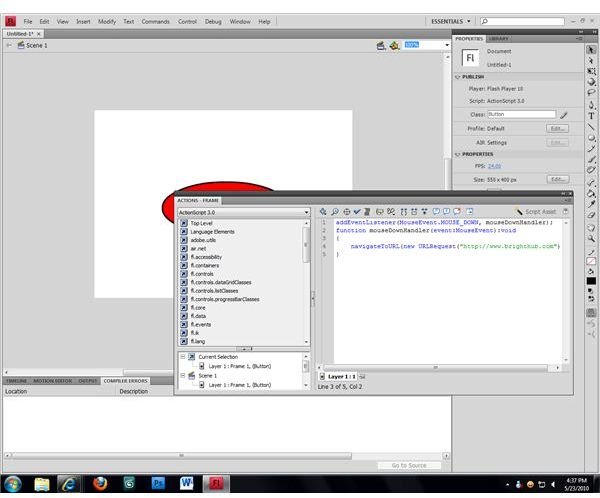
Click the link object that you wish to add your link to and press the “F9” key on your keyboard to open the ActionScript window. On the right you will see a listing of the various script elements that you can include, and on the right will be the empty area where your script will be written. Start your script by letting Flash know that it needs to check for mouse clicks by typing the following:
link_object_name.addEventListener(MouseEvent.MOUSE_DOWN, mouseDownHandler);
Make sure that “link_object_name” is the name that you gave to your object when you converted it to a symbol. Press the “Enter” key, then type the following on the next line:
function mouseDownHandler(event:MouseEvent):void
Press “Enter” again, then add an open bracket (the “{” symbol) on the third line. Press “Enter.” On the fourth line, type:
navigateToURL(new URLRequest(https://www.yourwebsite.com ));
Set the “yourwebsite.com” text to the address that you want your link to direct users to. Press the “Enter” key one last time, then add a closed bracket (the “}” symbol) to finish your script. When you run your Flash movie or game, the link object will now direct people to the website that you have created a link to.


