Tracking Business Expenses with GoogleCalendar
Getting Started
There are many reasons to use Google Calendar to track your small business expenses. You’ll be able to see, at a glance, how much money was spent, where it was spent, and when.
Plus, because you can access Google Calendar from any computer or mobile device with an internet connection, there’s no excuse not to enter expenses as they occur, making Google Calendar the best way to keep your business finances updated in real time.
1. Log into your Google Calendar account. If you don’t already have a Google Calendar account read Google Calendar: Creating Your Account.
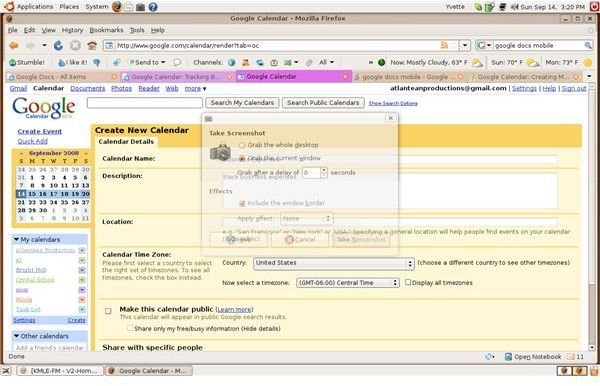
2. Create a new Google Calendar named “Business Expenses.” If you need help creating a new calendar read Google Calendar: Creating Multiple Calendars.
Enter Recurring Expenses
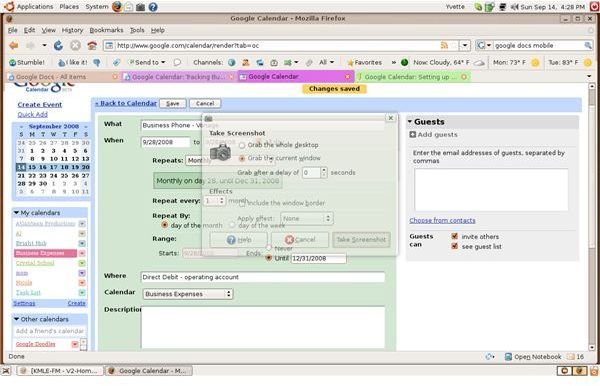
Use Create Event to enter recurring expenses like payroll, building rent, business phone, or insurance costs. Click Create Event in the upper left of the screen, under the Google Logo.
- Enter the type of expense and the company it’s paid to in the text box labeled What.
- Use the text box labeled When to enter the bill’s due date. If you double click in the text box a calendar will appear. Change months by clicking on the double arrows at either side of the month name. Click on the the date to select it.
- If you want to schedule the payment for a certain time, enter the time in the time box. Otherwise, select All day.
- Since this is a recurring expense, use the Repeats drop down menu to select the frequency and details.
- In the Where text box, specify how the bill is to be paid. Examples of payment types are check, direct debit, money order, or credit card. Some small businesses use more than one account from which they pay bills, if your business does this remember to specify from which account the bill should be paid.
- Use the Description box to note account information, Payee address and phone number, and your contact at the payee company, if applicable. Include any information about the account you may need to access quickly.
- If desired, set reminders for this bill. For detailed instructions, read Google Calendar:Setting Up Notifications.
- Ensure the privacy settings are correct.
- To notify someone — your accountant, receptionist, or business manager, for example– of the bill, enter them as a guest by entering their email address in the Guests box. Alternately, select choose from contacts to select email addresses from your Gmail account.
- When your finished, click Save to save your bill.
- Repeat for each recurring bill.
Enter Expenses As They Occur
Sometimes you need a fast way to enter purchase information. Google Calendar’s Quick Add feature is perfect for this.
- Sign into Google Calendar, select your Business Expense Calendar.
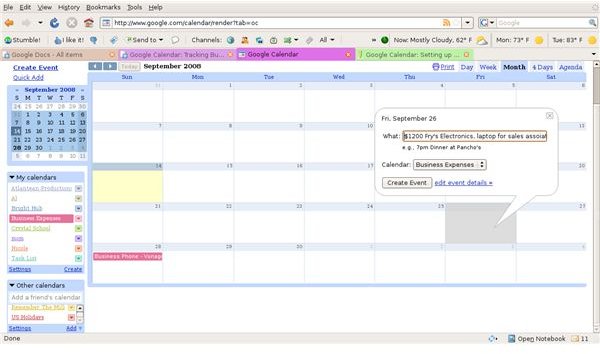
- From the Month view, click on the day the purchase was made.
- Enter the amount,place spent, expense purpose, and name of person who made the purchase in the bubble.
- Click Quick Add.
Use Your Mobile Device to Enter Expenses as They Occur
One of the benefits of using Google Calendar to track business expenses is the ability to access expense information from your mobile device. For detailed information on using Google Calendar on your mobile device, read Google Calendar:Using Mobile Features and Calendars and Mobile Set Up Controls.
Once you have Google Calendar enabled for your mobile device, get in the habit of entering business expenses and purchases as soon as they occur. You can do this as you’re leaving the store, or in your car, before you leave the parking lot. Cultivating this habit will ensure you never forget to enter an expense again.
Integrate Your Business Calendar With iGoogle
If you use iGoogle, you can use a calendar gadget to add your Business Expenses calendar to your iGoogle homepage.
Adding gadgets to your iGoogle page is easy, and takes only a minute. Open your iGoogle page, click Add stuff, and search for Google Calendar gadgets. When you find one you like, click Add it now. For more detailed information about adding Google Gadgets, read iGoogle:Adding Gadgets If you’re completely unfamiliar with Google Gadgets learn more by reading What are Google Gadgets And Their Features.
Whether you’re tracking expenses for your small business or incidental expenses related to your employment, Google Calendar lets you see how much was spent, where and exactly when. When you use Google Calendar to track your business expenses, the hardest thing is remembering where you put the receipts.
Images