Use Sharing Features to Manage Google Reader Contact Feeds - ARCHIVED
Editor’s Note: Google Reader is being shut down on July 1, 2013. Users are encouraged to use Google Takeout in order to transfer their accounts to other RSS feeds. This article was orginally published in 2008 and has been archived but left up for informational purposes.
Now that you have set up Google Reader and added some feeds, you will probably find some items you’d like to share with friends. Sharing items is easy with Google Reader. There are multiple features to help you customize your sharing experience. If you haven’t added any friends yet, you should do that first.
Adding Friends
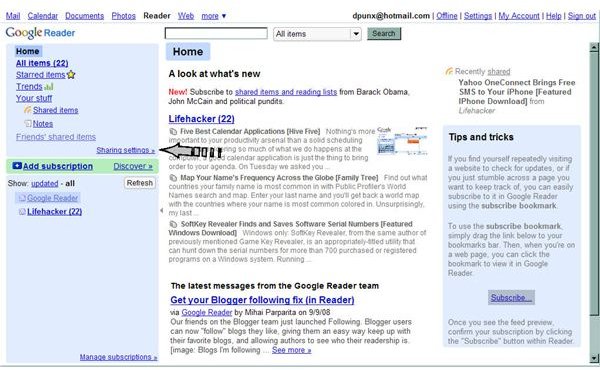
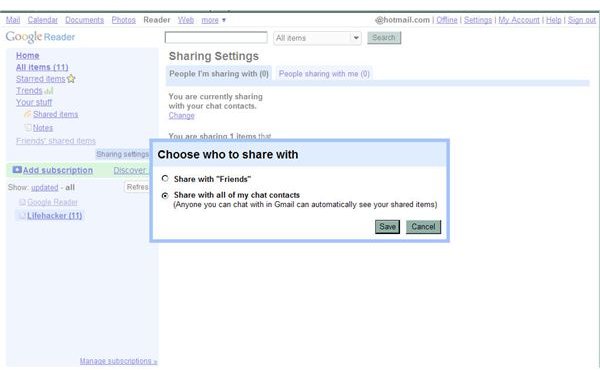
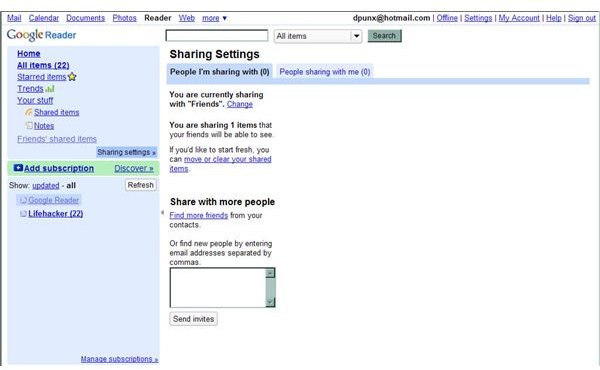
From your Google Reader Home > Sharing Settings. From the Sharing Settings page, you can add friends. Default Google Reader is set to share with Gmail chat contacts. If you don’t use Gmail or would like to add friends outside of your chat contacts click Change. Select share with friends and save. If you have Gmail Chat contacts and select this option, a screen will pop up allowing you to check which contacts you’d like to share with. Below Share With More People, type in the email addresses of all friends and family that you want to see your shared items, then Send Invites.
Share Settings
Share Invites
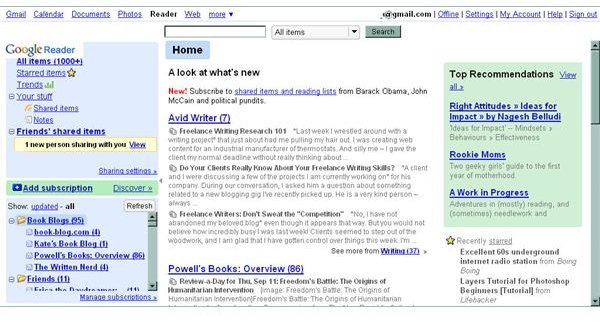
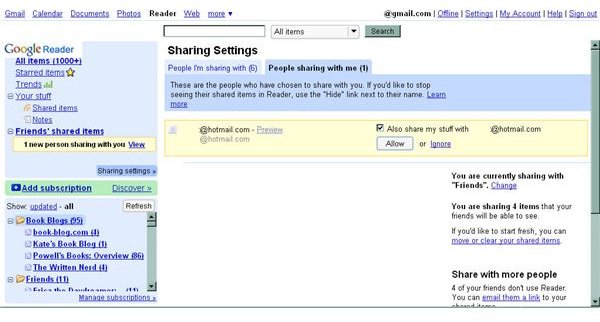
When you receive an invite, a yellow box will show up under Friends’ Shared Items in your left side navigation menu. If you see that box on Homepage, click View. You can now choose to allow the person to share with you. If you want to share with them, select the box next to Also share my stuff with, then click Allow. You can ignore an invite by clicking ignore.
Accept an Invite
Share with Friends
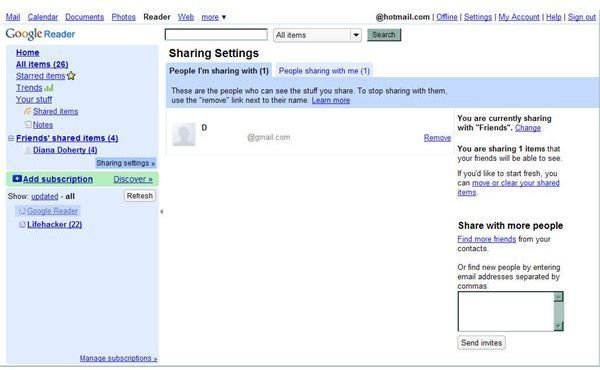
You’ve got a good feel for the Sharing Settings menus. You’ve added feeds and friends. You know how to share. Now customize who you share with. Enabling the share with friends setting gives you added ability to control who will see your shared items. You can remove individuals from sharing, without removing them as your Gmail Chat contacts. If you leave the default setting to share with only Gmail Chat contacts, then you don’t have the option to remove individual contacts.
Sharing People
Hide Contacts
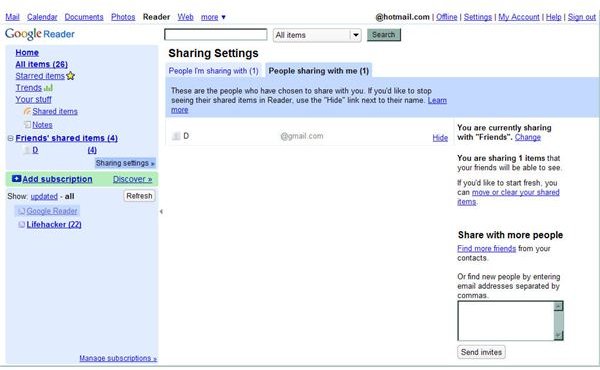
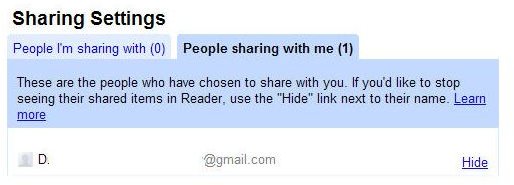
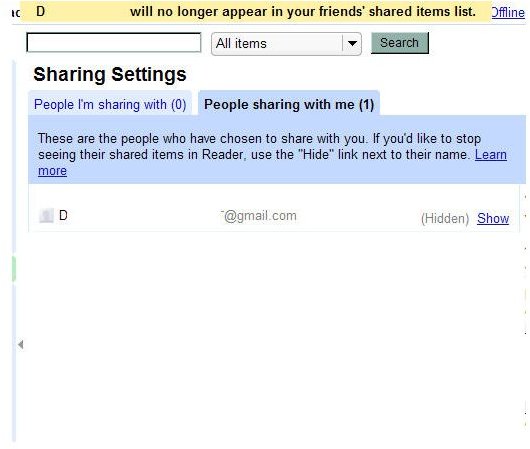
If you have a friend that likes to share too many items, you can hide them in Google Reader. They will still be sharing with you and vice versa, but you won’t be pestered by their new shared items. Go to Sharing Settings > contact > Hide. They won’t know you’ve hidden them. The link to their items will be gone from you navigation menu. Toggle the setting between Hide and Show in your contacts. If you accidentally remove someone from people you share with, hide then show them. This will bring up the yellow invite box so you can add them back to your sharing list.
Hide
Manage a Contact
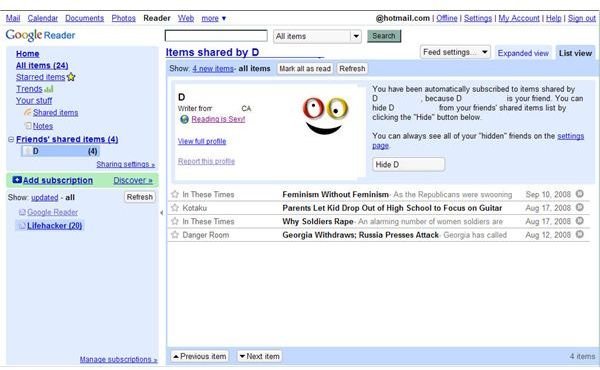
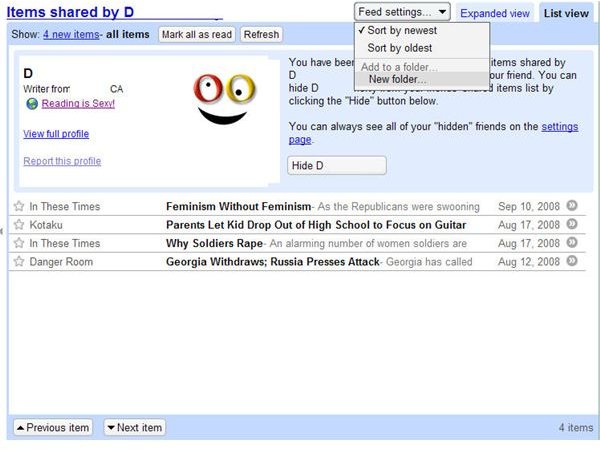
Click one of your contacts’ names in the navigation menu. You will see their Google profile information, all the feeds they’re sharing with you, and a few options. You can view their full profile, report their profile, or hide the contact. The grey pull down menu at the top right of your screen has options you can apply to this contact. Sort their feeds from newest to oldest or vice versa. Add their shared items to an existing folder or create a folder to add them to. This option is great to separate professional and personal contacts’ shared items. For example, create a Fun folder, then add your personal contacts’ shared feeds to that folder. Do the same with a Work folder.
Manage Contact
Other Settings
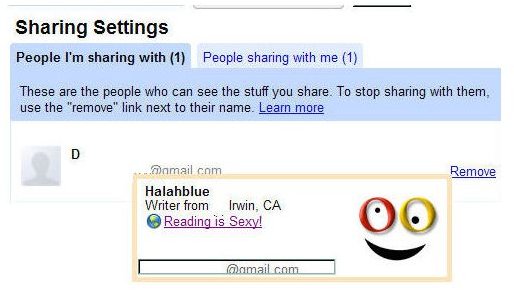
While viewing shared items, you can toggle between list view and expended view by clicking the corresponding tabs at the top right. You can mark all shared items as read. You can click the gray arrow button to open the full article in a new window. The toolbar at the bottom of each item is the same as for your other feeds, including buttons for: Add Star, Share, Share with Note, Email, Keep Unread, and Add Tags. While viewing people you’re sharing with, you can hover over one name. If they’re a Google contact, their Google profile information will come up.
Stars
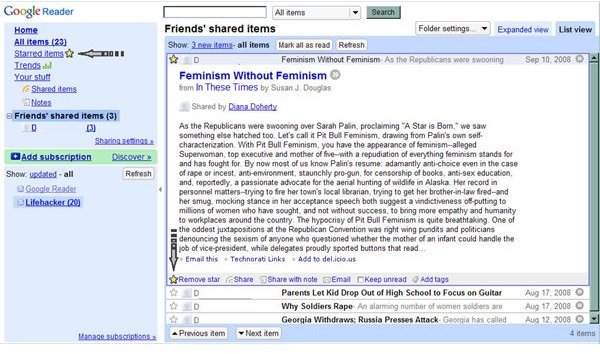
You can star shared items that you enjoy to find them easily later. Starring is way to select favorites. Starred items can be accessed by clicking Starred Items in the navigation menu. Remove a star from an item at any time by clicking the star again.
Notes
You can add a note to a shared item by selecting share with note. This option allows your sharing contacts to see the item and your comment when they view it. An article devoted to notes is coming soon.
This article has been placed in our archives.
This post is part of the series: Google Reader
Google Reader is an easy to use, popular web-based feed reader. In this series learn the basics, tips and tricks, and add-ons to enhance your user experience.
- Adding RSS Feeds to Google Reader
- Google Reader for Sharing News With and Without a Gmail Account
- Managing Google Reader Sharing Features
- Take Notes in Google Reader
- Using Google Reader Offline
- Going Mobile with Google Reader
- Google Widget to Display Shared Items on Your Blog
- Themes Change the Look of Google Reader
- How to Turn Google Reader Subscriptions into a Blogroll
