Using Google Maps to Find Locations, Set Your Default Location, and How to Get Directions on Your Mobile Phone
How to Set Your Default Location in Google Maps
You may have seen the Maps link at the top of the Google Search Engine and may have actually used it to get directions to some place. But, there’s more to Google Maps than just simple directions. You can make specialized maps for anything that you need.
To most effectively use Google Maps, it would be best to first set up an account. For information on how to set up a Gmail account, read the Brighthub article How To Set Up a Gmail Account. If you know that you are going to be searching for a preset location, you can set that location as your default location. You can do this by following these procedures.
1. Go to Google Maps by clicking the Google Map icon at the top or by going to https://maps.google.com.
2. Go to Set Default Location.
3. Put in your selected location.
4. Press Save.
Now, when you want to get directions, this will come up as your starting location. To obtain directions, you can either do a search for the location with a regular Google Search, or you can go to the Maps area and search the maps directly. You have additional search options when you use Google Maps. You can search anything from real estate to businesses to Web pages. It just depends on for what you’re looking.
How to Find Locations Using Google Maps
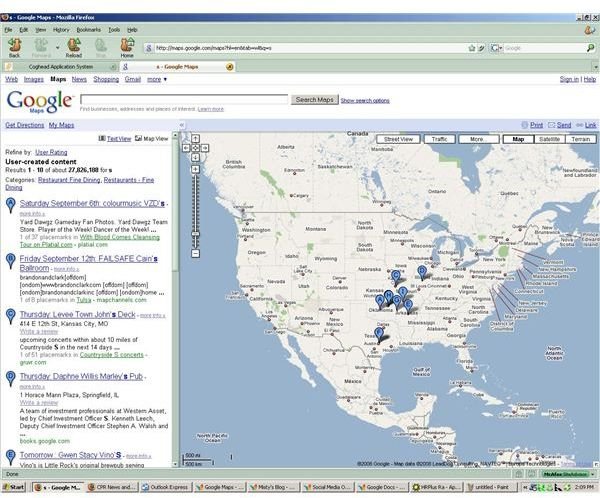
When you use Google Maps, a map will come up beside your search options. This map shows the location you are searching, but there are also several other options with this feature. You can look at an actual driving map or obtain satellite images of the location and even the terrain of the area.
Google has also added photos of selected locations that you can view. But, you should be wary of the photos. Sometimes, they are correct; sometimes they are not. And, then there’s been some controversy with the privacy issues involved in looking at photos of people’s homes or government installations.
How to Use Google Maps from Your Mobile Device
Finally, you don’t need to carry around your computer or make a print out of your map if you don’t want to. Google Maps for Mobile allows you to download Google Maps to your mobile device and take your map with you anywhere. To do this, you need to obtain the information from Google.
1. Go to https://www.google.com/mobile/default/maps/index.html.
2. Type in your phone number.
3. Google will send you the information via SMS or text message.
You can also just navigate to Google Maps from your mobile device and follow the above instructions.
Google Maps gives you many options to create maps and find directions all over the globe.
