Do want to keep track of the latest weather updates without having to open a new web page? There are several different weather buttons that you can add to the Google toolbar that let you check the temperature and other weather conditions.
Customizing the Google Toolbar to Show Weather Information
The Google toolbar may have started out as just a utility that let you perform quick searches without having to open the Google homepage in your web browser, but it has since evolved into quite a bit more. With very little effort, you can easily customize the Google toolbar to include buttons that give information on anything from eBay auctions to weather conditions.
Since anyone can create a custom button for the Google toolbar, there are quite a number of weather buttons to choose from – some good and some not so good. We’ll take a look at how you can preview, add, and remove weather buttons on the Google toolbar in Internet Explorer 8.
Adding a Weather Button
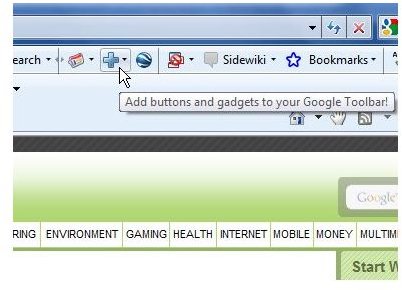
To get started, click on the Add icon on the Google toolbar (the icon shaped like a “plus” sign) as shown in the image below. Click on any image in this article for a larger view.
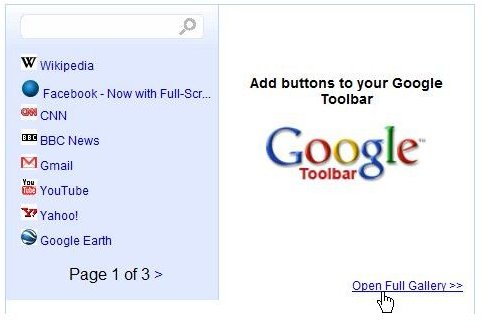
A pop-up window will appear on your screen listing some of the most popular buttons. Click on the Open Full Gallery link found in the lower right corner of this window to get a summary of all available buttons.
A new page will open in your web browser with the names and descriptions of all the different buttons you can add to the Google toolbar. To narrow down this listing, type weather in the Search for buttons box and then click the Search button.
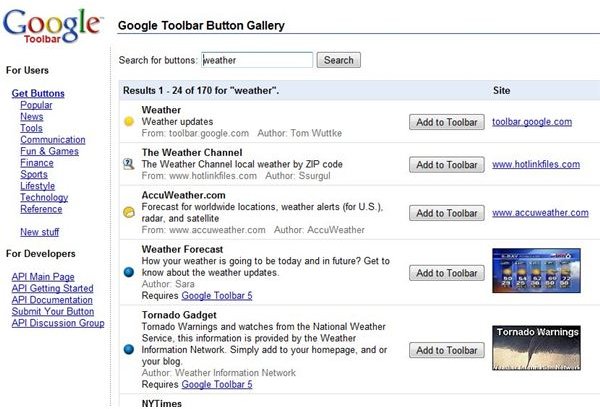
Browse through the list to find a button that reports on the type of weather information you want to access. Some of the buttons only give basic information, such as current temperature and local forecasts. Others offer more specific details like weather news and storm warnings.
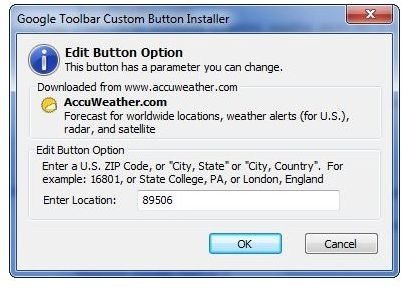
When you find a button that you want to use, click the Add to Toolbar button. You may be prompted to enter certain information as the button is being installed. For example, if you select the AccuWeather.com button, you’ll be asked for your location so that the button can report on the weather conditions in your local area.
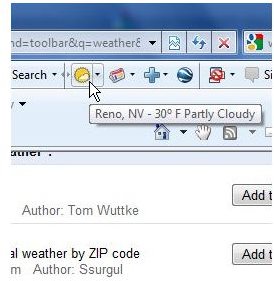
Once installed, the new weather button will immediately be added to the Google toolbar. You can check it out by hovering your mouse over the button to see what information is displayed or by clicking on the down arrow next to the button to see what other options are available.
Edit or Remove the Weather Button
If you want to change any of the information (such as the location) or you decide that you don’t like the weather button that you’ve added, you can edit it or remove it completely. To do so, click on the Adjust Toolbar Options menu on the Google toolbar (the icon shaped like a wrench) and select Options. When the Toolbar Options window appears on your screen, select the Custom Buttons tab.
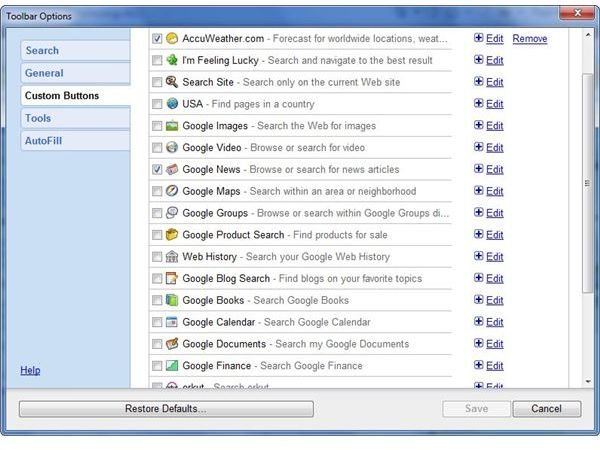
Scroll through the list and find the button you added. If you remove the check from the box next to the weather button’s name, the button will remain installed but will no longer show up on the Google toolbar. You can it back to the toolbar at any time by accessing Toolbar Options and rechecking the box next to the button.
To get rid of the button so that it no longer appears on the list at all, click the Remove link.
If you just want to change some of the characteristics of the button, click the Edit link. For instance, you can edit the AccuWeather.com button to change the location for weather reports.
When done with your changes, click the Save button and the Toolbar Options window will close with the modifications saved. If you decide not to make any changes, you can click on the Cancel button to exit the window at any time.


