By using your Google Profile, you can make yourself easier to find as well as choose how people can contact you when they’re looking for you online. You can also get better search rankings for your name than you might otherwise be able to manage.
Be Findable
When users type your name into Google’s search engine, they typically want to find out information about you. It can be a matter of a prospective employer wanting to learn more about you or someone trying to figure out how to get in touch with you. But information about you may not show up where you want it to: if your name is somewhat common, getting on the first page of Google’s search results can be very difficult. However, Google Profiles often show up on the first page of results for names. Just by having a complete profile, you can make yourself immediately easier to find online.
Get in Touch
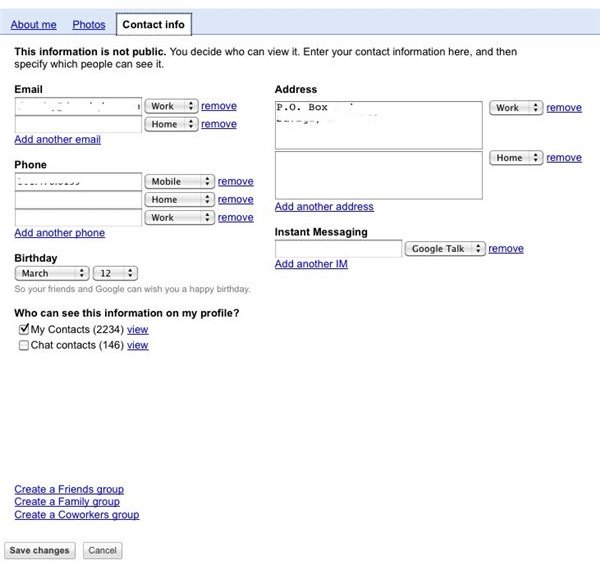
When you set up your Google Profile, you can select the information that is visible to anyone who views your profile. That includes what contact information you want to make available. You can choose to show an email address, a phone number, a mailing address, various screen names and more — and you can limit exactly who can see that information. It is not automatically made public. Instead, you can choose groups among your contacts in Gmail to provide information to.
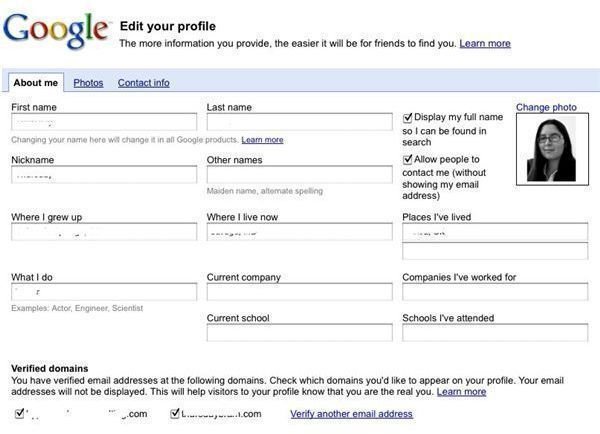
You can also allow people who see your profile but aren’t in your Google contacts to send you email, without giving them your email address. Google Profiles offers a tool, which you can enable by checking a box while filling out your profile, which allows for contact through Google Profiles. You can change your contact settings at any time.
Have a Say in What People See
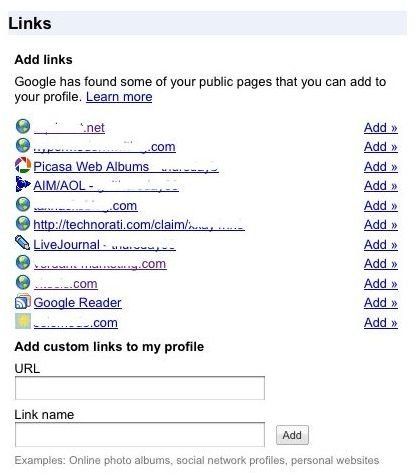
In addition to controlling what contact information you make available through Google Profiles, you can also choose what information is associated with your name. You can supply a brief bio, but you can also choose what links show up on your profile page. Google automatically generates a list of links for you to choose from — but not all of those links lead to information you necessarily want people searching for you to see. For instance, you might have an account on a photo-sharing site that you use with friends but don’t want attached to a professional profile.
You can choose which sites, as well as blogs and social networking profiles , appear. You can also add addiitonal links that Google did not automatically find for you.
Setting Up Your Google Profile
As long as you already have a Google account — which you likely do if you use any of Google’s tools, such as Gmail or iGoogle — you can start creating your profile by visiting Google Profiles . Google will automatically add what information it can from your Google account, but there will be some blanks that you need to fill in.
Google Profiles