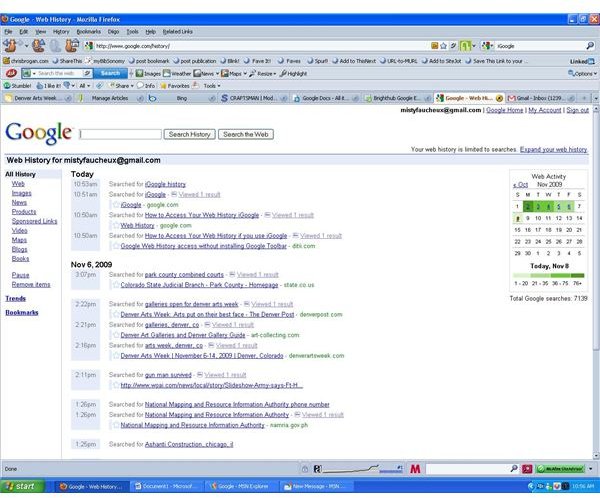
Tired of digging through your history? Want an easier way to do it? Well, iGoogle makes things easier than ever to review your Web History.
Overview
iGoogle is Google’s version of your own home page. You can add features that you want or need, and you can easily access your Google Docs, Calendar and other applications in one space. You can also access your Web History via iGoogle as well.
What is Web History?
Your Web History keeps track of everything for which you have recently been searching and organizes these searches via date and time. These can be very useful if you need to refer back to one of your searches without actually needing to re-research the information. Plus, you can go through your history and see what you have most searched for, for example your most visited sites, trends, etc.
Web History is different than your search history since your search history will only pull up what you have recently searched for. You can use Google Suggest to get personalized suggestions for other sites or blogs based on what you have searched for and which sites that you have visited. You can also use Google’s Search options panel to filter the outcomes of your have searched.
How to Add Your Web History to iGoogle
To add your history information to iGoogle, you will have to first log into your account or create a new account. If you’re starting a
new account, you will be given an option to enable your Web History. If you already have an account, you will have to sign into your account, and then go to https://www.google.com/history/ . Once you have set it up, you will see a list of all your past searches, listed running down the page with the latest search first.
You can also access your Web History from the Google Accounts page simply by going to https://www.google.com/accounts/ManageAccount if you are already signed in. The Web History link will be in the first column on the left.
You can, also, directly access your Web History by clicking on the link for it on your iGoogle page directly.


