You know about Google Gadgets and what you can do with them. But which ones should you consider adding? Here’s a handful of the most useful gadgets to enhance your Google experience.
Google Gadgets are little widgets that add more features or functionality to a web site, Google application, iGoogle and other platforms. What Are Google Gadgets and Their Uses? explains what they are and how you can put them to work.
If you use Google Calendar, you can add a small version of the calendar to your web page, Gmail sidebar or elsewhere by copying the URL when you click on “View Source.” If “View Source” isn’t available, you can look at the URL for the gadget and copy / paste the second URL (the bolded part in the below example):
https://www.google.com/ig/directory?type=gadgets&url=www.google.com/ig/modules/colorjunction.xml
However, Gmail has the Calendar Gadget available in Labs under “Settlings,” so you don’t need to grab the URL for the gadget. Some other gadgets are available under there, too.
Google Gadgets aren’t limited to tools that help you in your work and life. They also include games, horoscopes and time wasters. The following best Google Gadgets pick the ones with the most users and best ratings.
Have an address, but not the zip code? Or did someone call you long distance from an area code you don’t recognize? The lookup will find out the details for you.
Discover other artists and artwork besides Mona Lisa. If something catches your eye, you can click through to learn more about the artist and leave a comment about the artist’s work.
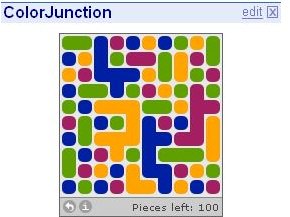
Can you clear all the pieces in this challenge puzzle game?
ColorJunction Screenshot
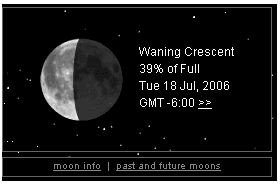
Based on your location and time, the gadget gives you the current moon phase and its name, percent full and date.
Current Moon Phase Screenshot
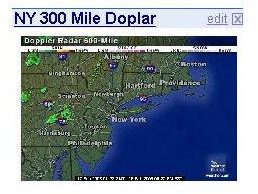
Doppler Radar and Severe Weather Alerts
Sometimes Mother Nature just likes to prove meteorologists wrong. Stay up to date what’s happening in your area or other areas.
Doppler Radar Screenshot
Exercise your brain and vision with these optical illusions.
Wish you had a pet in your office? Add the fish gadget to watch them swim toward your mouse pointer, feed them, decide on their colors and more.
Get where you need to go without leaving your web page or application.
Google Translate and WordMonkey Translator : Just select the language you’re translating, the language you want to translate it to and paste the phrase and voila!
How to of the Day : This application from wikiHow teaches you a new skill using step-by-step instructions.
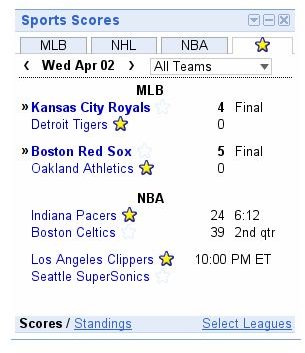
Sports Scores : Can’t turn on the radio or television? Find out what’s happening with your favorite teams in a variety of sports.
Sports Scores Screenshot