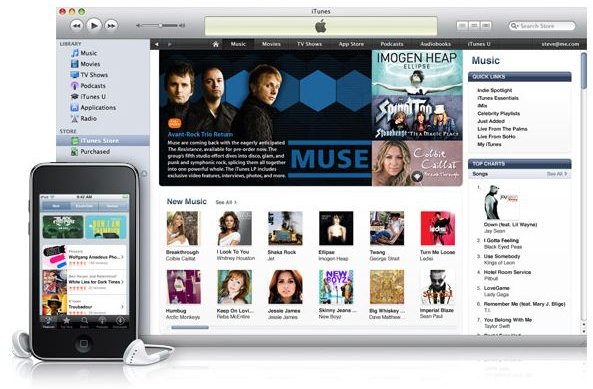
Now that you’ve bought that new iPod, you need to put some music on it to rock out! Wondering how to download music for your iPod? This article will point you to some sources of free and cheap music as well as show you how to download music to your iPod. Read on to learn and enjoy.
Music Sources for your iPod
iTunes Store:
The iTunes store is the numero-uno destination for buying music for your iPod. Once you’ve setup your iTunes account, all you need to do is select your music and just click the buy button. The track(s)/album(s) are downloaded automatically. The next time you connect your iPod to your computer and launch iTunes the tracks are copied onto your iPod.
Emusic Store:
Emusic.com is one of the best Independent music stores available on online. You can find most Indy bands and artists here and what’s more you get 45 tracks to download for free just for signing up! All the tracks are also cheap and available for almost half the price of their iTunes counterparts.
From Audio CDs:
Say you have a collection of audio CDs and would love to listen to them on your iPod. You can copy your audio cds to your computer using iTunes and then have them transferred to your iPod. You can refer to the article on copying CDs to your iPod to learn how to perform the task easily with iTunes
Amazon Music Store:
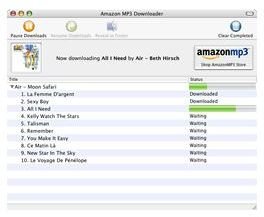
The Amazon Music store is also a good source of music and allows you to purchase music easily as you would with the iTunes store. You can download the iTunes exporter from the Amazon Music Store to help you automatically export the tracks that you buy to iTunes and help you get it onto your iPod.
TIP : Both the iTunes Store and Amazon Music Store offer free downloads from time to time; now that’s a nice way of getting music for your iPod for free! Look out for free offers at the stores.
Transferring Music to your iPod
The most popular format of online music today is mp3. For any music lover iTunes need not be the only source of music; Amazon’s Music store is equally good and even comes with a client which will copy the tracks that you buy from the Amazon Music Store into your iTunes so that they can synced up to your iPod automatically. Other sources of music include free mp3 tracks from Magazines and independent artists selling and giving away free music on their own sites. Adding these tracks to your iTunes is an easy enough task and these tracks get copied to your iPod when you connect it.
The simplest way to download music to your iPod is to allow iTunes to manage the music on your iPod. Once you allow iTunes to manage music automatically all tracks,video,audiobooks etc. added to your iTunes client on your desktop or laptop will get automatically synchronized to your iPod.

In case you’ve set your iPod to not sync automatically or opted to manage your iPod manually from the above screen (by selecting the third option), connect your iPod to your computer and launch iTunes (if it hasn’t automatically launched).On the left you will see iPod displayed under Devices in the left window. Click on the iPod.
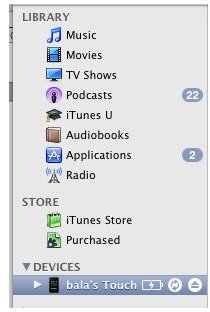
Now to dowload music to your iPod all you have to do is to drag & drop the files into your iTunes application window. After you have dropped the music files into iTunes, select the iPod from the devices and click on the synchronize button on the right window. Your music will be copied to your iPod and ready to go once the sync is over.

The Sync button is located to the extreme right of iTunes iPod Devices screen as shown above. The button is only clickable when there are unsynced tracks for the iPod.
Now that you know how to download music for the iPod, go ahead and buy some or get some music tracks for free, and rock out!



