If you have a good computer with multimedia capabilities, why spend extra on separate DVD or Blu-Ray players? Why not just connect your PC to your TV? Learn how here.
If you have a media PC or a Blu-Ray drive on your computer then there is little sense in buying a new machine to play Blu-Ray on your TV. Why not just connect the computer to the TV and watch them from there?
It isn’t as difficult as you might think and only needs a cable or two to work, depending on your system and the connections on your TV. Much depends on what connections you have on your TV, and your graphics card.
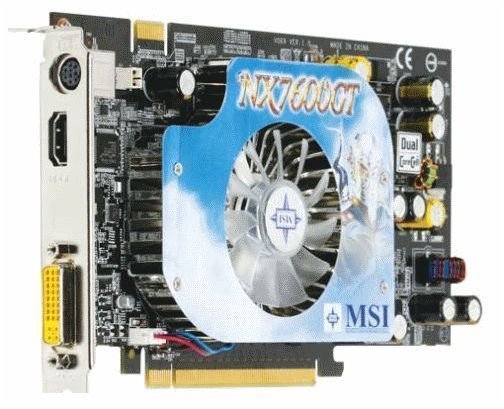
HDTVs come with HDMI interfaces as standard, as well as the usual Scart and audio connections. Graphics cards vary in the connections they have. For example the early Sapphire Ati 4870 has DVI, but the MSI NX7600GT has integrated HDMI, which makes connection a breeze. The rather excellent GPUReview.com site is by far the most comprehensive online source for everything graphics cards.
Connecting a HDMI enabled graphics card is simply a matter of connecting it to your TV via an HDMI cable, then tweaking the settings in Control Panel to get the screen resolution just right. The HDMI standard includes audio, so no extra cables are required for this to work seamlessly.
If your graphics card has DVI you will need a DVI to HDMI converter and an audio cable to make this work. The converter is a small connector that bridges the various connections inside the cable so they match a DVI configuration. Both signals are digital so it’s just a matter of connecting on to the other.
DVI doesn’t carry audio signals, DVI-D does but isn’t standard on many graphics cards. This means you will also need a jack type male-male plug in order to hear anything on your TV. Connect one end from the sound card output on the PC and the other into the audio input on the HDTV.
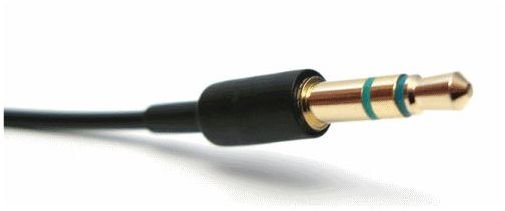
Like connecting via HDMI, you may need to modify the screen resolution in order to see the best quality image. Experiment with resolutions until you find one you like and stick with it.
Whatever connection method you use, you may also need to modify your audio settings in order to get the best audio reproduction. Depending on your sound card, you may need to modify the sound output to an external device. This can be done from Control Panel, Hardware and Sound, Sound, Manage Audio Device. Here you can change the output to an external device or HDMI.
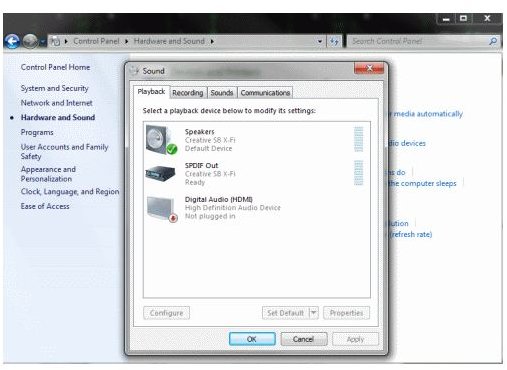
Once you have the resolution and sound configured how you want them, you can save them as a profile on your PC. Then all you have to do when you want to watch something on your HDTV instead of your monitor is to enable the profile and the settings will be automatically set.
Watching movies, or even playing games on a large screen TV can be an amazing experience. Now you know how to make it happen there is no reason why you can’t join in the fun too.


