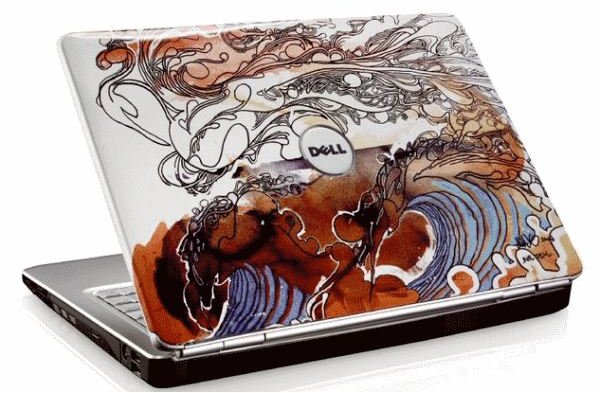
If you have a laptop and want to watch streaming video on your TV without expensive equipment then read on. Learn how to connect a Dell laptop to an HDTV and experience large screen images from your small screen device.
Hooking Up Your Laptop to your HDTV
Sometimes a movie or game deserves some large screen love. Computer monitors are great at their job, and are getting cheaper each month but they can’t compete with the large screen experience of a big screen TV.
If you have a hard drive full of movies, or want to watch YouTube on your TV then connecting your laptop to your television is a great way of getting what you want. There is no reason why console owners should be the only ones to be able to play games and watch movies on their big screens. Let’s learn how to join in the fun.
Connecting a Dell laptop to a TV is a straightforward process that only differs by the laptop model and TV connections. You can only connect a computer to a television that has either a VGA port, or an HDMI. Most newer LCD and plasma TV’s have one or all of these.
From the computer side, it depends on which model of Dell laptop you have. If you’re lucky enough to own an Alienware , Studio or Mini then you should have an external DVI-D or HDMI connection. If you have an Inspiron or older model with a VGA out, then things can get a little complicated.
VGA Output
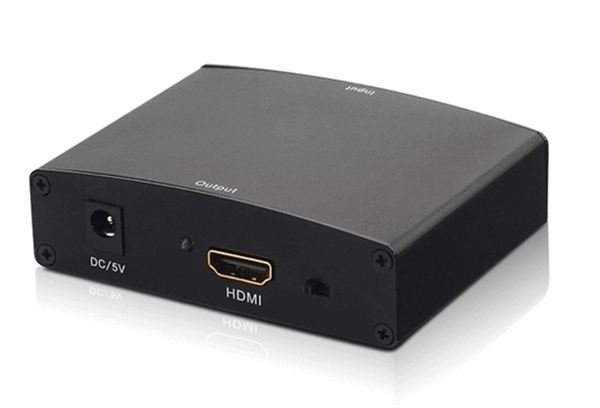
A laptop with a VGA output will work with a TV with a VGA port using a standard VGA lead. However, if the TV only has HDMI then you will need to acquire a VGA to HDMI converter. If you are going to be using VGA, you will also need a jack lead to carry the sound from the laptop to the TV.
VGA is an analogue video signal, whereas HDMI is digital, so neither will understand the other. In order for a TV to be able to use a signal from a VGA port, it first has to be translated into a digital signal for it to process it. That’s where the converter comes in. The VGA is input, the converter works its magic and turns the signal digital. This is output via HDMI to the TV.
There are limitations to these devices though. They won’t work at higher resolutions or frequencies. Currently the highest conversion is 1280x1024 at 75hz, which will be fine for streaming video and YouTube, but might be disappointing to games or high resolution video.
Digital Connection: HDMI or DVI-D
If you have a laptop with DVI-D or HDMI out and a TV with HDMI then things are much easier. HDMI to HDMI just needs a cable to connect the two. DVI-D to HDMI just needs a DVI-HDMI lead or adapter. As both signals are digital, no converter is needed like with VGA.
To complicate matters further, some Dell’s only have DVI ports. These are video only so you will need a jack lead to connect the sound just like with VGA. DVI-D has more pins and can carry audio too.
Once connected, the laptop and TV will need to be tuned together in order for the screen resolutions to match. You will need to play with the Display Settings in Control Panel to match the output resolution to the resolution of your TV in order to get it working properly. This shouldn’t take long, it’s just a matter of trying the different screen resolutions and seeing which one looks best.
Following these guidelines will allow you to view clear and watchable content from your Dell laptop on your television.


