Contrary to popular belief, it is possible to connect a VGA PC monitor to a Blu-ray player (including a PlayStation 3) and enjoy movies and other Blu-ray content.
Why Convert?
Converting an HDMI (High-Definition Multimedia Interface) signal output from a Blu-ray player or PlayStation 3 to be compatible with a VGA (video graphics array) PC monitor is a common requirement that is often overlooked in favour of other solutions.
For instance your plasma or LCD high definition TV might be on the blink and you want to watch your favourite movies or play your favourite game. With no TV, there’s no chance of this happening (as technology has moved on, VGA has largely been superseded, although remains the standard for PC to monitor connections.)
Alternatively you may only have one Blu-ray player in the house and interrupting the TV viewing of a family member or flatmate wouldn’t be welcomed.
Fortunately several manufacturers have released cable adaptors designed for overcoming this very issue.
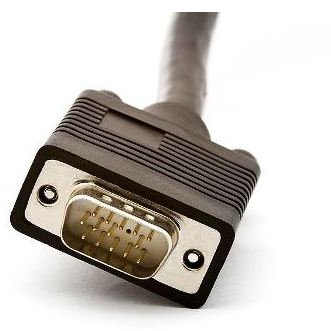
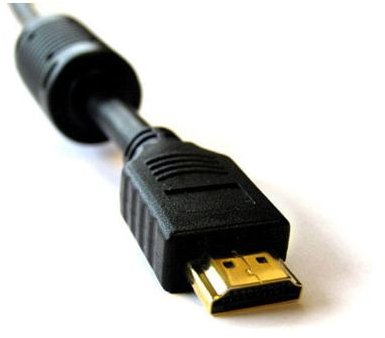
VGA and HDMI Cables
Why Adaptors?
Outputting an HDMI signal so that it will display on a standard VGA PC monitor isn’t straightforward. The HDMI signal is digital, whereas the signal displayed via VGA monitor is analog.
As such a converter is required to switch the high definition signal carried through the HDMI cable into the often lower resolution of the outputting VGA monitor.
Many current LCD PC monitors are capable of displaying at a resolution suitable for high definition, so you shouldn’t have any concerns about the quality of the converted output.
However it isn’t purely a matter of resolution. The HDMI signal from your Blu-ray player is encoded with HDCP (High-bandwidth Digital Copy Protection) and this is the element that will prevent viewing on a VGA monitor.
Which Adaptor Should I Use?
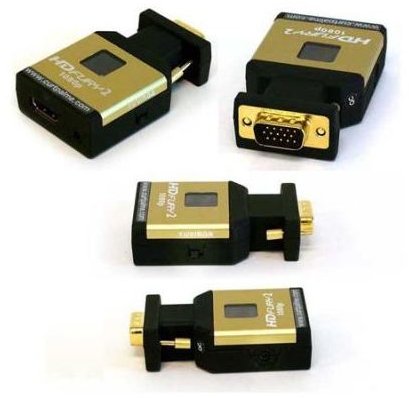
The best solution on the market so far is the HDFury 2 which features an HDMI input and a VGA output allowing you to plug it directly into your PC monitor.
How does it work? The HDFury 2 strips the HDCP element from the HDMI signal before converting this to the RGB standard and outputting through the VGA connection.
Although cheaper than a new or second plasma TV, however, the HDFury 2 isn’t cheap. They’re over $100 (£125) each.
While there are alternatives, these are bigger, bulkier, or require additional converters. The HDFury 2 is certainly the superior choice and a popular one, with reaction from consumers largely positive.


