Review of i-gotU GT-600 USB GPS Travel & Sports Logger - GPS Tracker and Receiver for Netbooks and Other PCs
Overview of the GT-600
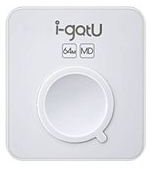
The GT-600 is the latest model in the i-gotU USB GPS Travel & Sports Logger series. Since this lightweight device acts as both a GPS receiver and tracker, it can be used for a wide range of different activities. In addition to being able to create track files for travel logging and geotagging purposes, the GT-600 can also be hooked up to a netbook or other PC and detect your real-time location. The device also comes with a full software suite to help you take advantage of all of the product’s capabilities.
Product Design (5 out of 5)
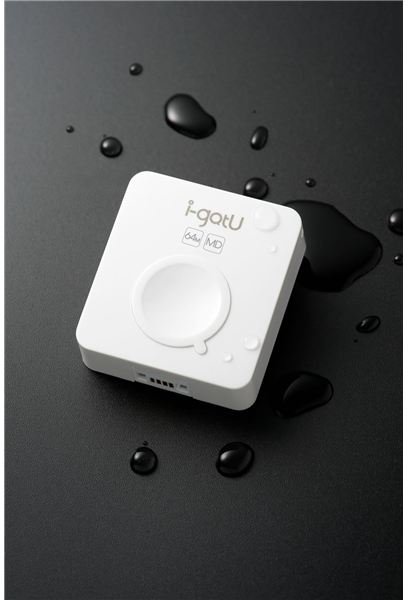
With dimensions of 46 x 41.5 x 14 mm and a weight of 37g, the GT-600 has a nice compact design that doesn’t weigh you down or feel awkward when attached to a belt loop or pack strap. Even though white isn’t my first choice of colors when it comes to outdoor devices, the glossy surface of the GT-600 does clean up quite easily and is fairly scratch resistant. The device is also quite sturdy, which is nice for those of us (namely me) who can be a bit clumsy at times.
Another nice feature of the GT-600 is its water-resistant design. While I don’t recommend dropping it in a lake, it did hold up quite nicely in both the rain and snow. In fact, it didn’t even hiccup when dropped in a mud puddle. It’s rare to see lightweight and compact combined with durability and toughness, but the GT-600 manages to excel in all of these categories.
Ease of Use and Performance (4 out of 5)
Like the other i-gotU models, the GT-600 is fairly easy to operate. The only control on the device is a single prominent button on the front side. To turn the device on or off, press and hold this button for about two seconds. You also press this button to log the GPS data for your current location – you just don’t hold it down for the prolonged period.
One of the new capabilities of the GT-600 is the motion detection feature that saves battery power by automatically sending the device into sleep mode whenever you’re just standing around and waking it up again when you’re back on the move. I’m always a bit leery about devices with “sleep” capabilities, but the GT-600 seems to work quite well in this area. Even if you want to wake up the device when you’re not moving around, you can simply press and hold down the control button for a couple of seconds and quickly exit sleep mode.
The GT-600 has a built-in 750 mAh Lithium-ion battery that provides about 80 hours of life before needing a recharge, which is quite nice if you’re going on an extended trip or if you just don’t want to be bothered with frequent charging. The device comes with a USB cord that acts as both a data transfer mechanism and a way to recharge the unit from your PC. Although the initial charging of the device takes about four hours, subsequent recharges only take about two hours.
The software suite that comes bundled with the GT-600 is comprehensive and easy to learn and use. It also allows you to export track logs as a GPX or CSV file so you can use those logs with other applications. Although this software is available on a CD packaged with the GPS unit, you can also download it and install it from the product website. This is a nice option for those who plan to use the GT-600 with a netbook or other portable PC without a CD drive.
Price to Value (4 out of 5)
At $119.95, the GT-600 is very competitively priced and is a good value for the money. If you don’t need all of the features found in the GT-600, you may want to check out some of the other models in the i-gotU Travel & Sports Logger series that are priced a bit lower. However, make sure to look at the feature list of these products carefully since the models in the series are all similar in appearance but are slightly different in terms of capabilities.
Overall Rating (4 out of 5)
All in all, the i-gotU GT-600 is a nice little multi-purpose unit that’s easy to use and has a sturdy design that should hold up for years to come. The long battery life and the motion detection capabilities are definite positives that should be particularly attractive to weekend travelers and sportsmen. Additionally, both the GT-600 and its associated software suite work very well in conjunction with netbooks. This makes the device a great choice for those looking for a truly portable GPS receiver and logger.
