Custom POI List For Garmin
Evolved Waypoints
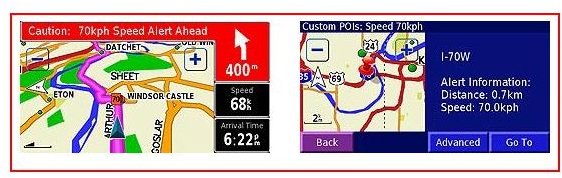
Custom Points of Interest (POI) are a handy resource to have on your Garmin GPS that pinpoint on your onscreen maps and alert you when you are getting near to the geographic location of those places. These useful POIs can be anything from historic monuments, to the best coffee shops, to your favorite restaurant chains, and of course; all of those red light or speed monitoring cameras that you don’t want photographing you doing something untoward.
POIs are enhanced waypoints that your GPS will navigate you to because they are marked by an icon on the map at their precise longitude and latitude. On more advanced Garmin models, details of that place such as a descriptive background, a digital image, or a telephone number will also be provided. Most GPS maps come loaded with POIs to some extent but now users can collect and organize the specific collection that they will find most intriguing or useful while travelling.
Custom POIs can be uploaded for a Garmin by means of software applications designed for that purpose which can be purchased and inserted or downloaded from the Internet. Users are then free to organize, customize, and create their own list from various sources. You no longer are solely at the mercy of a generic list provided by Garmin or compatible POI software. In addition, free software is now available to make up your list apart from the subscription fee-based designations that digitally adorn the maps you see on your GPS screen. Learn how to make a custom POI Garmin GPS list below.
Garmin POI Loader Software
One of the best ways to attain your custom POI list for Garmin GPS units is by utilizing the free software offering provided by Garmin, which is called POI Loader. This user-friendly application allows you to upload a list you customize to a Garmin GPS that is compatible to this software. Moreover, you can update your list as you see fit when the spirit moves you or your interests expand.
You can download the latest version of POI Loader easily from www.8.garmin.com/products/poiloader/. Once it’s downloaded from your computer, simply transfer it onto your compatible Garmin GPS using a USB cord or a SD memory card. You can also customize Proximity Alerts relative to when you want your GPS to tell you that you are approaching your designated POIs. From this same website, you can also find addition third-party POI software resources that are also compatible with your GPS. So go ahead, personalize a list of POIs, and have your very own virtual tour guide.
