Did you know that you can control your digital SLR camera from your iPhone or iPod Touch? You can also use these devices to compose your shot, fire your shutter, or use as an additional screen in situations where you cannot normally view the viewfinder. Interested? Read on to learn more.
Using an iPhone/iPod Touch to Control Your Camera
The iPhone and the iPod Touch have revolutionized the way in which we interact with technology. They are not all mighty but the way in which they let you do little tasks with their funky interface is the major driving factor for the acceptance of the device. People want easier ways of interacting, so why not use these devices for photography as well? Controlling your camera with your iPod Touch or iPhone just became possible with a new app.
Camera Remote for the iPhone & iPod Touch
The dSLR remote is an application available for the iPhone and iPod Touch that will allow you to remotely control your digital SLR. The app is from the fabulous guys at OneonOne Software who also make several fabulous plugins for photographers including Genuine Fractals and Phototools. The application can be downloaded from the iTunes App store for an introductory price of $ 19.99 for a limited time. There is also a lite version available for $1.99 which you can make use of to try out the app. You can find more about the app here .
At the time of writing this article, dSLR Remote is available only for Canon dSLRs, however OneonOne Software is working on a version compatible for Nikon cameras as well. The expected release of this updated version 1.1 is July 2009. So Nikonians keep your fingers crossed! Refer here for a list of compatible Canon dSLR cameras.
Setting up the Application
If you have tried tethered shooting with your camera then setting this up should be a breeze. The app itself works in two phases. The dSLR Remote Server is a client program that can be downloaded for free from the OneonOne site and has to be installed on your Mac or PC to control your camera.
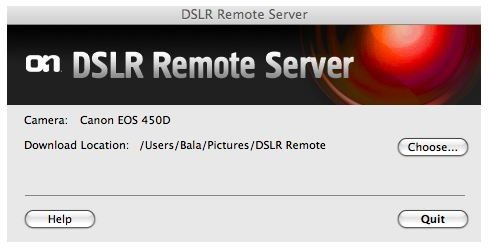
Once that is taken care of, it’s time to buy the application from the iTunes App Store and install it on your iPhone or iPod Touch. For Windows users, it is also a good idea to check if you have the latest drivers for your camera installed. If not, install it from the CDs that came with the camera or download them from the manufacturer’s website. Connect your camera to your computer with the USB cable or wireless transmitter. If you are using a wireless transmitter make sure you also have drivers for the device up to date to avoid problems. Now make sure that your computer and the iPhone or iPod Touch are connected to the same wireless network. It’s okay if you do not have an active internet connection, you can set up an ad-hoc connection between your computer and the iPhone/iPod using the wireless capability of your computer. The OneonOne site has a handy FAQ to answer any of the questions that might arise during the installation and use of the app.
Control Your Shooting Settings
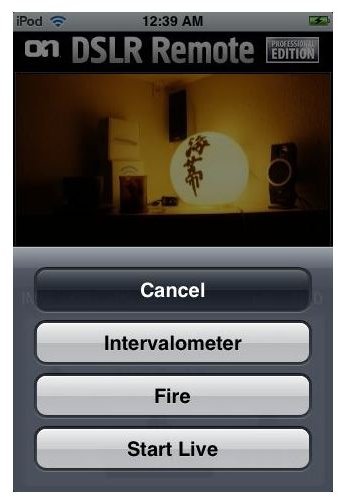
Launch the app on your iPhone/iPod Touch and you should be able to see your server on the servers list, connect to it. Once successfully connected you should be able to see the shooting screen with buttons for controlling various camera settings and a preview area for the image.
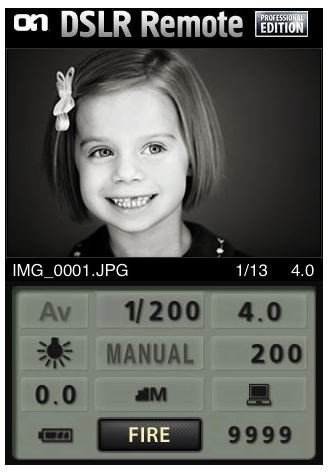
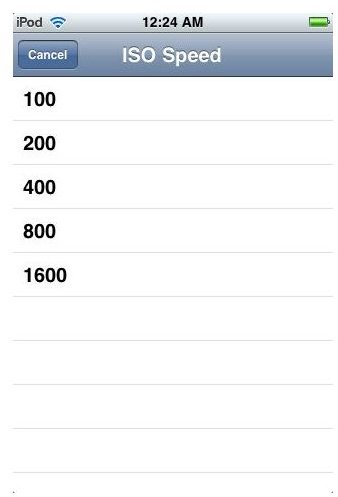
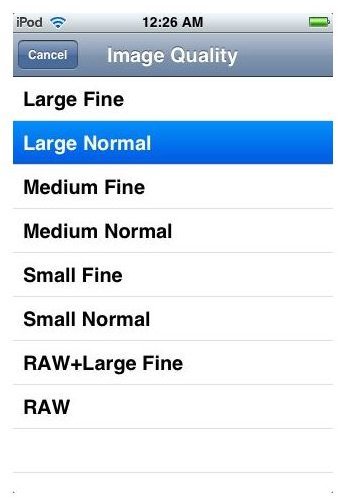
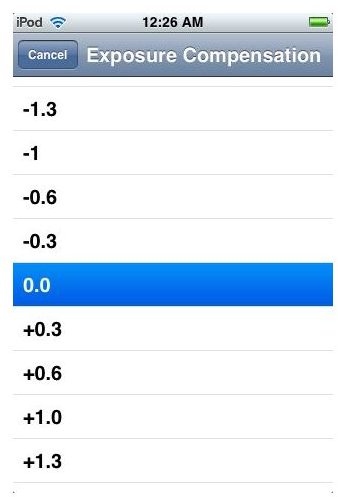
The settings options available on this shooting screen depend on the mode in which your camera is set. Remember that selecting the mode of shooting has to be done manually on the camera and cannot be controlled from the dSLR Remote. If your camera supports live view you can use your iPhone/iPod Touch to preview your shot and compose your image easily. Depending on the mode selected, several settings are available including white balance, exposure compensation , image quality (JPEG/RAW), ISO settings, etc.
Adjusting Exposure

The Possibilites are Endless
The dSLR Remote for the iPhone/iPod Touch is a wonderful tool for several situations. Shooting self portraits now becomes a breeze. Also, you can mount cameras on locations that are not easily accessible and get great angles and views that were previously not possible. Wedding shots can now be done without the photographer actually getting in the way. Additionally, the intervalometer that is available only through the capture software on certain Canon models is now accessible with the dSLR Remote, time lapse movies are a new dimension that this tool has opened for me. What the application offers you is the freedom to now think out of the box and use your camera in ways that were not previously possible.


