Best Spyware Scanner and Remover Options for Windows 7 and Before: Putting Spybot Search & Destroy Up to the Test
What is Spybot - Search & Destroy?
Spybot - Search & Destroy, also known as Spybot-S&D, is an application which searches and destroys spyware, adware and similar pests as well as potentially unwanted programs (PUPs) on your Windows XP or Vista computer. It does not replace your anti-virus software. Rather, Spybot - Search & Destroy is a complimentary application against PUPs and malicious software which do not possess the characteristics of a virus but are often poorly programmed leading to operating system instability and performance degradation.
I am sure you won’t uninstall Spybot - Search & Destroy after seeing the result of its scan on your computer!
System Requirements (5 out of 5)
The current version 1.6.2 and future builds of Spybot Search & Destroy are available for Windows XP 32 and 64-bit, and Vista. [Update Jan 2010: The latest version of Spybot supports Windows 7 of course.] The installation files and updates of Spybot Search & Destroy required 35.8 MB hard disk capacity on the test system, and the application uses approximately 50 MB RAM during a scan.
Ease of Installation and Setup (3 out of 5)
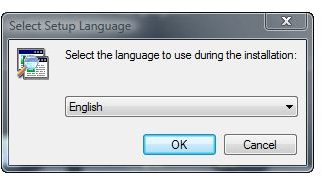
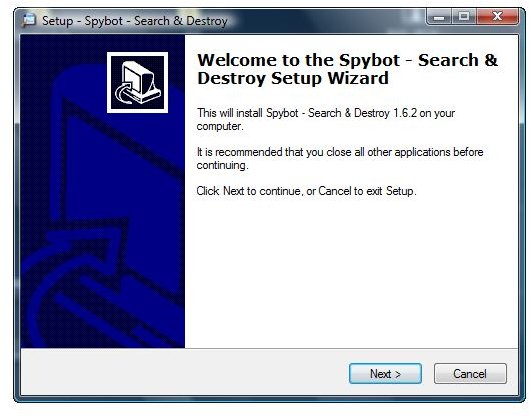
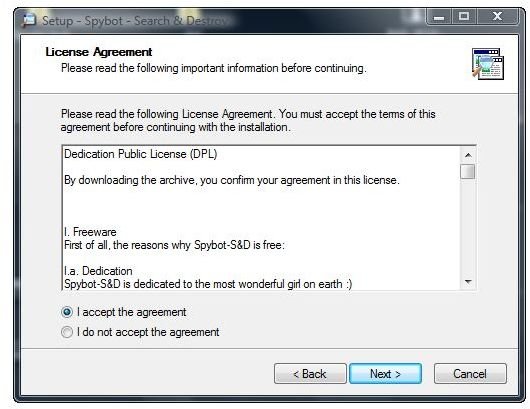
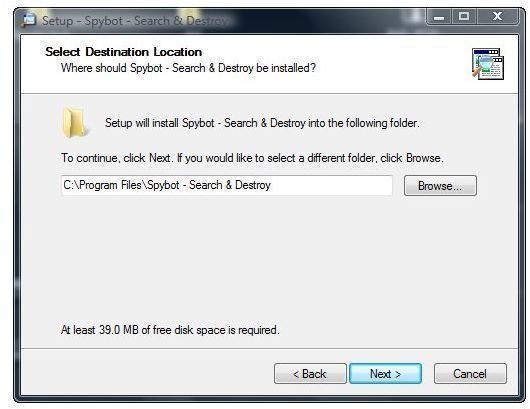
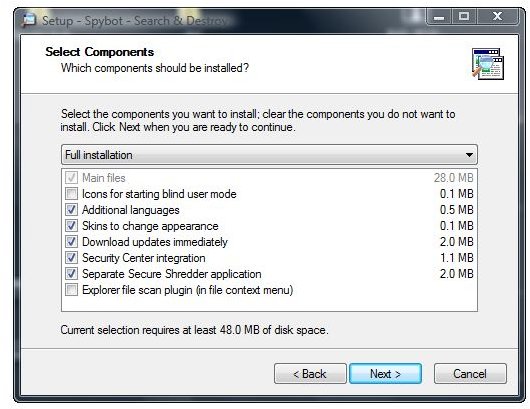
The installation of Spybot - Search & Destroy is lengthy and starts with the language you choose for setup. Then, Spybot-S&D continues with license agreement, installation path and components to install; the default should be right in most cases, however it does not automatically include Spybot - Search & Destroy’s Windows Explorer context menu extension.
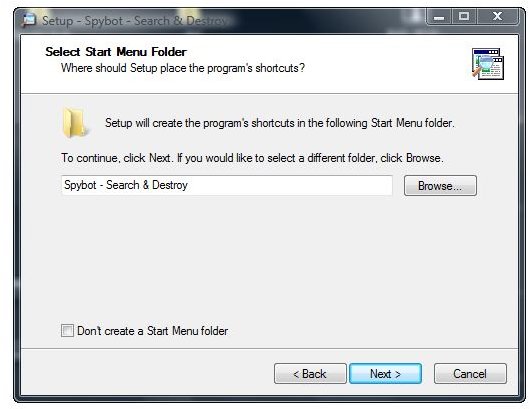
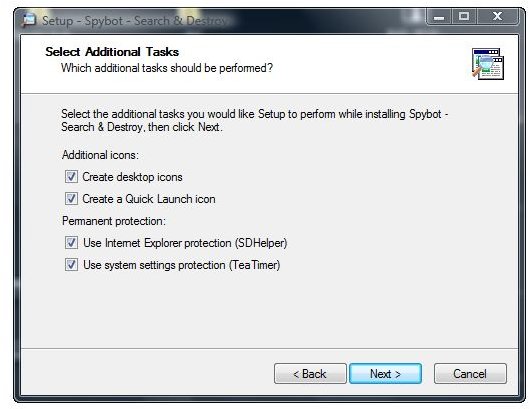
The next screen is related to the Start Menu for Windows XP or Vista, followed by putting application shortcuts to Quick Launch and onto the Windows Desktop. At the same place you activate real-time protection for Internet Explorer and system settings. Until you are more familiar with Spybot - Search & Destroy you may stick with the default again.
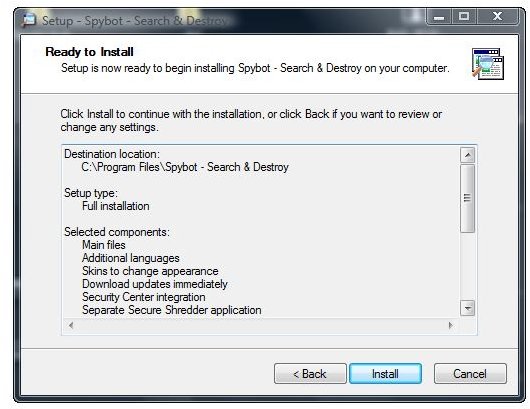
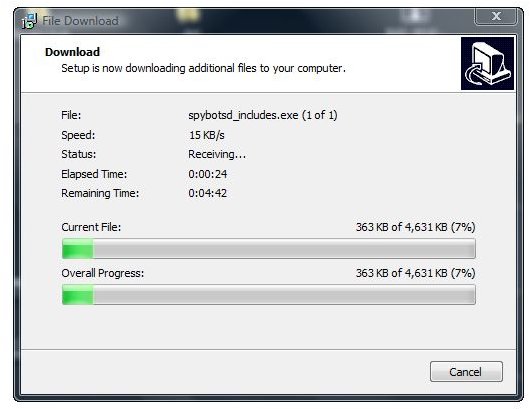
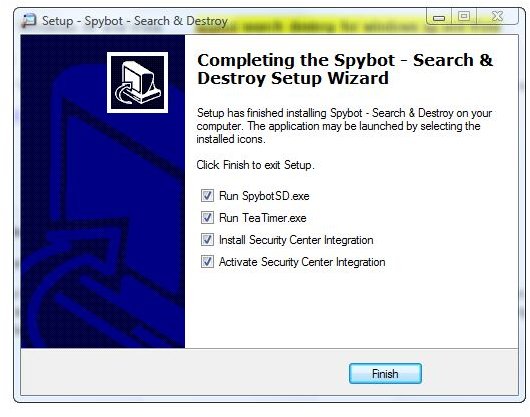
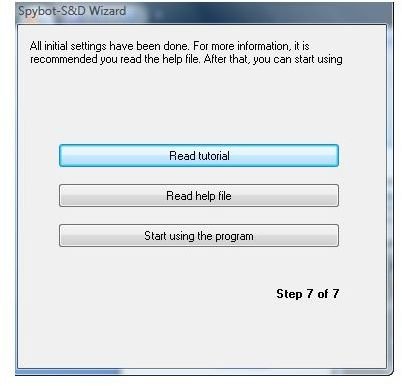
The next screen is summary of your Spybot-S&D setup before clicking ‘Install’. Upon completion of the installation, Spybot - Search & Destroy updates its database, and subsequently starts the application and helper tools with optional integration into Windows XP or Vista Security Center for example.
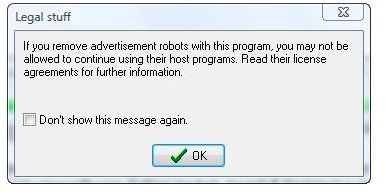
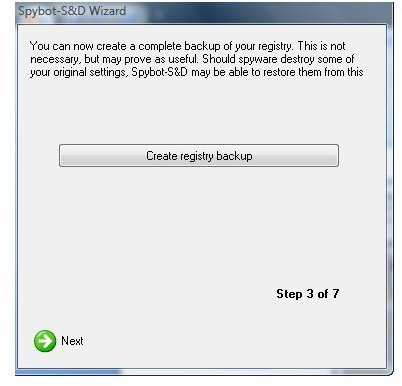
At that point, without a restart of Windows XP/Vista/7, Spybot - Search & Destroy leads over to some more legal stuff, and then creates a backup of your computer’s Registry before you can finally start using the program.
The setup process for Windows XP and Vista is depicted below:
Spybot Search & Destroy Setup depicted - Click to Enlarge
Interface (4 out of 5)
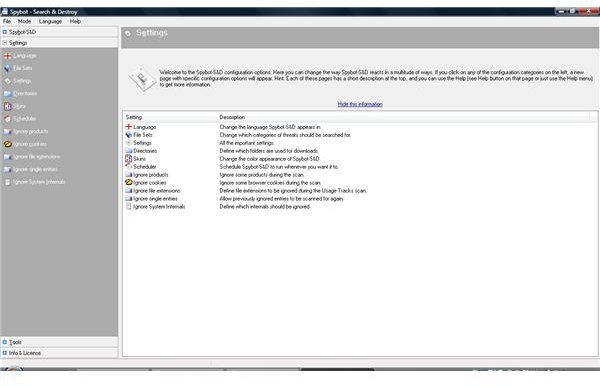
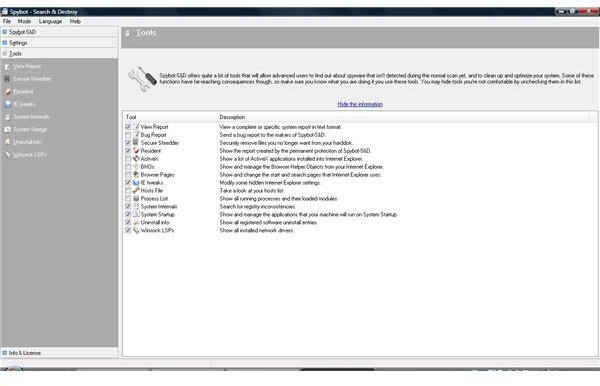
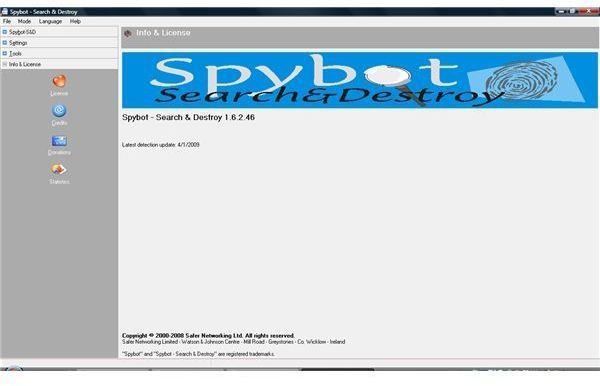
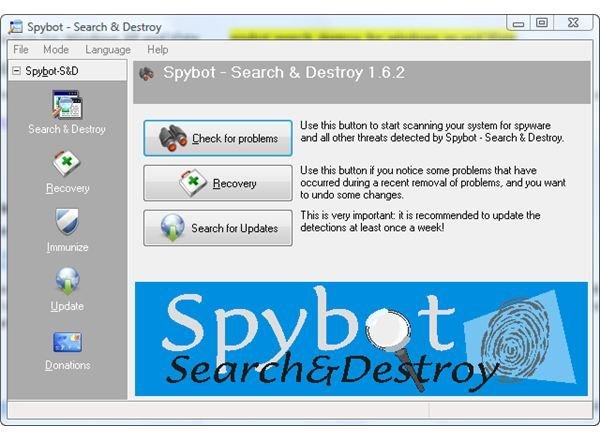
The classic interface of Spybot-S&D supports over fifty languages and is straightforward, with a title bar and a drill-down menu pane on the left side. The application displays pertinent menu details for Windows 7 and earlier in the right section of the GUI. The amount of configuration options and information depends on Spybot Search & Destroy mode explained below.
Spybot Search & Destroy Interface depicted - Click to Enlarge
Features (5 out of 5)
Spybot Search & Destroy searches for spyware and similar malware as wells as PUPs, and eliminates these threats and annoyances upon your confirmation. The application includes a recovery option should Spybot-S&D prevent legitimate programs from working. In addition to scanning you can immunize your browsers against ActiveX execution and spyware installers. ‘Check for problems – Fix problems’, is Spybot Search & Destroy’s means of passive protection, displayed in default mode together with ‘Recovery ‘and ‘Immunize'.
With Spybot Search & Destroy running on your Windows XP or Vista computer you have the options of setting the scan priority, starting the check upon system startup or scheduling Spybot-S&D execution for any convenient time. Furthermore you can whitelist objects like file extensions, system internals and software products to be excluded from scanning.
Additionally, you can set reporting and log options according to your needs, determine whether or not Spybot Search & Destroy will check the registry for inconsistencies stemming from uninstalled or unwanted software, use a secure shredder and safely remove any piece of software.
On top of that you will be able to configure Resident and TeaTimer, the two active means of protection found in Spybot Search & Destroy. The former checks browser downloads, whereas the latter continuously monitors process behavior to allow new, permitted applications and to destroy malicious or unsolicited executables. These and other features can be accessed by changing to advanced mode menus ‘Settings’, ‘Tools’, ‘Info & License’.
As malicious software and PUPs are often poorly coded it cannot be stressed enough that the features of Spybot Search & Destroy are more than helpful in keeping your Windows XP and Vista healthy, and performing as stable as expected .
Performance (5 out of 5)
Spybot Search & Destroy’s speed depends on your computer’s hardware, the amount of installed software and the scan priority, which you can increase should the application take too long to search. Upon reporting suspect software found through scanning, Spybot-S&D only uses a wink of an eye’s time to destroy it.
Spybot Search & Destroy searches your Windows computer for approximately three hundred and fifty thousand detection patterns of PUPs, malware, spyware, adware and other pests!
Help and Support (4 out of 5)
Spybot Search & Destroy installs with a short tutorial integrated in its help menu, which does a good job and includes FAQs. Where appropriate, the help menu of Spybot-S&D is only a mouse click away in the GUI.
More information, a malware dictionary, and a Wiki can be accessed online at the vendor’s website. The website also has a forum and contact information plus a link to another company for paid live support, as Spybot Search & Destroy is essentially freeware.
Price to Value (5 out of 5)
You can donate as much as you can afford or are willing to pay with PayPal and your credit card. You may make a donation at that moment of download or any time later using Spybot - Search & Destroy’s GUI. Alternatively, you might avail yourself of Spybot Search & Destroy for Windows XP/Vista/7 as freeware.
Conclusion
Spybot Search & Destroy is mainly an on-demand scanner for spyware, similar pieces of software and PUPs on Windows XP/Vista/7. Additionally, the software protects your browsers and Windows processes when accessing an object, in real time. Both, its active as well as passive means of protection, also benefit system stability and Windows XP/Vista/7 performance. Lastly, Spybot-S&D should belong to your anti-malware arsenal as few, if any, other pieces of software protect your Windows computer against these specific threats and nuisances in depth or numbers.
References
Screenshots by the writer
Author’s own opinion
