Presentations X4 vs. Microsoft PowerPoint: Which is the Best Presentation Software?
Overview
When trying to decide on an office suite, many will pick the one that contains their favorite standalone product and just make do with the other items in the bundle. That is, some base their buying decision on the spreadsheet application, others are more concerned about the performance of the word processor, and still others make their choice with the database portion of the package in mind.
It’s a rare scenario though, for someone to purchase an entire suite because of the included presentation maker. There are a few notable exceptions, but most of us just make do with whatever presentation software comes with the suite, especially since it’s not as commonly used as the other applications. With that in mind, I expected Presentations X4 would be similar in function to PowerPoint but not much more advanced. As it turns out, Presentations is actually a bit of a hidden gem in the WordPerfect Office X4 suite that sports some very cool features of its own.
Ease of Use (5 out of 5)
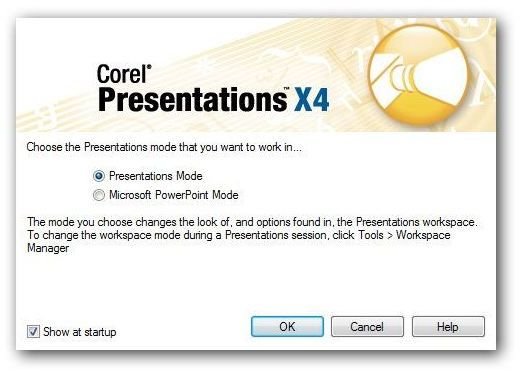
As with WordPerfect and Quattro Pro, Presentations gives users the option to choose between user interfaces. This time, there are two choices – Presentations Mode and Microsoft PowerPoint mode. (Click any image for a larger view.)
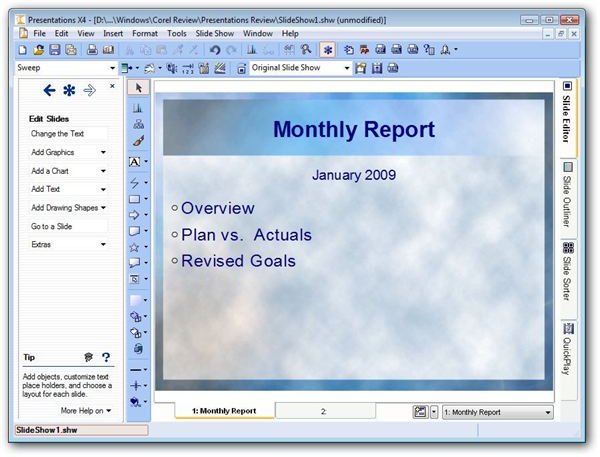
The user interface is very clean and easy to navigate. Users of prior versions of Presentations will, of course, be quite comfortable, and PowerPoint users should have no trouble either. In addition, the PerfectExpert side panel can be toggled on, making it easy to learn the application on the go if you have no prior experience in building slideshows. This panel is also a nice tool for experienced users who want to try their hand at learning some of the more advanced features of the application.
Features (5 out of 5)
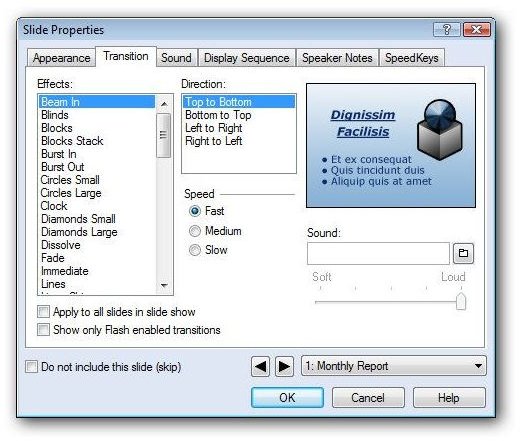
There’s definitely no shortage in the options available to customize both individual slides and entire slideshows in Presentations X4. One thing that I love about the setup of Presentations is that you can find all of these options in one tabbed Slide Properties window. This is a refreshing change from PowerPoint which forces you to navigate the entire application when searching for these types of tools.
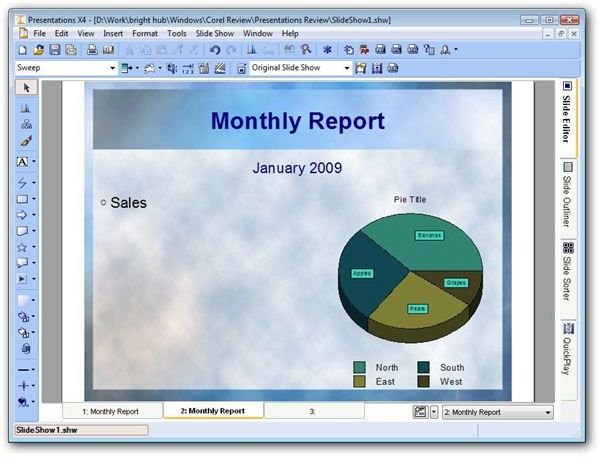
Another feature that immediately caught my eye is the thin sidebar that sits off to the left of the main slide window and contains some of the most frequently used functions in Presentations. This makes it even easier to find and use design tools.
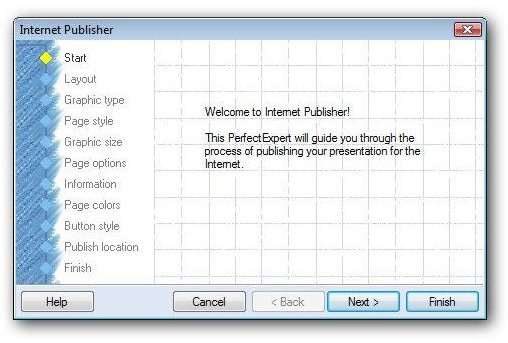
The Internet Publisher wizard is yet another feature you won’t find in other presentation makers. This wonderful little tool walks you through the complete process of transferring a slideshow from your computer to a web site, even allowing you to choose colors, button styles, and other items that will match your web site’s current look and feel.
One of the biggest complaints from users of PowerPoint 2007 concerns the removal of the macro recorder, which made it easy to create your macros without having to mess around too much with the VBA editor. Well, the macro recorder is still alive and well in Presentations X4. If you depended a lot on this capability in the past, the inclusion of this feature alone may be enough incentive to switch over to the Corel application even if the other extras aren’t catching your eye.
Compatibility (4 out of 5)
Presentations X4 is compatible with all other major (and some not so major) presentation makers, including PowerPoint 2007. That is, it can open PowerPoint 2007 files, but if you want to make changes and still maintain PowerPoint compatibility, you’ll have to save the slideshow using one of the older Microsoft file formats.
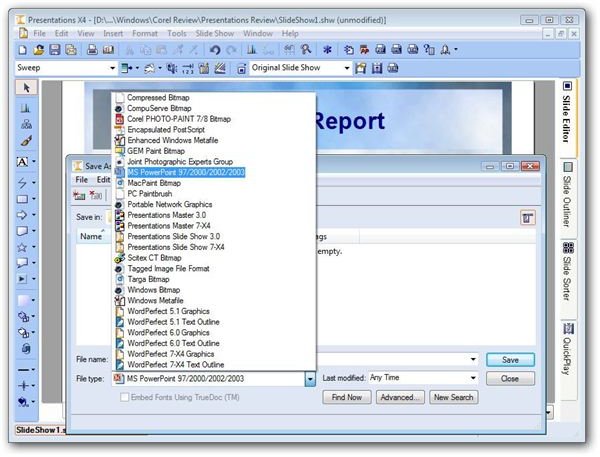
When opening presentations created in PowerPoint 2007, I did experience a few minor issues with sound and animation files not being loaded, but text, themes, and static graphics opened perfectly each time.
Overall Rating (5 out of 5)
I am most impressed with the overall function of Presentations X4. The capabilities of this presentation maker far surpass those found in PowerPoint 2007, and they’re presented in a more user friendly manner. While I don’t create presentations nearly as often as other documents and spreadsheets, Presentations X4 will now be my application of choice when I do need a slideshow. It’s definitely the perfect complement to the other products in the WordPerfect Office X4 suite.
This post is part of the series: Review of Corel WordPerfect Office X4
This series takes a look at the features available in each of the major applications that make up Corel’s latest release of WordPerfect Office X4. Can this suite give Microsoft Office some good, solid competition?
