Have you ever needed a fast way to print a list of files in a particular folder? Windows Explorer has no easy method for doing this, but if you follow the steps in this detailed guide, you can add “Print Directory Listing” to the right-click menu for folders in Windows Explorer.
This guide addresses adding “Print Directory Listing” to the right-click contextual menu of folders in Windows Explorer in Windows XP. Information for this tip was obtained from Microsoft Knowledgebase articles 321379 and 322756 . If you are using Vista and want this functionality, please see this article instead .
Ready? Let’s get started.
Part One: Creating the Right-Click Menu Item
- Click Start, All Programs, Accessories, Notepad.
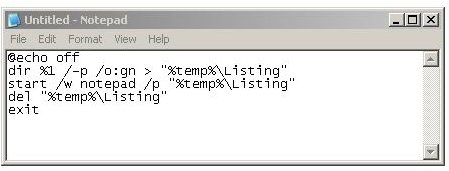
2. Paste in the following text:
@echo off
dir %1 /-p /o:gn > “%temp%\Listing”
start /w notepad /p “%temp%\Listing”
del “%temp%\Listing”
exit
Image
3. Click File, Save As, and enter the following text in the Save As field:
%windir%\Printdir.bat
Image
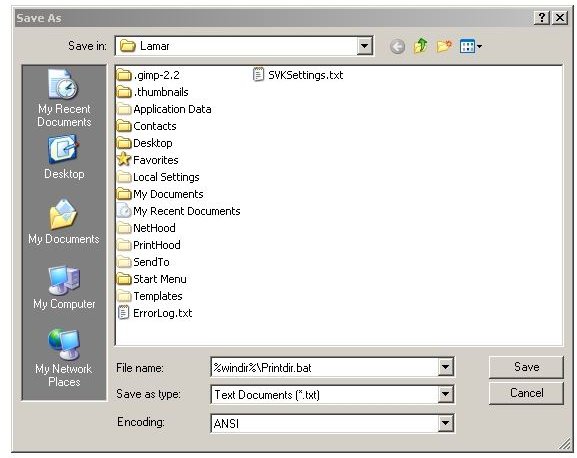
4. Click Save, and then exit Notepad.
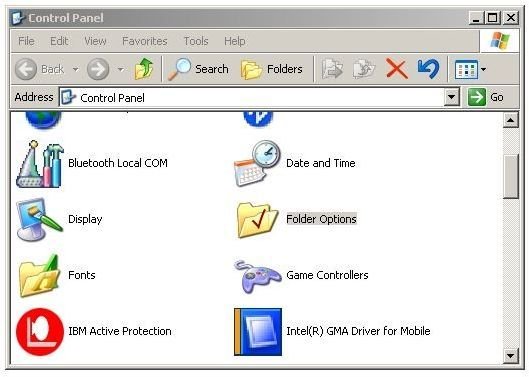
- Click Start, Control Panel, and Folder Options.
Image
6. Click the Files Types tab and wait for the “Registered file types” field to populate.
Image
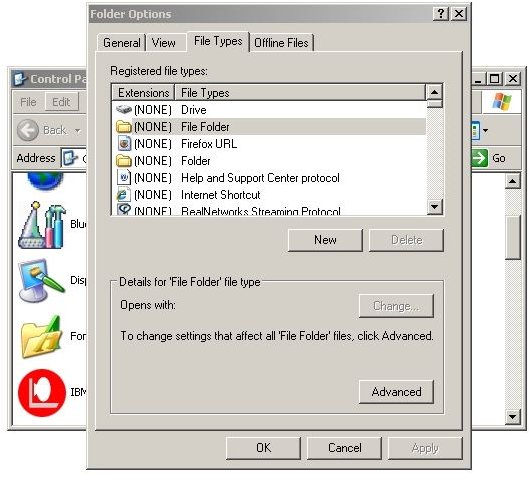
7. Click “File Folder” to highlight it, and then click the Advanced button.
8. In the Edit File Type dialog, click New.
9. In the Action field, enter
Print Directory Listing
10. In the Application used to perform action field, enter
printdir.bat
11. Click OK twice and then click Close.
Image
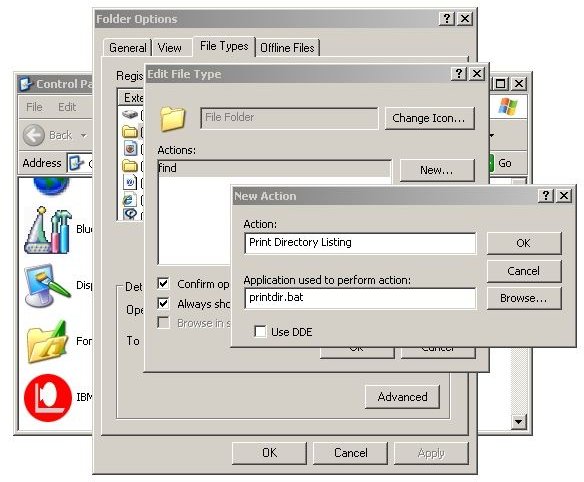
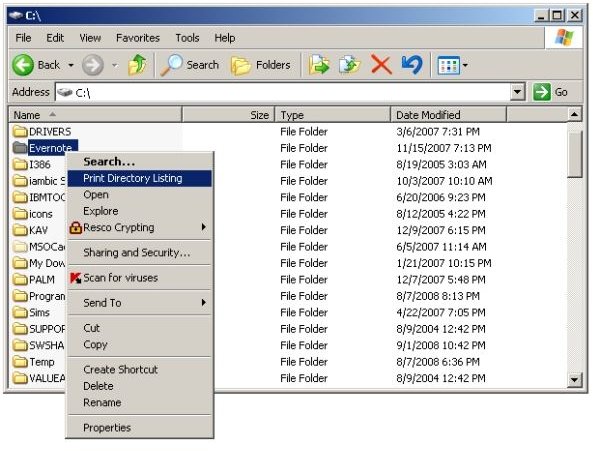
This may complete the steps. Let’s find out. Double-click My Computer and your C: drive. Right-click a folder and you should see “Print Directory Listing” in the context menu. Try it out. If a command prompt box pops up followed by the print spool dialog, it worked.
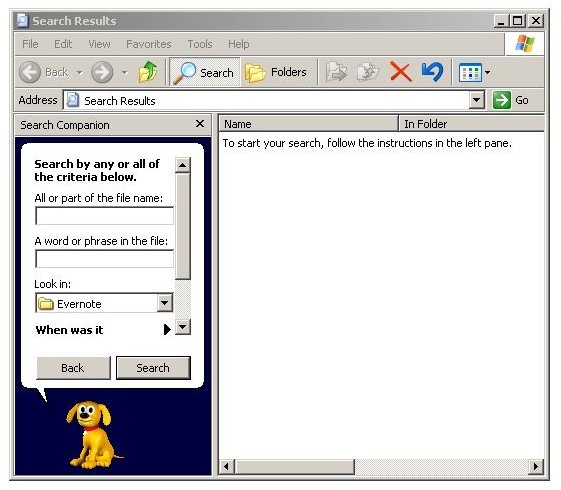
However, there’s one more thing to check. Double-click a folder and see if it opens. If instead, you get a Search Results box as shown below with the folder name you double-clicked shown in the “Look in” field, then you have other actions associated with your file folders. Fixing this will require a Registry edit, but don’t worry. As always, we’re here to guide you and will take the cautious approach.
Image
Part Two: Setting a Restore Point to Back Up the Registry
First, let’s back up the Registry by creating a System Restore Point.
1. Click Start, then Run, and enter
%SystemRoot%\system32\restore\rstrui.exe
Image
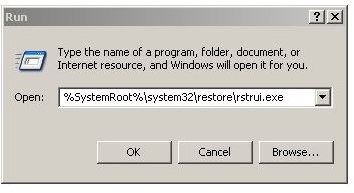
2. Click OK.
3. Click “Create a restore point” and click Next.
Image
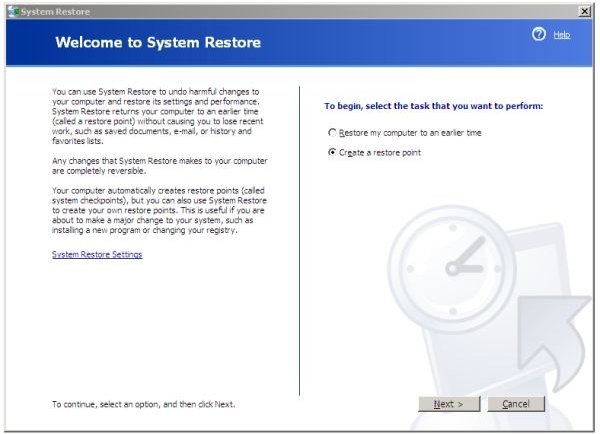
3. Give your restore point a meaningful name, and then click Next.
Images
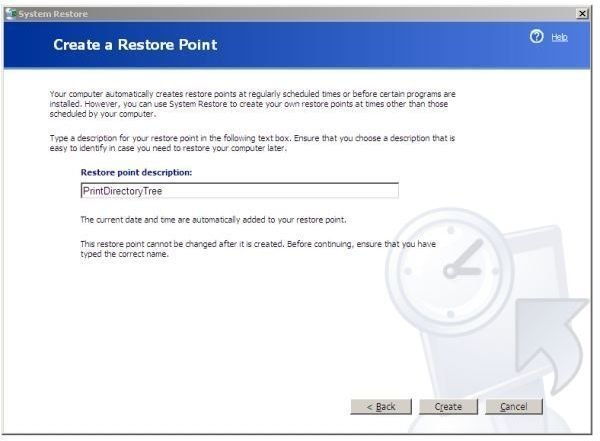
4. Click Create and wait while Windows creates the restore point.
5. Click Close.
Part Three: Fixing the Problem in the Registry
The Registry was backed up as the restore point was created. Now we’re ready to edit the Registry to fix our problem with double-clicking a folder.
1. Start the Registry editor by clicking Start, Run and entering “regedit”
2. Navigate to HKEY_CLASSES_ROOT\Directory\shell
3. With “shell” highlighted, double-click “Default” at top right.
Images
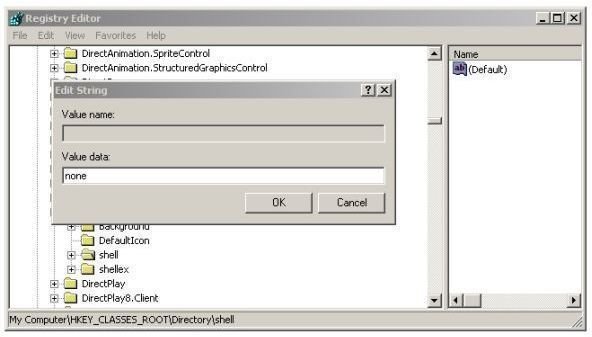
4. Enter “none” in the Value data field.
5. Exit Regedit.
And that’s completes the process.
Try double-clicking a folder again, and it should open to the folder’s contents. Right-click a folder, and you should still have “Print Directory Listing” in the menu.
Thanks for reading this.
Image
If you want to link to this article:
https://www.brighthub.com/computing/windows-platform/articles/8924.aspx
Further Reading
Turn Your XP Laptop into a Mobile Hotspot - Need to share your wireless or Ethernet connection with your colleagues? If they have Wi-Fi, it’s not difficult to set up a simple wireless network in Windows XP. Step-by-step we will show you how.
How to Surf Anonymously - Get Lost in the Crowd with TOR - When you’re surfing the web, every data packet your PC sends out can tell the wrong people what you’re doing and with whom you’re communicating online. One method of anonymity is getting “lost in the crowd.” Here we’ll show you how.
The Best Free Streaming Music Discovery Websites - Are you still listening to the same music that you did when you were a teenager or young adult? If you’ve bought the same Eagles album on 8-track tape, cassette tape, CD, and from iTunes, it’s time to give some new music a try. This article is for you.


