Advice on Buying a Laptop: Buying Light Weight Laptop Technology That is Durable to Boot!

Weight and Size
When considering what laptop PC is most suitable for your needs it is obviously of paramount importance to know exactly where and how the laptop will be used. For example it is no use buying an ultraportable, ultradurable laptop if it is going to sit in a docking station 99.9% of the time. For round the clock, desk based operability you can sacrifice weight and size by looking at larger, heavier laptops. Those with bigger disk drives and 17” to 21” screens. As such, because you aren’t in need of smaller more sophisticated shock resistant technologies you will have greater budgetary flexibility to buy a device with better processing power, memory, connectivity and storage.
Alternatively, for users with portability requirements it is no use buying a cumbersome, heavy laptop with a gargantuan screen and hard disk drive if you want something to operate on the move. Instead you want to be looking at slender laptops or even tablet PC’s. You don’t want to be burdened by a screen any bigger than 15” and you need a lightweight build to allow for greater flexibility of use.
Be vigilant when looking at laptops that offer fantastic portability. The very fact that they are so lightweight means there will have been a trade-off during the build process. Small laptops are designed to deliver real time responsiveness, wireless communications and comfortable use on the go. So something has to give and as the hard disk and optical drive carry the most weight in compact PC architecture they are the components that are most likely compromised. Sometimes it is the battery or power adaptor but by and large manufacturers meet portability requirements by installing smaller hard disk drives and by omitting an optical drive entirely.
Durability
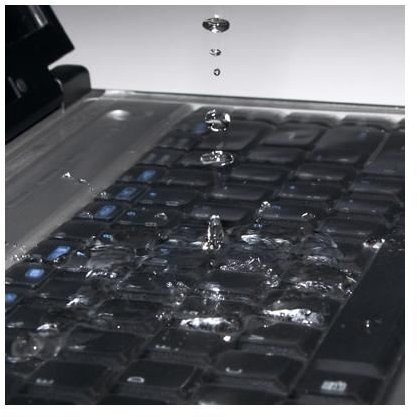
For those requiring a durable and portable laptop, you have to make a sacrifice in terms of performance and battery life, by going with a device that is compact and shock resistant. Several manufacturers now have laptops installed with shock-proof hard disk drives which are mounted to take being knocked. Some can even take being dropped (from up to 2’) and still retain functionality and data integrity. There are also devices on the market that use robust casing technologies to protect the internal parts and screen. There are even laptops and tablet’s that are resistant to spillage and can be wiped clean.
If you require a mobile device that encompasses all of the above functionality, durability and portability then it may be worth looking at a slightly different market, the tablet PC. Of which there is a discussion of five top tablet PC offerings. These are the Dell Latitude XT, HP Compaq 2710p, Motion F5, Toshiba Portege M700 and the Panasonic Toughbook CF-T7. However if it is a true laptop that you desire, and certainly they come a lot cheaper than these tablet offerings, then you can still find an abundance of durable options. While they don’t offer the pure mobility of a tablet PC because they incorporate a heavier chassis and more storage capacity, they do allow for considerable portability and durability, perfect for use in complex environments such as militarized zones, warehousing, healthcare and education.
Next »> Buying a Laptop PC for Windows - Processor and Memory
This post is part of the series: Laptop Buyers Guide: Looking Under the Hood
In this series we review the key laptop components that make mobile computers such a popular buy. Providing advice on buying a laptop we take a look at visuals, memory, power, features and more. Giving you a comprehensive, under the hood look at laptop technology and how to choose a laptop computer.
- Laptop Buyers Guide - An Introduction to Choosing a Laptop
- Laptop Buyers Guide - Choosing the Right Laptop Screen & Graphics Chipset
- Laptop Buyers Guide - Choosing the Right Laptop Weight, Size & Durability
- Laptop Buyers Guide - Choosing the Right Laptop Processor & Memory
- Laptop Buyers Guide - Choosing the Right Laptop HDD Storage Space & Optical Drive
- Laptop Buyers Guide - Choosing the Right Laptop Communications & Ports
- Buying a Laptop PC for Windows - Battery and Operating System
- Buying a Laptop PC for Windows - Brand and Service
