What are Third Party Digital Signature Services and Why Use Them in Microsoft PowerPoint Presentations?
What is a Third-Party Digital Signature Service?
In Part 3 of this series on Sharing Your Microsoft PowerPoint Presentations, we described how a digital signature can add a measure of authenticity to Microsoft PowerPoint presentations that you choose to publish online or distribute in some other electronic form. However, just like a written signature, digital signatures can be “faked” or reproduced. What type of assurance can you offer viewers
of your presentation that the person who signed the file is really you?
One way to give some extra confidence to viewers of your PowerPoint presentations is to allow an independent service to verify your digital signature. These third-party digital signature services for electronic documents act in a manner that is similar to the way notary publics handle written documents. As a disinterested third party, the service simply verifies that the person signing the file is really who he or she claims to be.
Like a notary public, most third-party digital signature services do charge a fee for this verification. Normally, subscriptions to these services are bought and a single yearly fee covers the verification of any digital signatures for that entire year. The amount of the fee is dependent upon the level of identity verification provided by the service. Some options only verify personal identity while others take the process a step further and verify employment identity as well.
Purchasing a Third-Party Digital Signature Product
There are numerous third-party signature products on the market that offer digital IDs for Microsoft Office products. While Microsoft is quick to offer a legal disclaimer, they do provide a listing of services that are compatible with PowerPoint and other members of the Office Suite.
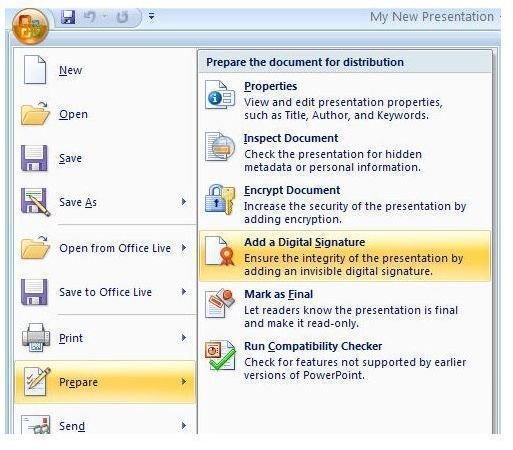
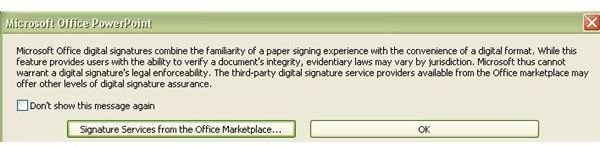
To access this list from PowerPoint, click on the Office button. Select Prepare, and then choose Add a Digital Signature. This will bring up a dialog box describing digital signatures. In this box, click the Signature Services from the Office Marketplace button. This will open a window in your browser listing
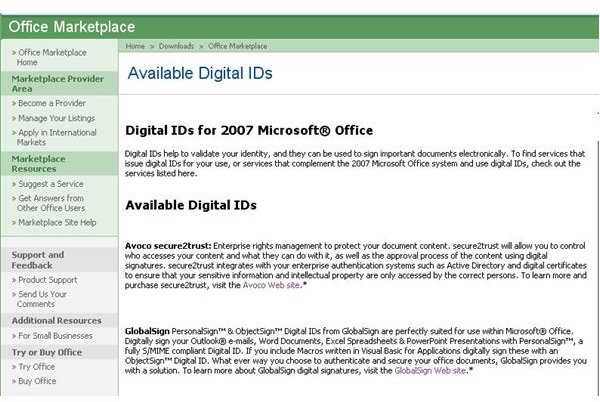
several different providers for digital signature services. Alternatively, you can click here to reach the same page.
You’ll still need to do a little research to decide which digital signature service plan best suits your needs and determine if the price is worth the product. Several of the providers listed at the Microsoft site offer free trials for their products. Take advantage of these to make sure you’re getting what you hoped for before shelling out the money for a yearly subscription.
For more tips, be sure to browse through the collection of Microsoft PowerPoint user guides and tutorials found here on Bright Hub’s Windows Channel. New and updated articles are added on a regular basis so bookmark us and check back often.
This post is part of the series: Sharing Your Microsoft PowerPoint Presentations
Once you have your Microsoft PowerPoint presentation in tip-top shape, the next step is to share it with others. In this series, we take a look at how to share a presentation online or through email as well as give advice on things to watch out for when making your presentation public.
