Microsoft Office Power Point Templates: Free Downloads PowerPoint Template Design
Free PowerPoint Templates Designs
Many free PowerPoint templates can be downloaded directly from Microsoft’s own MS Office website. These PowerPoint designs are a good way to get a feel for sharp looking PowerPoint slides and can be used in both professional presentations and casual presentations. Of course, there are plenty of other PowerPoint templates available online just a Google search away.
Downloading PowerPoint templates from Microsoft is easy thanks to the built-in search and preview functions inside Office PowerPoint 2010. Selecting New from the File menu opens up not just the templates installed locally on the computer’s hard drive, but the option to browse or search PowerPoint templates online as well. Choosing “More Categories” brings up a full list of PowerPoint templates and themes that can be used for all manner of presentations including signs, announcements and even certificates in addition to the standard slide show templates.
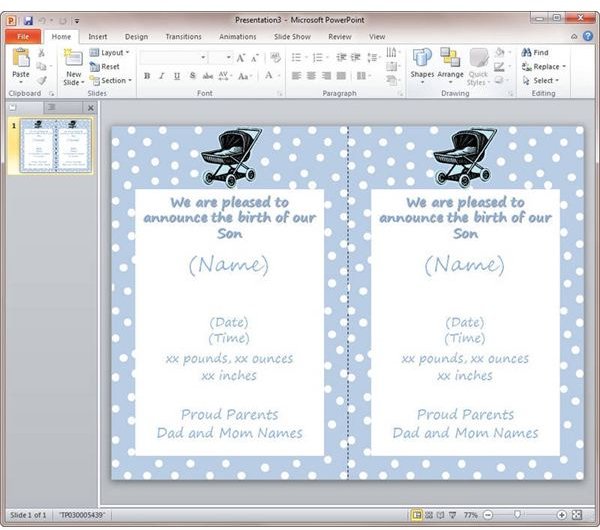
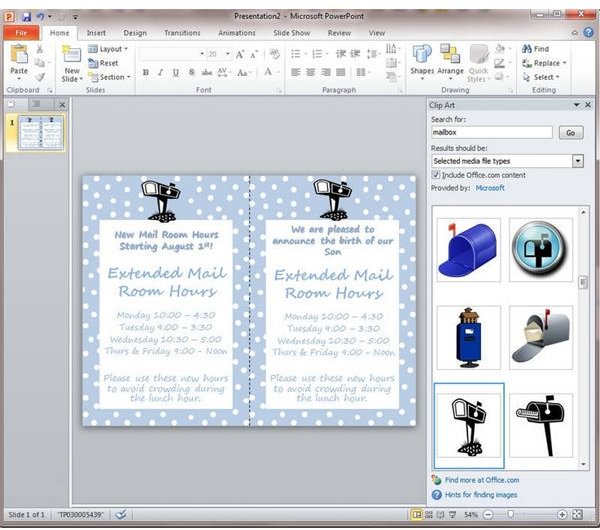
Under announcements, for example, are both baby boy birth announcements and baby girl announcements. These can be used as is for an actual birth announcement, or edited to form the basis of a completely new PowerPoint template. Replacing the baby carriage with different clip art, and then changing the wording generates not a birth announcement, but a flyer to put in each employee’s mailbox announcing new mailroom hours.
To really get a fresh new presentation and really uncover the powerful design features of PowerPoint, going a step further in both finding top design templates and customization can really pay off. Check out design websites like Smashing Magazine or graphics shops for template design inspiration. Instead of sorting through pages of Google results for just the right PowerPoint background, take advantage of Google’s Image Search function to generate a screen full of graphics that can be used on your slides. Scan through and click on those that have potential.
One word of warning. Be careful of the unfortunately numerous websites out there that try and trick you into signing up for something or paying for what are advertised as free designs and free templates. Although there is nothing wrong with paying for top-quality design work, it is never wise to do business with any entity that is deceptive about what they are offering.
Don’t forget that PowerPoint templates for Microsoft Office 2008 and earlier are compatible with PowerPoint 2010 in most cases.
Free Templates for Business
When it comes to free template downloads for Office 2010 and other Microsoft Office products, it is easy to keep going back to the Microsoft.com well. However, there is a world of creative options out there for those willing to look a little bit deeper.
For example, HP offers numerous free presentation slides templates on its Creative Studio for Business section of the hp.com website. Many of these PowerPoint templates are just one part of a coordinated package of free templates that can be downloaded and used to put together an entire presentation including PowerPoint slides, brochures, flyers, and even customized business cards for any event. In fact, many of the companies that manufacture printers offer free templates and downloads as a way to showcase all of the things that you can do with their printers. Be sure to check out the websites for major printer makers like Canon, Epson, and Lexmark for other template design ideas regardless of what kind of printer you have.
