Help! Windows Media Player Cannot Play the File - The Player Might Not Support the File Type
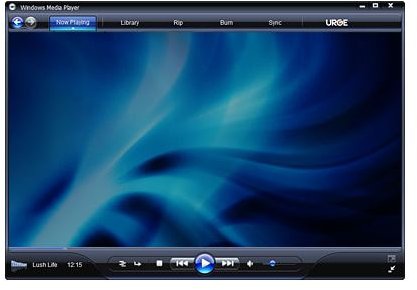
Window Media Player Cannot Play the File
I work in IT for a city government, and I mainly deal with technical support issues for the police department. It’s a fairly common thing for me to have to help a detective get a surveillance camera video to play. In fact, it comes up about once a month. What happens is the variety of video systems on the market like to use their own silly proprietary video formats, and this requires either a special player or codec in order to watch the video. As a result, simply double-clicking on the video file will oftern yield an error message saying “Windows Media Player cannot play the file. The player might not support the file type.” It usually takes a bit of trial and error to finally get the video to play, and in this article I will discuss how I make it work.
Video File Extension
If your video won’t play in Windows Media Player, the first thing you should try to do is determine the format of the video file. It might be encoded with DivX or it could be an Apple Quicktime video file. Sometimes certain file extensions can be associated with Windows Media Player when it isn’t actually the best program to play those files.
One thing you can do to at least get your started on the right path is to check the file extension of the video file. In Windows Vista, just right click on the file and then click on Properties, then look under the Security tab for Object Name and it’ll show you the full file name. In Windows XP, go to Tools – Folder Options and under the View tab you will need to uncheck the box next to Hide extensions for known file types.
The file extension will be either two or three letters preceded by a period at the end of the file name. For example, a Quicktime video file should have an extension of .MOV while an MPEG video file might be labeled .MPG. The player might not support the file type of video you have without installing more software.
DVR Video File Playback
In determining the video file format, another thing you should do is check the source. In other words, where did you get the file? If this video came from a DVR surveillance system, then it may include a player. I’ve seen many of these hard drive based DVR systems that put a video player program on a CD along with the video when exported. There are far too many different types and manufacturers to address here, but check the disc for any program files that might be video players. You may have to install something, so be sure you have Administrator access before proceeding.
DivX Video File Playback
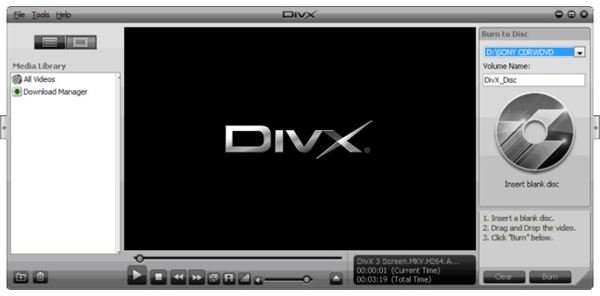
If you downloaded the video file from a website, chances are that it was encoded using the DivX codec. This is a very popular compression method that yields high quality video in small file sizes, and is one of the most commonly found video files. Just go to www.DivX.com and download the latest drivers, which also include a player. Once installed, try playing the video again in Windows Media Player or use the DivX Player, as it seems to be more adaptable to oddball video file formats.
If Windows Media Player cannot play the file, even after installing DivX player, you may have to play around with some alternate media players in order to find the right one. There have been times where I had to go through a half dozen different players in order to get a video to play properly. It’s a royal pain, but you often don’t have any other choice since some video file formats are so incredibly picky as to what will play them.
