Microsoft Exchange vs. Lotus Notes: Similarities and Differences
Communication Software
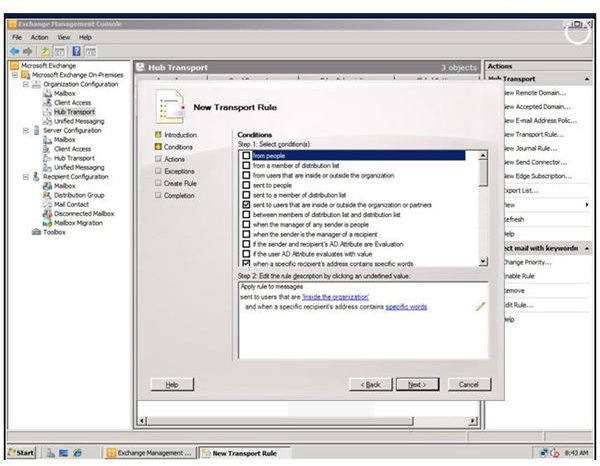
Both Lotus Notes and Microsoft Exchange are examples of communication software. They allow e-mail to be exchanged among users plus they have other functions, like calendaring, text operations and file saving operations.
In the world of client-servers, Exchange is a server software program that allows e-mail to be transferred to users among other operations; the client portion is usually Outlook. Lotus Notes, by comparison, is a client software product with the server being Lotus Domino.
Both products strive to provide enterprise level operations. That is, they are designed to be scalable to accommodate large numbers of users.
Features of Exchange
As server software, Exchange is a shrink wrapped product that is ready to be used out of the box. It has many features so customization is not needed. Its standard features include the usual suspects: contacts and tasks, calendaring, mobile and web based support to access information, and data storage support.
However, the Exchange 2010 version also has new features, Active Sync and Exchange Federation.
- Active Sync is a synchronization program that allows users to synchronize their desktop applications with their mobile phone or laptop.
- Exchange Federation offers communication from one organization to another.
- Users share calendars and messages in and out of the organization.
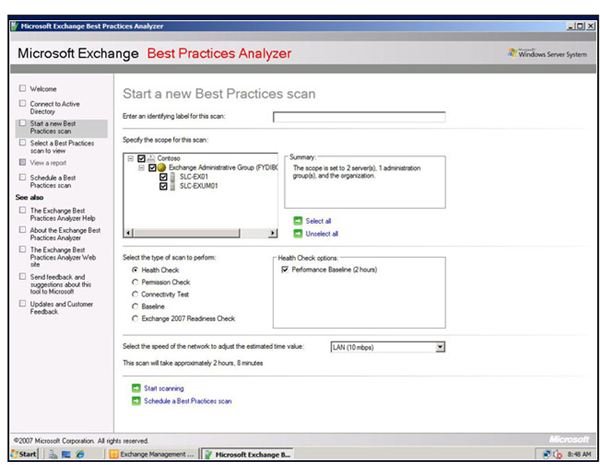
- Wiith Exchange, voice mail has been integrated into legacy operations for Outlook Web access.
Image source: e-week
Lotus Notes
Lotus Notes is groupware or collaboration software, something that Exchange is not. Groupware allows multiple users to work on the same project or document (like MS Sharepoint). Unlike Exchange, it is highly customizable, but Exchange has many of those customizable features, built in, unlike Notes.
One such feature is the ability to mashup your calendar using many outside sources, including Google calendars or or other Notes calendars.
Social networking capabilities can also be added into Notes; so blogs and discussion forums, bookmarks, meeting rooms and communities, and instant messaging can be a part of the Notes connection.
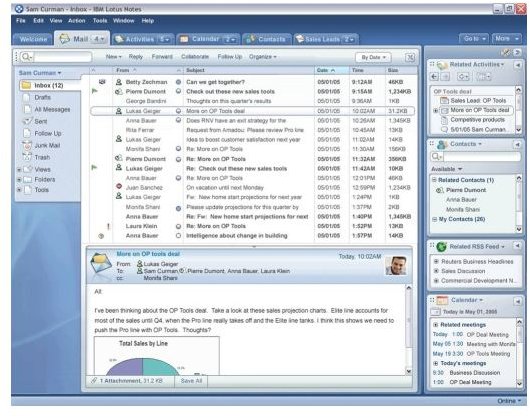
Lotus Notes Image: Vasanth
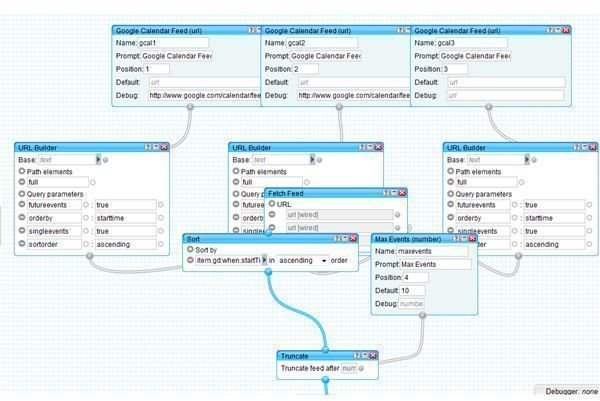
A Calendar Mashup flowchart.
Google image: Calendar Mashup:
Cost and Performance
<strong>Microsoft Exchange Pricing:</strong>
Standard Edition will have a list price of $699. For the Enterprise edition, the cost is $3,999. The Standard edition will allow five storage groups and five databases per mailbox. The Enterprise will support up to 50 storage groups and 50 databases per mailbox.
<strong>Lotus Notes Pricing</strong>
Pricing is approximately $99 per user for 1,000 users and the IBM Lotus Domino server enterprise is $137 per 1,000 users.
The pricing differences between the two makes Lotus seemingly more expensive, but with the additional features that are available, and not on Exchange, the cost will be lowered. Also if one considers the cost of the Windows OS and the CAL costs, the price difference shrinks.
Performance
The performance of Exchange 2010 is much improved from Exchange 2007. Internal mail handling is very fast. Lotus Notes, on the other hand, does not have the same performance features. Nevertheless, neither outperforms the other so much that one is a killer app over the other.
Overall Conclusion
On the whole, both products have strengths and a few weaknesses. On the strength side, Exchange is solid when it comes to features and performance and strong in the area of installation. Lotus Notes excels in installation and deployment, interoperability and customization. Exchange is the weakest in the areas of interoperability and customization; but then again with the feature set that is built in, there isn’t much to customize.
