Task Manager is an essential part of managing Windows, but it isn’t all there is. There are quicker, more informative alternatives, and we discuss three of them here.
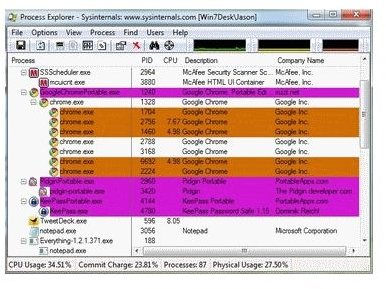
Process Explorer
The Windows Task Manager is a pretty good, but basic tool for managing a system. For the average user it’s plenty enough to keep things moving along, and freeing up stuck processes or identifying mystery ones.
Server technicians or power users aren’t too enamored with it though because of it’s obvious limitations. If you want more in-depth information and other tools to monitor and control a system there are other alternatives to consider. We discuss a couple of them below.
By far the most popular Task Manager alternative is Process Explorer . It’s a free tool that has been around for a few years now and has gained quite a following. It is actually made by Microsoft and provided free of charge for those who like a little more command and control.
Process Explorer should still be familiar to new users as it utilizes the same schema as Task Manager. You will notice however that there is much more information available to you. In the main window you will see an expanded view of all the running processes on your machine. There will be more information on each one, and if you right click on one you will see a whole host of information on each and every process.
The best thing about Process Explorer is that it identifies and provides useful information on services and what executables they use. The information is much more meaningful than what Task Manager can provide, and actually helps quite a bit with troubleshooting.
Process Hacker
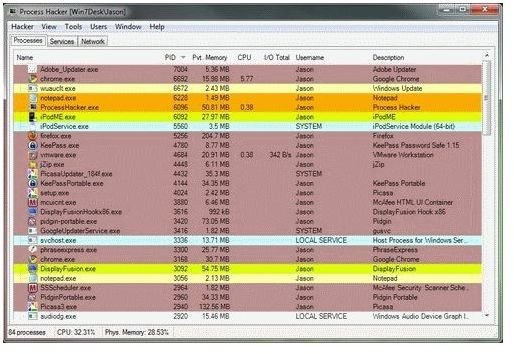
Next up is Process Hacker , which is an open source program, similar to Process Explorer that expands to a great degree what Task Manager provides. You can glean as much information from it as Process Explorer but it has the added bonus of allowing you to edit certain aspects of each process, and how they use virtual memory.
Visually Process Hacker is much the same as Process Explorer, but underneath they work quite differently. Hacker can access even protected processes like firewalls or anti-virus by using it’s kernel-mode driver. This allows it to peek underneath the system in order to check to see if any malware has been installed or if there are any other processes sitting at that level that are monopolizing your system.
Process Hacker also has the usual graphs and performance monitoring capabilities that Explorer has. There are more graphs, tables and statistics than you could possibly need, all geared towards giving you total control over your system.
System Explorer
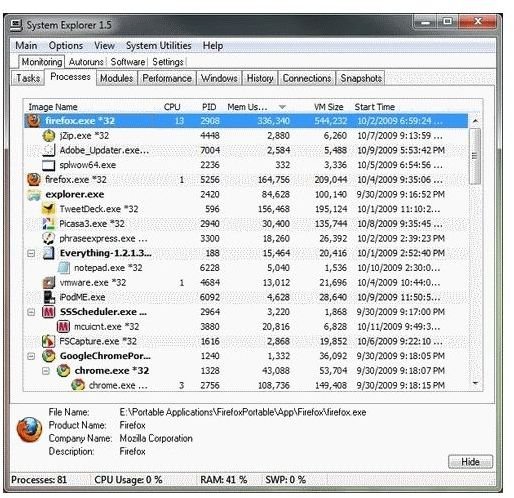
If you’re looking for a middle ground between the bare bones of Task Manager and the overwhelming profusion of data from Process Explorer or Hacker then System Explorer might be the tool for you.
System Explorer is another free tool that looks like Task Manager but offers much more. It doesn’t go into quite as much depth as the previous two tools, but offers something for users at all levels. As well as containing the extra information about running processes, it can analyze startup programs, memory and produce reports based on system criteria you set.
The system also lets you research processes and files against an online database to ensure they aren’t viruses or malicious. This is a nice touch and means whatever version of the tool you’re running, the information should be up to date.
All three of these tools offers something to different audiences. For those who want total transparency and control over their systems, then either Process Explorer or Process Hacker is right on the money. For those who want to know more about their system but not to the degree of others, then System Explorer is for you. All are free to use, so why not try them all and try them out?


