If you are using Excel 2007 under Microsoft Vista, you might find that the application is prone to crashing. Luckily, there is a simple resolution to this.
Patch the Error!
Users running Microsoft Office 2007 under Microsoft Vista might find that the odd error rears its head following installation of the productivity suite; Microsoft Excel is particularly prone to this.
Most commonly, Excel will freeze or fail to response to commands. You might see a “Not Responding” message in the top of outer frame of the application, or if you right-click on your Windows taskbar, select Task Manager and view the Applications list the words “Not Responding” might appear next to Microsoft Excel.
Luckily, Microsoft is aware of this error, and acted to resolve it. You can find the fix in Microsoft Office 2007 Service Pack 1.
Microsoft Office 2007 Service Pack 1
There are three ways to download Microsoft Office 2007 Service Pack 1. Each of these applies the updates in the same way, as such resolving errors concerning Excel not responding this and others.
First, you can download the service pack through your browser from Microsoft – once downloaded, the service pack can then be applied to your Microsoft Excel 2007 installation, thus resolving the error.
The download is 218.3 MB and applies to all versions of Microsoft Office 2007 – note that it requires around 500 MB of hard disk space free for installation, and that you should use Internet Explorer 5 or later.
Other Ways to Patch Microsoft Excel 2007
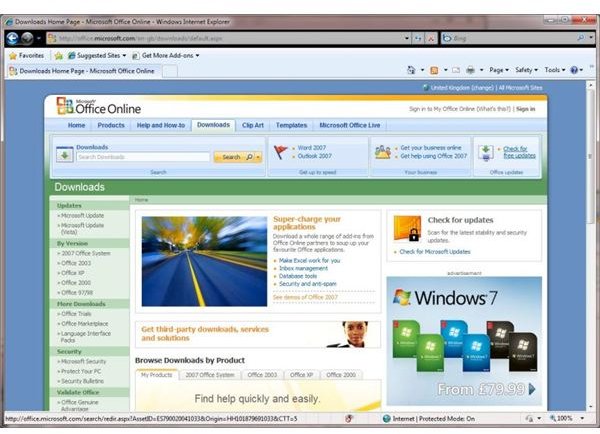
Secondly, you can install Microsoft Office 2007 Service Pack 1 using the Office Update tool on the office.microsoft.com site. You can find this in the upper right corner of the Office Online website. It scans your PC to check what updates your installation of Microsoft Office 2007 requires. Microsoft Internet Explorer 5 or later is required to use the Office Update tool.
Finally, Windows Update can be used to download Microsoft Office 2007 Service Pack 1. This is useful if you have a bunch of issues you need to fix, or if you have only recently installed Microsoft Vista and require several updates.
As with Office Update, Windows Update will scan your Vista installation for Microsoft Office 2007 and check what fixes are required. Microsoft Office 2007 Service Pack 1 will be downloaded and applied automatically using either Office Update or Windows Update, meaning you can go off and do something else.
Using each of these methods, you’ll need to restart your PC once the Microsoft Office 2007 Service Pack 1 has been installed – a few minutes later you will find Excel 2007 is fixed, fully patched and fully working!
Check out the Bright Hub collection of Vista help and how-to articles for more tutorials and information.


