The Windows XP Recovery Console has helped me save a seemingly broken operating system numerous time. This article will show you how to access the Recovery Console and what you can do once you’re in.
Overview
The recovery console is a tool included on the Windows XP CD that allows you to recover from some Windows issues including registry corruption and invalid master boot records. Before we dive into how to access or use the Recovery Console, we’ll cover installing it first. Installing the Recovery Console will give you a boot menu allowing you to start Windows normally or the Recovery Console.
Installing the Recovery Console
You have a few options for getting to the console – you can install it from Windows (assuming you do this while Windows still works), or via the XP CD media. For this section, I’m assuming you are still able to boot into Windows XP.
-
Boot to Windows and insert your Windows XP CD.
Advertisement -
Go to Start, Run and type z:\i386\winnt32.exe /cmdcons where ‘z’ is your CD drive (likely to be D or E). Click OK.
-
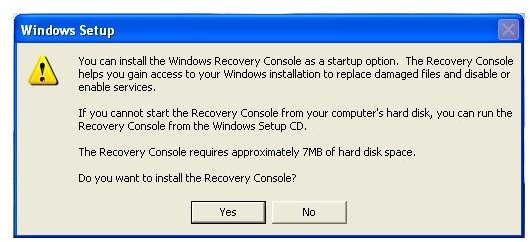
The Windows Setup will begin. Click Yes to install the Recovery Console (Figure 1).
Advertisement
- After a few moments, the install will be complete. You will now be able to select the recovery console option from the Startup Menu.
Accessing and Using the Recovery Console
-
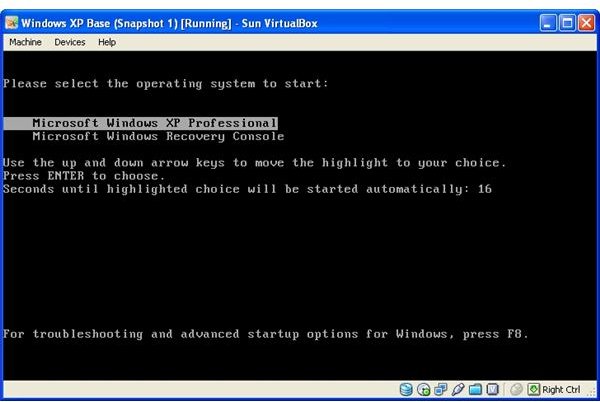
If you’ve installed the Recovery console as above, Windows will give you the option to start XP normally, or start the recovery console (Figure 2). If you didn’t install the console or are having issues, insert your XP CD and when it prompts you to boot from the cd, press any key. If your CD Drive isn’t set to boot, you may need to alter your BIOS.
-
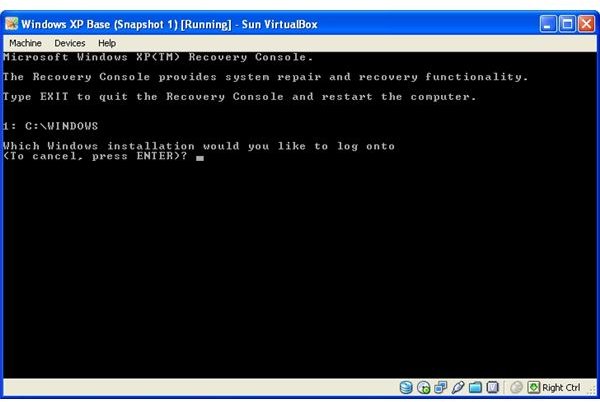
When you get to the recovery console, you’ll be given an option to select which install of Windows you wish to repair (most computers only have one choice – type in the number 1 and hit ENTER (Figure 3)).
Advertisement -
Enter the administrator password when prompted.
-
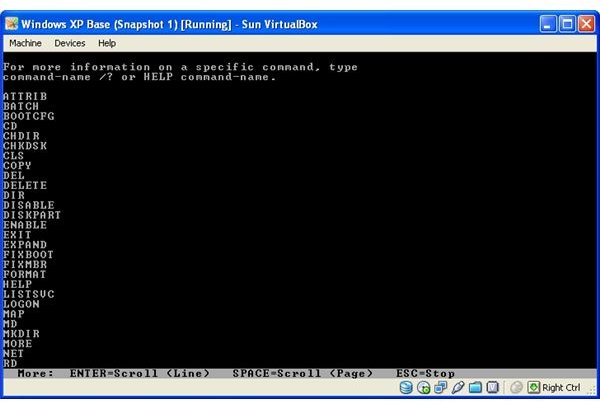
You are now in the recovery console. You can start by typing help and hit Enter. You will see a list of all the commands you can run (Figure 4).
Advertisement
You can use commands to create directories or files, rename them or delete them. You can use the Fixboot and Fixmbr commands to attempt to fix the bootsector and master boot record respectively. You can also use the Disable command to disable services or drivers from loading with Windows. There are too many commands to cover here, but Microsoft has some good documentation covering each command - available here . Good luck!
Images