Fed up with your wireless network dropping out, or slowing down? Are there lots of networks visible when you connect to your wireless network? Have you ever wondered if they are interfering with your own network? Use Vista’s functionality to find out.
Introduction
Fed up with wireless network performance issues? As wireless networks become more common, the potential for interference becomes greater all the time. If neighboring properties have their own wireless networks, these may interfere with yours, causing your signal strength to drop, with a reduction in performance or causing the network to drop out and lose your connection altogether.
Wireless networks are allocated to channels much like television signals. In order to prevent interference, ideally you want to be on a different channel to neighboring networks. The channel on which your network is operating is a number between 1 and 13. I can set my channel number to a number between 1 and 6 or 13. First I need to discover what other networks are operating in my area, and what channels they are using.
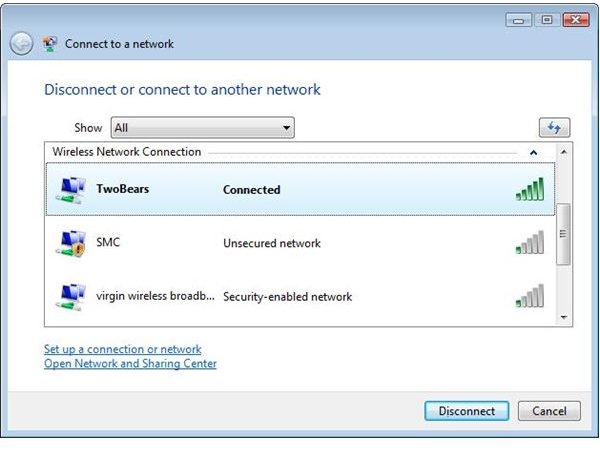
When you log onto a wireless network, you get a list of networks that your computer can see. The more networks you can see, and the higher their signal strength, the greater the chances of interference. The next step is to find out which channels are in use.
Visible networks
Using Vista to Detect the Channel on Which Your Network is Operating
In order to find out more about the networks operating in your area, you need to use the Vista command prompt:
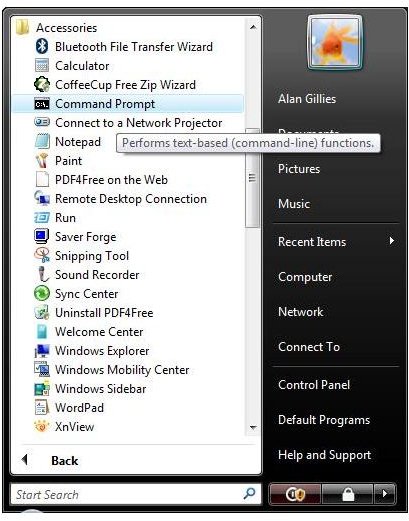
Open the Start menu
Choose the Command Prompt from the Accessories menu
At the C:\ prompt, type
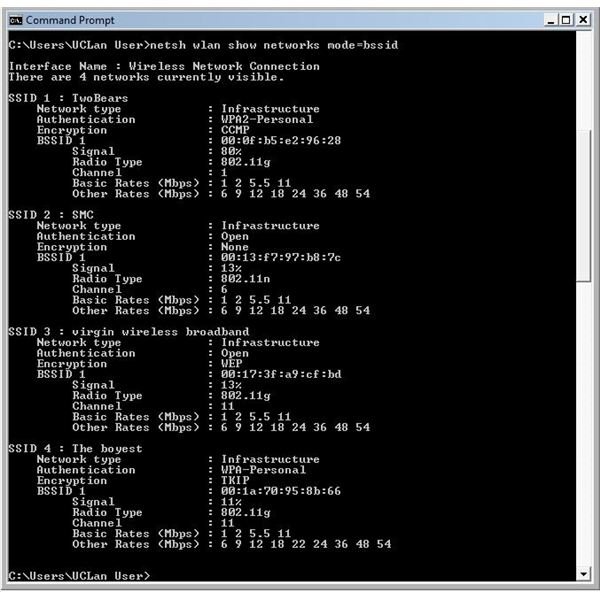
netsh wlan show networks mode=bssid
and press the Enter key
You will be rewarded with a screen of information about all visible networks. Look for the channel numbers for each network. You don’t want your network on the same channel as a neighboring network and ideally, you want to be a long way away from the others. In the screen below two neighboring networks are both using channel 11, but my network, listed first is a long way away.
It’s worth checking more than once because a network may be switched off when you check the first time!
The Vista Command Prompt
Selecting a Different Channel for Your Network
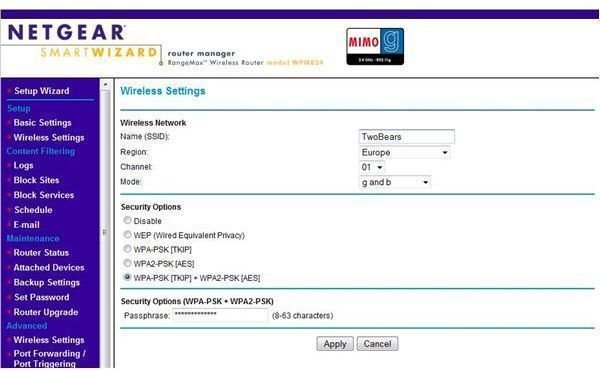
If you want to change the channel you are using, you will need to access your router. My router is produced by Netgear. I access it via my browser at routerlogin.net, and logging in as administrator allows me to change the network channel, selecting a new channel from a drop down list.
Your router screen may look a bit different, and the channels available will depend upon your location, but hopefully, you can select an option away from your neighbours and enjoy faster and more reliable wireless networking!
Changing my network channel