PowerPoint doesn’t have an option to save presentations as Flash. However, there are ways and tools to accomplish the same. Let’s take a look at few of them.
PowerPoint and Flash
Microsoft PowerPoint is the most used presentation authoring tool today. PowerPoint has many features and strengths that make it the most versatile presentation tool with the availability of templates, cool effects and transitions, and ease of use. However, many times we may need to convert our PowerPoint presentations to Flash. There may be various scenarios for doing this. Let’s consider the scenario where you have a cool PowerPoint presentation that you want to show off to your blog readers. The best way to do this is to convert the presentation into Flash and embed it on a page in your blog.
The problem is that there is no option in PowerPoint to save a file as Flash. So, how do we do it? And, before you go about finding ways to convert a PowerPoint presentation to Flash, you should also take into consideration certain facts. Whether you convert it manually or with software, not all the cool effects or designs will come out exactly the way it was in PowerPoint once it is converted to Flash, especially if the presentation uses gradients and complex animations.
Now, there are two ways to go about converting a PowerPoint presentation to Flash: the manual way or using a tool. Converting a PowerPoint presentation manually to Flash is not a user-friendly task, more so if you don’t know much about Flash as it requires the knowledge of ActionScript, too. However, if you know Flash well and are willing to do the hard work, here is a good tutorial that describes the steps needed to save a PowerPoint presentation as flash manually.
PowerPoint to Flash Conversion
For the users not willing to do the hard work or don’t know much about Flash, here are some tools that can help.
OpenOffice: The popular open source office application can convert PowerPoint presentation to Flash. Just open the PowerPoint file with OpenOffice and export it as Flash (.swf).
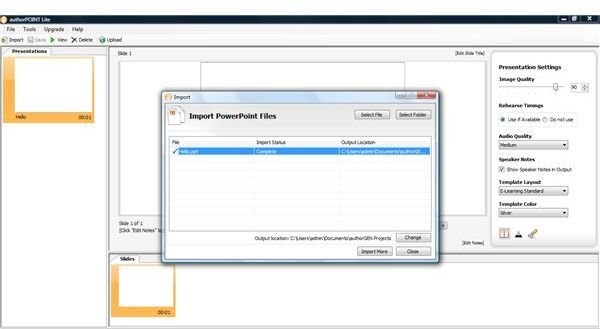
authorPOINT Lite: authorPOINT Lite lets you share your presentations online by uploading to a free online presentation sharing platform. authorPOINT Lite is also a PowerPoint to Flash converter with PowerPoint plug-in . It can convert a PowerPoint presentation to Flash easily with minimal loss of quality. It supports various types of PowerPoint files like .ppt, .pps, .pptx, and .ppsx and outputs them as the Flash file format .swf.
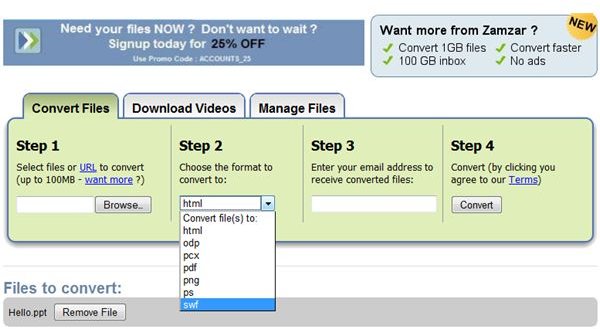
Zamzar: Zamzar is a free online tool that lets you convert between various file formats. It can convert a PowerPoint presentation to various other file types including Flash. Just upload your PowerPoint file, and the converted flash output will be sent to your email.
Wondershare PPT2Flash: This is a PowerPoint add-in that lets you save your PowerPoint presentation as Flash with a single click. It also lets you enhance your presentation by adding narrations, interactivity, and simulation.
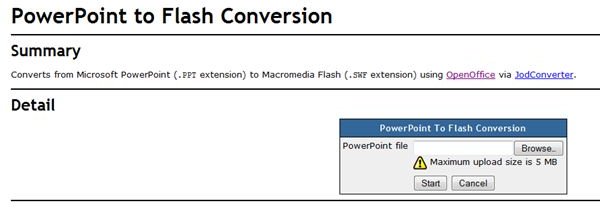
PowerPoint to Flash Conversion: This is an online tool that converts your PowerPoint presentation to Flash using OpenOffice or JodConverter. However, it has a size limit of 5MB on PowerPoint files you can upload, and it supports only .ppt file types.
iSpring: iSpring creates Flash movies from PowerPoint files like .PPT, .PPS, .PPTX, .PPSX. It works with all versions of PowerPoint and also keeps animation effects and transitions after the conversion.
Images