
Want to view or edit a PowerPoint presentation without buying a copy of MS Office? We will examine how to view the presentation for free, as well as how to get a free trial of PowerPoint. Then we will look at the alternatives which will allow you to open and edit the file without spending a dime.
So, you were just sent a shiny new presentation and now you need PowerPoint in order to go any further. That means that it is time for a new download onto your computer. What do you do when you need to get your hands on PowerPoint ? Just follow these instructions, and you will have what you need – no fuss and, better than that, no trip to the store is involved.
Do You Need to Edit The Presentation or Just View The Presentation?
That may seem like a minor distinction at the first glance, but when it comes to PowerPoint this is a big issue. Well, it makes a difference in what software you will be putting on your computer. So once you have answered that question move onto the correct section below.

I Need to View
If you only need to view your target presentation then you are in luck. Microsoft has provided a piece of software known as the [PowerPoint viewer](https:// http//www.brighthub.com/computing/windows-platform/articles/12357.aspx ) that you can use to see, but not edit, your presentation. You are lucky because you, my friend, are getting a whole program, and not just a week’s trial version. You will not have any pesky experation dates to deal with or any software to uninstall. As a bonus, you can use this every time you went to open a presentation. No fuss required.
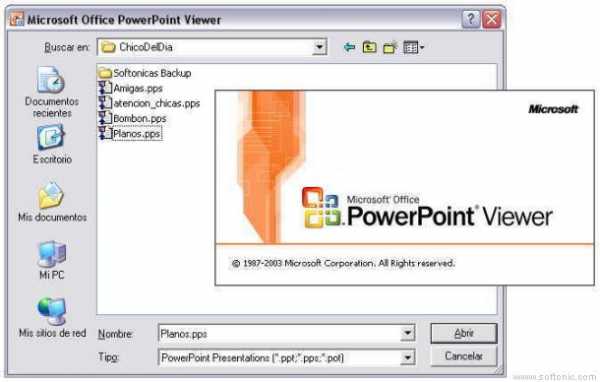
(The Power Point Viewer)
I Need to Edit
Sadly, this means downloading the Office Trial or other compatible program. You can get MS Office free for a trial period, usually 30 days, and then if you want to keep it, you will have to pay the lincense fee. Alternatively you could delete it at the end of the trial as well. Just be aware that this is a one time deal. Do not expect to use this trick as an alternative to buying the software. For a more longterm solution, if you don’t want to purchase Office, you can try out one of the alternative applications compatible with PowerPoint (see the last section of this article).
How to Activate The Trial
Once you have installed the trial you will have to activate it. Here is the step by step on activating the trial. Once you install the software double click on the Powerpoint logo on your desktop. This will automatically launch the activation wizard. Now follow these steps:
1. Put in the trial product key and click, “continue”.
2. Click on the check box next to “I accept the terms of the license agreement” and click continue.
3. Now you will have activation option. Choose “I want to activate the software over the internet” and click next.
From here the wizard will take over. Just fill in any requested information and keep clicking next.

(The product key screen)
Now you can get things done without any major disruption to your work flow.
MS Office Alternatives
There are some alternatives that you can use free of charge, such as Open Office, both on your computer and your [mobile device](https:// http//www.brighthub.com/computing/linux/articles/46400.aspx ). In addition, some online services like [Google Documents](https:// http//www.brighthub.com/internet/google/articles/2166.aspx ) or [Zoho Office](https:// http//www.brighthub.com/office/project-management/reviews/27487.aspx ) can do the trick without you having to shell out any cash.




