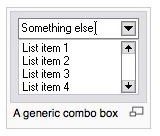
A combo box is a list of selections that we can attach to a Microsoft Access field. Creating dependent combo boxes and attaching them to fields can result in “cleaner” and more consistent data entry. This article shows how to create combo boxes in MS Access 2007.
All About Dependent Combo Boxes
As more and more data is entered into a Microsoft Access database, problems of consistency arise. For example, should the entry be “Y” or “Yes”? Is it “210 W. Main St.” or “210 West Main Street”? Using combo boxes that show acceptable data entry examples solves the problems of data entry consistency.
This article will demonstrate to ways two create a dependent combo box: (1) from a preconfigured list, and (2) from an existing table. Each method can be applied either in the table design view or directly into a form. The table design view has the advantage that new forms created from that table inherit the combo box. However, creating a combo box directly into a form will restrict a specialized combo box to that form only.
A Combo Box Based on a “Value List”
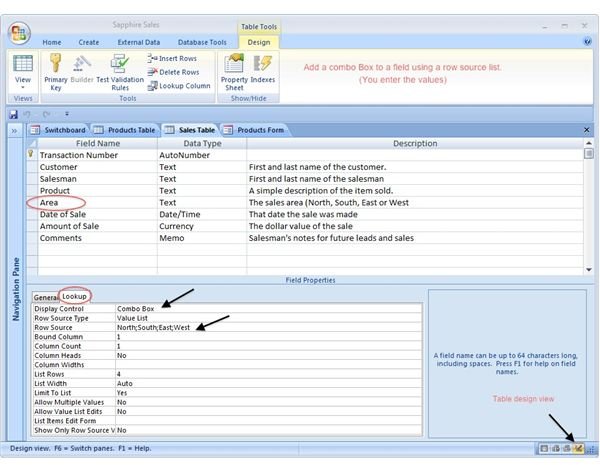
We can create a combo box based on just the items we designate. We do this in the table design view by clicking on the Lookup tab of the active field. (Our screenshot example shows the Area field.) Enter the values you want by selecting Combo Box under Display Control. Separate each value with a semicolon.
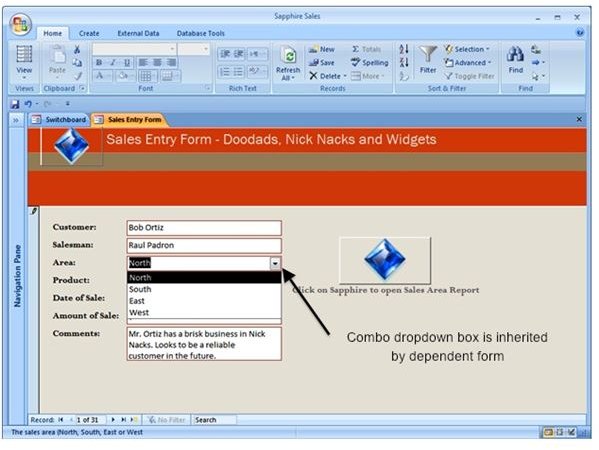
The values entered will be inherited in both the table and the form:
A Combo Box Based on a Lookup Table
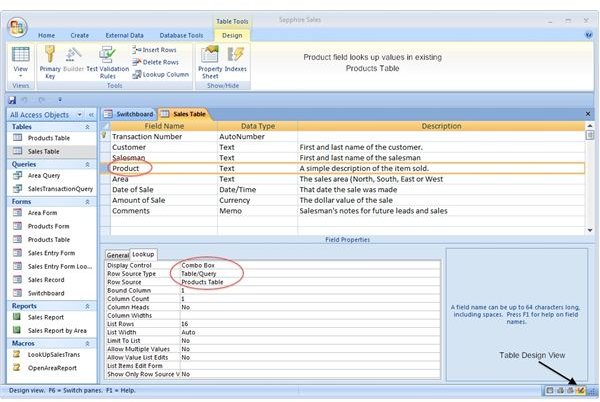
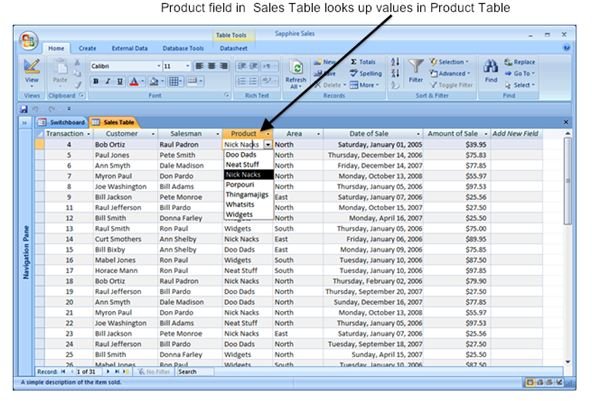
We can create a combo box based on an existing table in our database. Using a table instead of a long string of values makes the field easier to maintain and update. The table, of course, must have already been created. As in the combo box based on a value list, its values are inherited by the table and the form:
A Combo Box Based on a Form Wizard
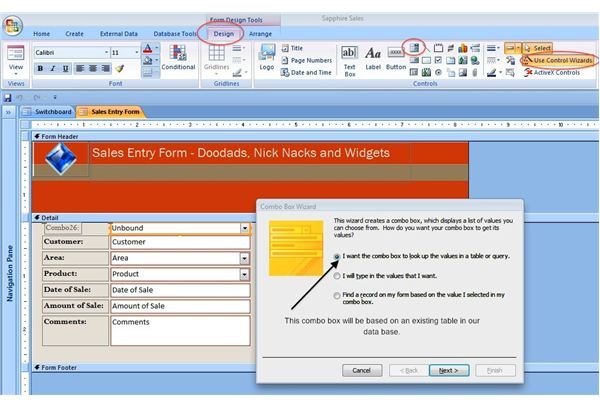
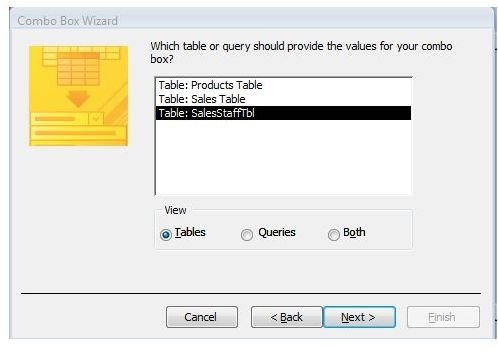
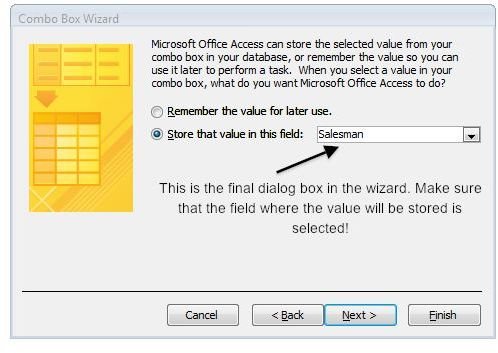
We can create a combo box and attach it directly to an existing form by using the the Combo Box Wizard in the form design view. Make sure that “Use Control Wizards” is selected, and then click on the Combo Box Form Control icon (5th item on the right in the Controls group). Draw your field outline, which will activate an intuitive group of dialog boxes that will walk you through the procedure.
Note: To make sure your values are stored in the table, pay special attention to the third screenshot below!
For More Information on MS Access 2007 Combo Boxes, See:
Microsoft Office Online: Create a List of Choices…
YouTube: Microsoft Access 2007 - Lesson 3, Combo Box
Related Bright Hub Articles
MS Access Tables are the Foundation
MS Access Form Field Validation


