Learn MS Access 2007 on line at no cost. Databases in general, and Microsoft Access 2007 in particular, have a rather steeper learning curve than other computer applications. It is fortunate, then, that there are so many online learning resources. This article discusses a few of the best.
Background
For MS Access 2007 newcomers and experienced users alike, there are a variety of learning resources online. Whether you’re interested in learning Access database basics or are trying to figure out the new user interface of the 2007 version, there are plenty of free (and some a bit expensive) tutorials available. In this article, we shall look at some of the best “freebies.”
Getting Started
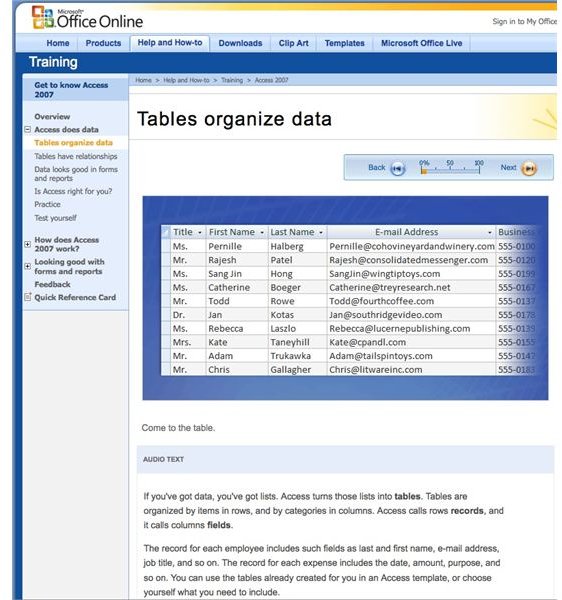
Microsoft Office Online has a 45-minute free online course complete with audio and illustrations. In the words of the introduction page, the course “shows you how to find and use the new database templates, and it takes you on a quick tour of a database.” This short online course is definitely worth the time and effort for the new MS Access 2007user. You can even download a trial copy of Access.
Denise Etherige has posted a very nice seven-lesson Microsoft Access Tutorial that is well worth visiting. Use the hyperlinks on the tutorial’s home page or begin the lessons from scratch.
Also, YouTube has many online demo videos for MS Access 2007. See “How to Design a Simple Data Base ” for a quick lesson and some links to others.
Online Tutorials for MS Access 2007 Database Objects
Creating Tables
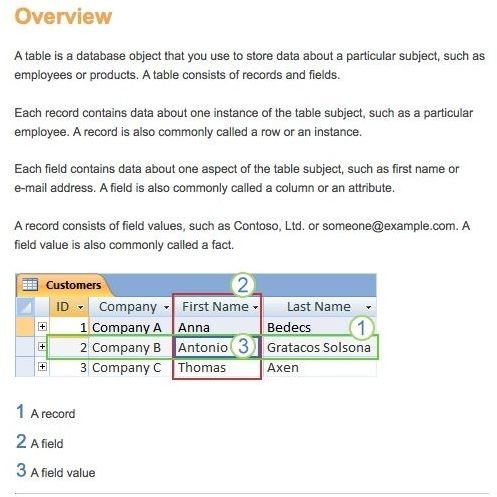
Database tables are the basic structural elements of any database. Get online help in creating tables from:
Microsoft Access Online: Create a Table . Learn how to create a table, add fields to a table, and how to set a table’s primary key as well as field and table properties.
Creating Microsoft Access Tables . This is lesson 2 of Denise Etheridge’s Microsoft Access tutorial.
Working with Forms
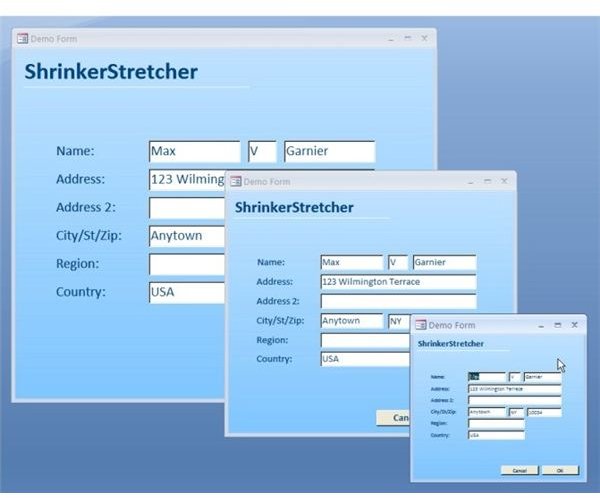
Forms are user-friendly database objects that help us enter, change and view the data in our tables. Try these links for a quick walkthrough:
Microsoft Office on Line: Create a Form by Using a Form Wizard
Create a Form by Using a Blank form
Creating Microsoft Access Forms - This is Lesson 6 to o Denise Etheridge’s Access Tutorial.
Using Queries
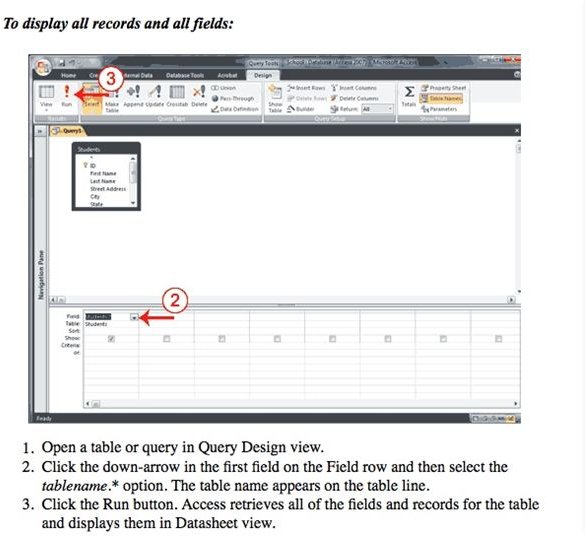
Add queries to your toolkit of MS Access 2007 database management. Here are some resources for database query tutorials:
From Microsoft Office Online:
Watch this: Make a query ask for input
Creating Microsoft Access Queries - This is Lesson 5 to Denise Etheridge’s Access Tutorial.
Creating and Viewing Database Reports
MS Access 2007 has streamlined its reports creating engine. Its new Layout view takes much of the previous clunky interface out of creating reports. From creating a simple report to extensive manipulation of the report layout, these online links are very helpful indeed.
From Microsoft Office Online:
Create a Simple Report - This tutorial shows a variety of ways to create a simple report in Microsoft Access 2007. The new user will find a wealth of information and instruction in this tutorial.
YouTube: Access 2007 Demo - Use Control Layouts on Forms and Report. Take a look at this video to get an idea of the new report layout interface in MS Access 2007.
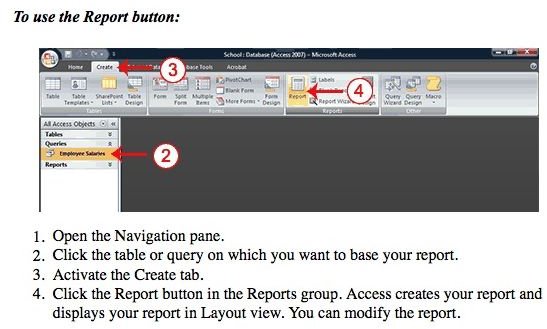
Creating Reports - This is lesson 7 to Denise Etheridge’s AccessTutorial.
Related Bright Hub Articles
Lesson Plan for MS Access: All About Databases


