GooSync- a Free Utility to Synchronize Your Windows Mobile Device with Your Google Calendar
Sync With Google Calendar
Your Windows Mobile based device is fast becoming your closest companion, and your spouse/significant other is starting to feel threatened. That is silly, of course. For all of its features, Windows Mobile still won’t complain that you don’t pay enough attention to it. So, it looks like you’ll need that significant other after all. Besides, although Windows Mobile comes with a way to synchronize with your Microsoft Outlook calendar built in, it doesn’t come with a way to synchronize with your Google Calendar. Until now. Enter GooSync. GooSync sounds really bad and although I’m sure Harvard graduates with more experience in marketing will assure you that it is a great Web 2.0 name, I think it sounds like a couple of fraternity guys released some software that I really don’t want anything to do with. But, after you get past the name, there is a solid utility that will synchronize most mobile phones and PDAs with Google Calendar.
GooSync
GooSync uses something called SyncML or Synchronization Markup Language to synchronize your mobile device’s calendar with your Google Calendar. The SyncML is an open standard, so theoretically it should continue to work regardless of any upgrades on Google’s end. Basically, your phone or other mobile device connects out to the Internet using its normal method. Once there, it contacts the GooSync Servers which then connect to Google’s Servers where your calendar is stored. If you are paying attention, you see that there is a bit of a trust issue here, but GooSync uses Google’s AuthSub process which means that your data never passes unencrypted through the GooSync Server. Of course, this requires software from GooSync for which you will need to register an account at GooSync. The good news is that the basic version is free. The basic version only does your calendar. If you want to do your Contacts and Tasks too, you have to shell out for the upgrade (or find other software for that piece). Once you’ve created a GooSync account, it is time to download the software. There is one catch. Make sure you get the right version of GooSync for your Windows Mobile device. There is a touch screen version, and a non-touch screen version. You pick your phone or device from a list- and hopefully it gives you the right download. After the standard installation process, configuring GooSync is relatively simple. First you choose whether you have a personal Google Calendar, or a Google Apps Calendar. If you don’t know what I’m talking about, you have a personal Google Calendar. Once you’ve logged in, a page from Google pops up to inform you that the good folks at GooSync are asking for access to your account on your behalf. You grant access and then, GooSync is in, and we are in business. Make the authentication process a lot easier on yourself by logging into your Google Calendar that you want to sync first. Just open a new tab in your browser and login to your Google Calendar the standard way. That way, when GooSync asks for permission to sync, Google will come to you and ask based on the fact you are already logged in. If you are like me, and you have more than one account at Google and you are logged into the other one, you can get crossed up.
Overall Summary
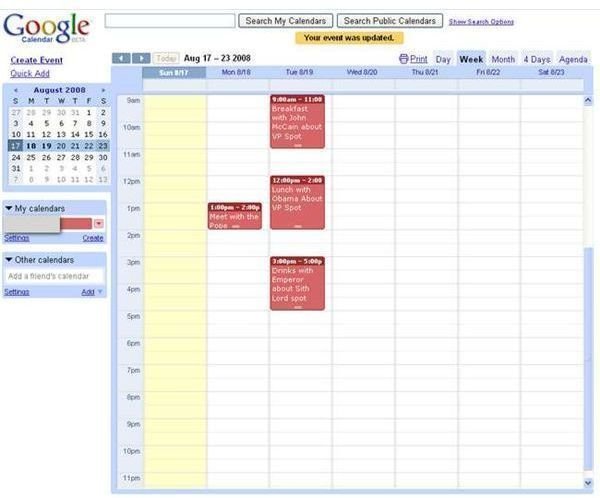
Frankly, it is a shame that I even need this piece of software. My phone came with a way to get my Yahoo and Google email accounts pre-installed and I’d like to think that taking the next step to getting my calendars wouldn’t be that hard. Even worse is not being able to sync my contacts. I mean, if you sign up for Twitter, it can go get your contacts, for crying out loud. That being said, the GooSync tool works as advertised. My meeting with the Pope is on my phone calendar after I added it to my Google calendar. The process works pretty well once you have it setup. GooSync synchronizes your appoints from 7 days in the past to 30 days in the future. If you want to set up different time frames, you have to buy the subscription. It goes for 19.95 Pounds (they’re English) for 12 months. My advice is to use the free version for a month or two and see what it is worth to you. The really great part is that now that it is on my phone calendar it would end up on my Outlook Calendar if I had one. (I’m a small business owner who works from a home office, I haven’t seen an Outlook screen in years, let alone used the thing.) That means that by using GooSync you could also be syncing your Google Calendar with your Outlook Calendar. Not bad for a free piece of software.
Images
Link
It should be obvious that the only reason someone names a company something like GooSync is because the domain name was available. www.goosync.com
