Microsoft Access reports are as custom as they come, since the creator of a report is able to specify the exact information needed from an Access database. The Snapshot Viewer for Microsoft Access allows users who do not have Access installed to view “snapshots” of such reports.
Installing the Snapshot Viewer for Access
If you already have Microsoft Access 2003 or earlier installed on your computer, you do not need to install the Microsoft Access Report Viewer. Access already includes the option to save a report in the proper format for those with the Report Viewer to be able to open and view an Access report. However, if you are using Access 2007, you should install the Microsoft Access Report Viewer - formally named the Microsoft Access Snapshot Viewer.
Access 2007 provides the ability to email a snapshot directly from Access, but if you want to export a snapshot any other way, you must have the Report Viewer application installed. It should also be installed onto the computer of a user that does not have Access installed but needs to be able to view reports. The Microsoft Access Report Viewer can be installed on computers running any version of Windows from 95 forward.
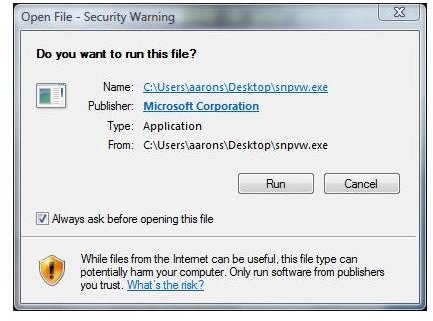
To install the Report Viewer, go to the Microsoft Access Snapshot Viewer page on the Microsoft Download Center and click the Download button. Click the Save File button on the Opening snpvw.exe dialog box. Save the file where you can easily find it, such as on your Desktop. Once the download is complete, double click the snpvw.exe file and click Run to start the installation process.
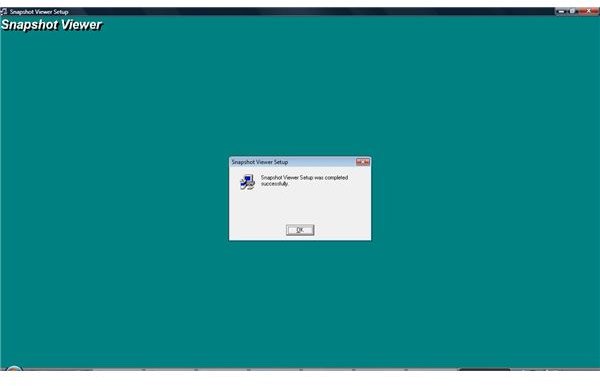
If you agree to the Licensing Agreement, click Yes. Click Continue when the Microsoft Access Report Viewer setup screen starts. Change the destination folder if desired, otherwise simply click OK, and then click the Complete Install button when prompted. Click OK when you receive a message that the Microsoft Access Report Viewer was successfully installed.
Email Access Snapshots
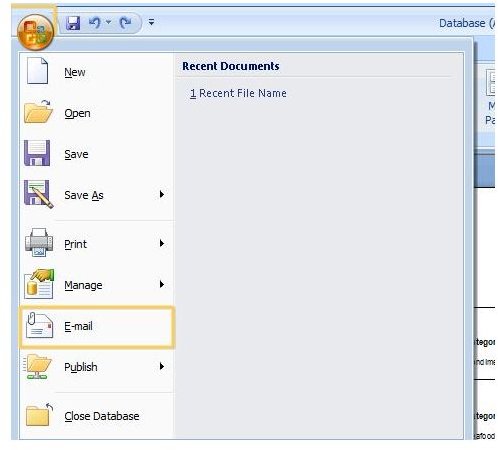
If you want to email a Microsoft Access report to someone using the Microsoft Access Report Viewer, and have Access 2007, start by selecting the report you want to share. Click the Microsoft Office Button and then click Email.
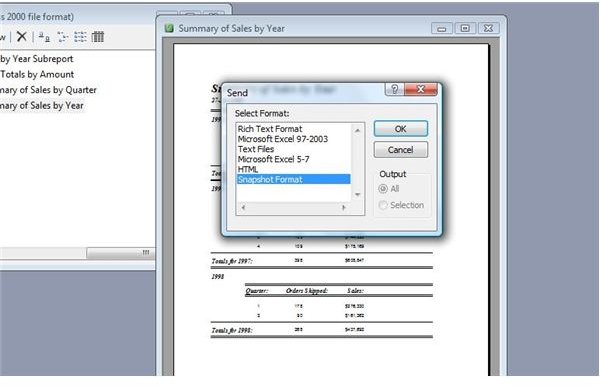
Select the Snapshot format in the Send Object As dialog box and then click OK. Outlook will open a new email message with the report attached so you can send it to someone with the Microsoft Access Report Viewer installed.
If you are using Access 2003 or earlier, open the report and go to the File menu. Point to Send To and click on Mail Recipient. Under Select Format, click Snapshot Format and then click OK. A new Outlook email message will open with the report attached for you to send to anyone with the Microsoft Access Report Viewer installed.
Export Access Snapshots
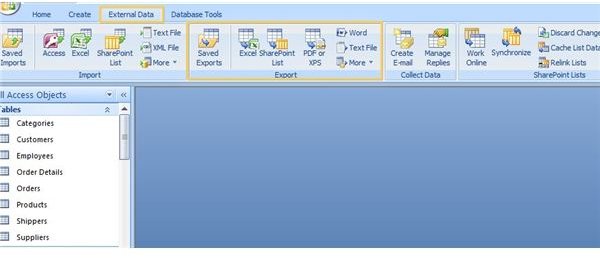
Perhaps you don’t want to email the report, but still need to share it. For example, you may want to save it on your server for another user who does not have Access but does have the Microsoft Access Report Viewer installed. If this is the case, you can export and save the file instead. In Access 2007, click on the report in the Navigation Pane and go to the External Data tab. Click More in the Export Group and then select Snapshot Viewer. The Snapshot Viewer Wizard will start. Navigate to the location where you wish to save the report, enter a name for the report and click OK.
If you are using Microsoft Access 2003 or earlier, go to the File menu and click on Export. Browse to the location in which you wish to save the file and enter a name for the file. Select Snapshot Format in the Save as Type drop-down list and click the Export button to save the file.
For more tips, hints and troubleshooting guides, be sure to check out the Bright Hub collection of Microsoft Access User Guides and Help . New titles are being added all the time!


