Internet Explorer 7 Enable Quick Tabs
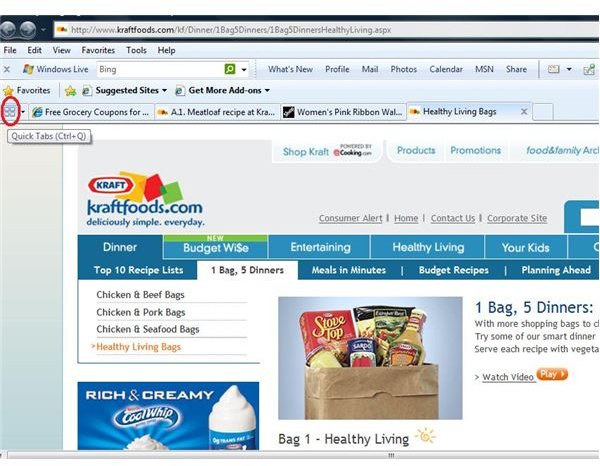
Enable Quick Tabs
By default, Quick Tabs should already be enabled on your computer. However, using it does take up a bit of memory. So it is possible the feature was disabled for that reason. If you are not sure whether Quick Tabs is enabled, open Internet Explorer 7, and make sure you have at least two tabs opened. Then, look for the Quick Tabs button to the left of the first Internet Explorer tab. The button will have four small squares and an arrow.
If the Quick Tabs button is not present in the Internet Explorer 7 browser window, this means that it is not enabled. Fortunately, this is quick and easy to remedy. In Internet Explorer, go to the Tools menu and click on Internet Options. Click the Settings button in the Tabs section of the Internet Options dialog box.
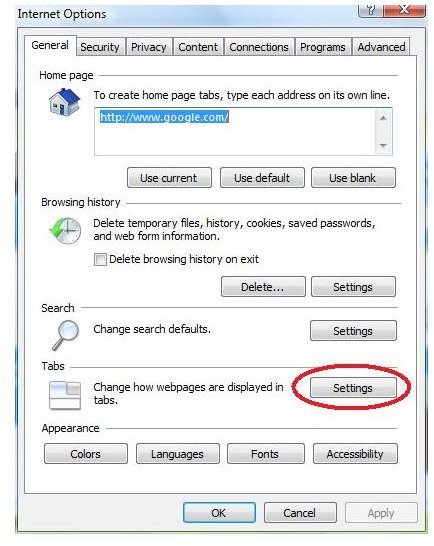
Select the Enable Quick Tabs check box under Enable Tabbed Browsing. Click OK twice to apply the changes and close the Internet Options dialog. You will need to close all Internet Explorer 7 browser windows and restart IE for Quick Tabs to be enabled.
If you ever decide you want to disable Quick Tabs, simply go back and clear the Enable Quick Tabs check box.
Using Quick Tabs
Once you have Quick Tabs enabled in Internet Explorer 7, you will find that the feature is easy to use. Simply click the Quick Tabs button to the left of the first tab or press the keyboard shortcut Ctrl+Q. A thumbnail of each tab you have open in the current Internet Explorer 7 browser window will appear on the current tab.
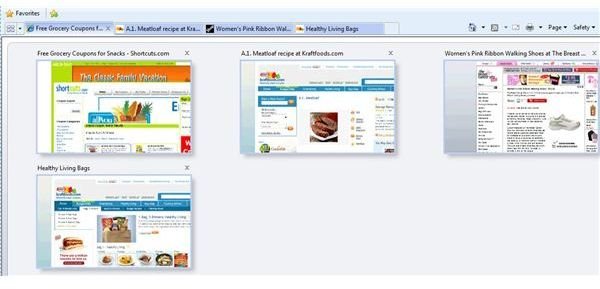
To navigate to one of the web pages using Quick Tabs, simply click on the thumbnail of that page. You can also close a page from Quick Tabs by clicking on the X at the top right of the Quick Tabs thumbnail image. Clicking the drop-down arrow to the right of the Quick Tabs button will give you a list of the web page titles open in the current Internet Explorer 7 browser window. You can navigate to one of these pages by selecting it from the drop-down list.
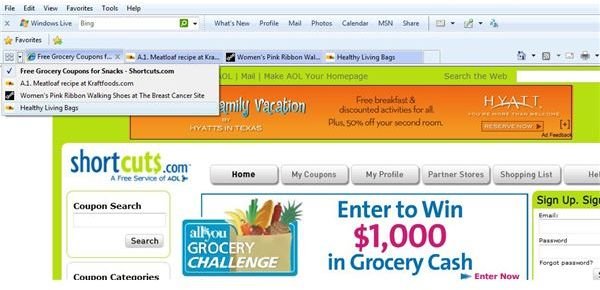
The Quick Tabs view will close when you click on a thumbnail image, or you can close it by clicking the Quick Tabs button or pressing Ctrl+Q again. Internet Explorer 7 will display the last web page you were viewing before opening Quick Tabs view.
Learn more about Internet Explorer 7 in the Bright Hub articles Internet Explorer 7 - Tips and Tricks and Introduction to Microsoft Outlook 2007 Interface.
