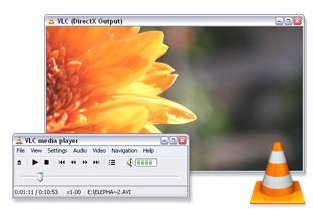
In the second part of this series we take a look at the more obscure open source projects that have affected the computing landscape.
To look at the best Open Source Applications »> Open Source Projects Part 1
1. VLC Media Player
VLC is one of the most platform-independent software media players available, with different versions for almost every operating system out there. Its highly modular design allows new file formats to be easily supported, and its already impressive library of codecs means no hunting around online to play that movie file, just run it through VLC!
Another notable feature is its ability to play incomplete or damaged media files.
2. Pidgin Messaging Client

Pidgin is the successor to gaim, and is known for being a lightweight messaging client supporting a huge list of protocols, from AIM and MSN to IRC.
It also adopted many advanced features before official programs had support for them, such as tabbed conversations, message logging, and IM encryption.
3. Inkscape Vector Application

Inkscape is a vector graphics editor, allowing users to create images that are scalable. It is fully compliant with XML, CSS, and SVG format standards, and offers support for many professional vector graphics file formats. The interface is notable for being clean and unobtrusive, often eschewing action palettes for keyboard commands.
Notable features include multi-language scripting and network collaboration on a whiteboard.
4. DOSBox Emulator
DOSBox is an MS-DOS computer emulator. Unconfigured, it provides a bare-bones command line interface. Community releases have allowed graphical frontends to make running DOSBox simpler. It supports full-CPU emulation, intra/internet support, and even video recording of onscreen actions.
DOSBox is useful for running legacy programs and games that used to run on MS-DOS but are no longer supported.
5. OpenOffice
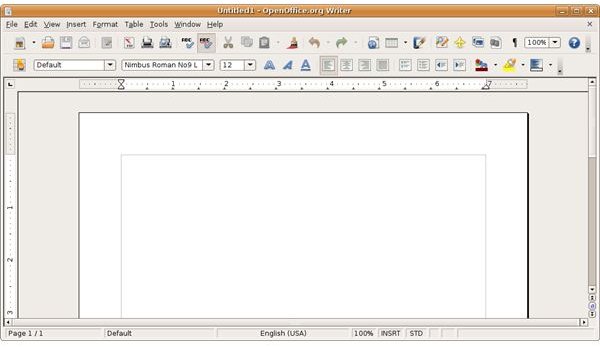
OpenOffice is a set of open-source programs that make up an office suite. It is cross-platform, available for all the major operating systems. The suite consists of a word-processor, spreadsheet, presentation program, database program, vector graphics editor, and an equation editor. Though OpenOffice uses its own file format, it is able to open and save other formats, including the prominent Microsoft Office formats.
OpenOffice also allows for scripting to let users add in additional functionality. Because of this, the feature set has grown to exceed that of Microsoft’s.
Other Editor’s Picks from this Author
>» Open Source Part 3
>» The Zune Marketplace: Enjoying your Zune to the max!
>» What is the Zune? Can it compete with the Apple iPod


