Internet Explorer 8 Won't Install | Cannot Install Internet Explorer 8
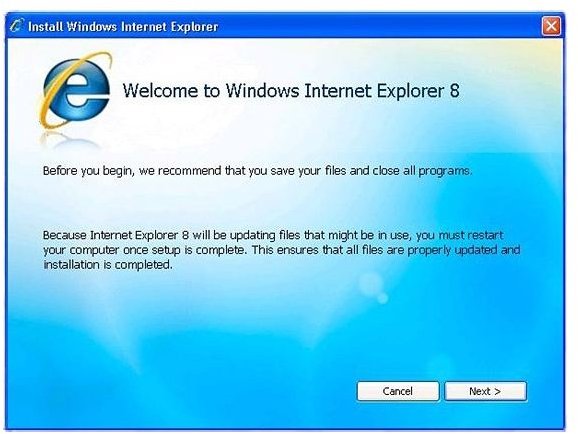
Cannot Install Internet Explorer 8/Internet Explorer Won’t Install - Possible Causes
When you cannot install Internet Explorer 8 or if the Internet Explorer wont install properly, the most possible causes may be:
- Your copy of Windows does not have the latest updates, or
- You left the antivirus ON while downloading or installing Internet Explorer
Though there is the facility to install the latest updates in the upgrade package or installer for Internet Explorer 8, sometimes you cannot install Internet Explorer as the required updates are not present on your computer running a version of Windows. It is always recommended by Microsoft that you keep the Windows Update set to Automatic so that your computer has all the required updates.
In some cases, people do not prefer installing all the updates as some updates downloaded using Automatic Windows Update are not relevant to the software you have on the computer. In some other cases, people fear that Automatic Updates may change their system settings and thereby they may have to face problems. It is true that selecting the option Automatic for Windows Updates will invite trouble at some point or other because some of the automatic updates tend to change your system settings.
I recommend you set the Control Panel → Windows Updates to the Notify but do not Download option. This way, you will be notified of updates when they become available. Once you click the notification, you are taken to a page where you can select the updates you want to download and leave others. If you cannot install Internet Explorer 8 even if you have set the Windows Update to Notify but do not Download option, you may use the steps mentioned in the next section.
If Internet Explorer 8 won’t install properly or will not work after installation, chances are that your antivirus is playing games. What happens is that, during installation of Internet Explorer 8, the installation or upgrade package creates temporary files. Most antivirus, including Microsoft’s own Microsoft Security Essentials (MSE), deletes these temporary files assuming them to be malware. This results in a case where Internet Explorer 8 won’t install or even if it is installed, will not work.
Cannot Install Internet Explorer 8 - The Solution
If the Internet Explorer 8 installation terminates saying “Cannot Install Internet Explorer 8” or something similar, you need to install all the latest updates related to your computer.
If you are using Windows XP, you can open the page https://update.microsoft.com and follow the instructions on that page. You may select the Express option to download and install all the available updates. If you wish to see which updates you are downloading, you can select the Custom option. If you are using Vista or Windows 7, you cannot access the page directly. You need to open Windows Updates from Control Panel. Once you open the Windows Update window, click on the button saying Check for Updates. You won’t get the option to customize downloads as in Windows XP. It is better to create a system restore point before you click on Check for Updates.
For Internet Explorer 8 to install properly, you need to shut down your antivirus temporarily. In most cases, your Internet Explorer is automatically upgraded to version 8 when you use the Windows updates. In other cases, you need to download an installer for Internet Explorer 8. Make sure you download Internet Explorer 8 from the Microsoft website only as using a third party website may make you vulnerable to malware.
If Internet Explorer 8 won’t install properly, remove the currently installed IE8 and shut down the antivirus. Download the installer for Internet Explorer 8 and run it. This should install Internet Explorer 8 properly, in a working condition. If you still cannot install Internet Explorer 8, please contact us.
