If you need to share an Excel Workbook, but you don’t want users to have the ability to print it, then these instructions will show how you can turn off this ability.
In this age of high tech security and global threats, most of us tend to just install our anti-virus software and leave the rest to the professionals. After all they know best right? While, most of the time, this is a fine philosophy, every once and awhile you need a handy little trick that can keep your data secure. Today, we’ll be talking about your Excel files and we’ll show how to keep people from printing your workbooks.
Why would I want to do that?
A good question! You might want to make an Excel workbook un-printable for some of the following reasons:
-
The information is highly sensitive or otherwise confidential, and while the recipient needs to see the data, you want to be sure that it goes no further - for example, to the prying eyes of everyone who uses the shared office printer.
-
The workbook is tentative and you don’t want anyone to print it out and use it for decisions or reports.
Advertisement -
The formatting that you had to use makes accurate printing extremely undesirable.
For A New or Existing Workbook
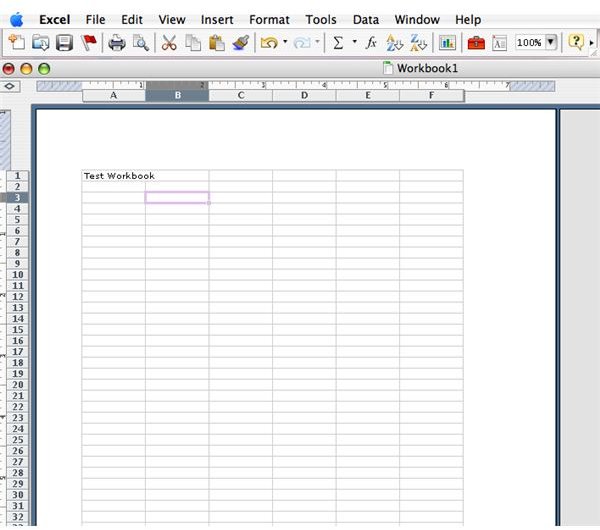
1. Open your new workbook and add the text that you need, or open an existing workbook.
2. Minimize your Window to the title bar.
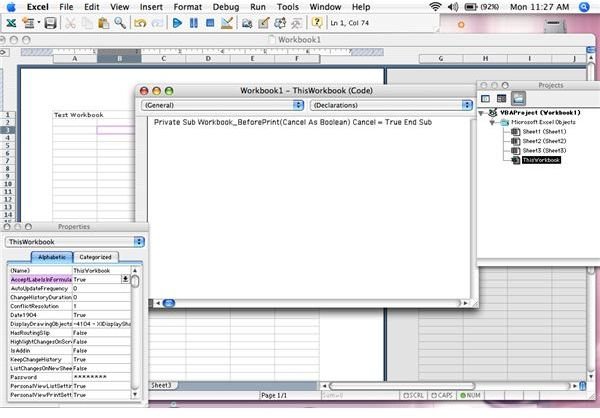
3. Right click on the Excel icon and choose “View code” from the menu that will appear.
4. You are now in the Visual Basic Editor. Copy and paste the following code: . Private Sub Workbook_BeforePrint(Cancel As Boolean) Cancel = True End Sub 6. Then Press [Alt][F11] to return to your normal Excel view.
5. Close the editor. Some versions may require you to save first.
6. Save your workbook.
Conclusion
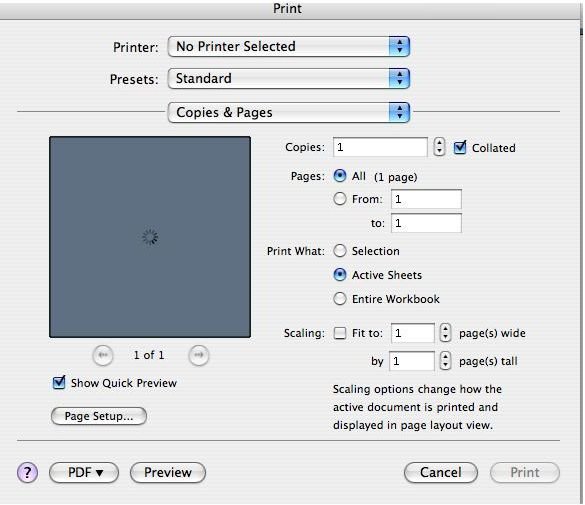
There you have it - a no-print workbook. Feel free to test it out by trying to print it.
Wait…Where do I paste the code?
A valid question. No doubt you will see other sections that start with “private_sub”. Post before the first one of these. Never break up one of these units or you will mess up the documents existing code.
A final caveat…
To everything there is a catch. This will work, but in order for it to work the workbook must be opened with Macros enabled. If your receiver has disabled Macros then this trick will be null and void.
Screenshots