Learn how to clear the Recent Documents list in Word 2007; learn how to change the number of documents displayed in Word 2007’s Recent Documents list; and learn how to keep specific Word documents in the list for quick access.
Clear Word 2007’s Recent Documents List
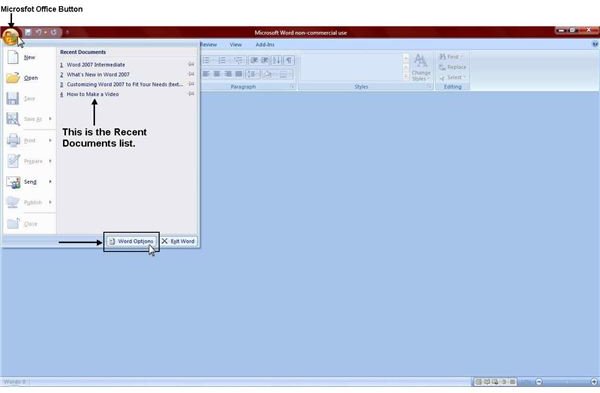
When you click on the Microsoft Office button in Word 2007, you will see a list of documents that you recently opened. This is called the Recent Documents list. It is designed to give you quick access to frequently used documents. However, if you don’t want any of the documents you’ve recently worked on or looked at to be displayed in the Recent Documents list, you can very easily turn this feature off. Many people actually prefer to have this feature turned off for privacy reasons, and there is a very simple fix to do that.
1. Click the Microsoft Office button in the upper left corner of the Microsoft Word 2007 window.
2. Click the Word Options button at the bottom.
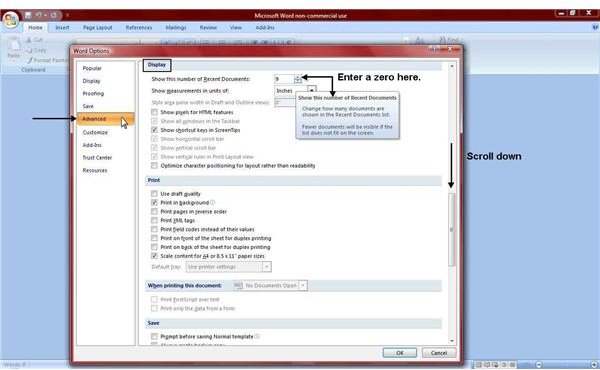
3. When the Word Options window opens, click Advanced in the left-hand pane.
4. Scroll down until you get to the Display area.
5. You will see an option for: Show this number of Recent Documents. What ever number you enter here is the number of documents that will be displayed in the Recent Documents list. If you don’t want to see any documents at all, enter 0 (zero).
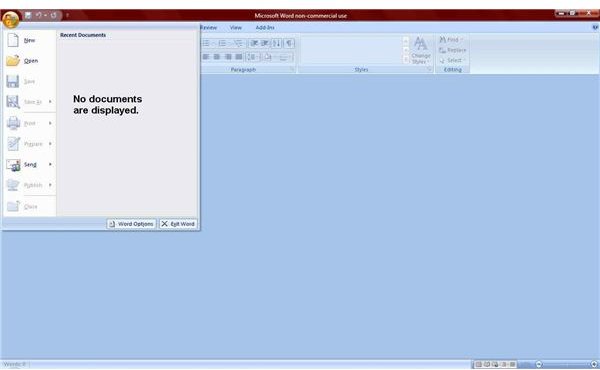
Now when you click the Microsoft Office button, no documents will be displayed in your Recent Documents list.
Designate Documents to Stay in the Recent Documents List
If you turned the Recent Documents feature OFF, then you’ll need to turn it back ON in order to start seeing recent documents again.
To start seeing documents in your Recent Documents list again, just repeat the same steps above, but instead of entering a “0” (zero), enter the number of documents you want to have displayed. You can enter up to “50” in this box, but Word will only display as much as it can fit on your screen. For most people, that’s about 17 documents.
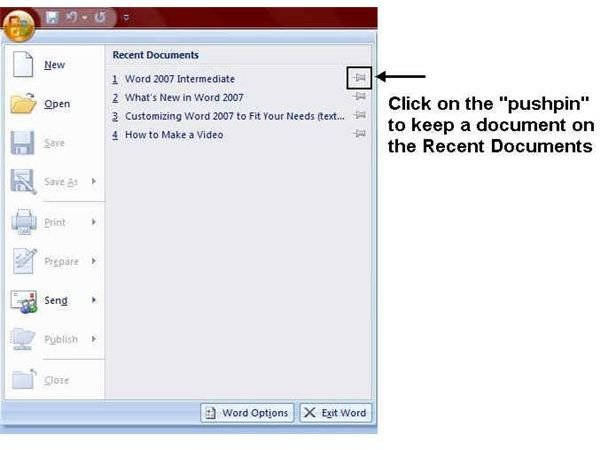
To designate specific documents to remain in the Recent Documents list, just click on the “pushpin” icon next to the document. The documents that you specify with the pushpin will remain on the list until you remove it by clicking the pushpin icon again.
Helpful Tip
These same steps also work in Excel and Powerpoint. The only difference is that the Word Options button is “Excel Options” in Excel and “PowerPoint Options” in PowerPoint.
Be sure to check out the other Microsoft Office tutorials available on Bright Hub’s Windows Channel.


