Is it all about security or a spring clean-up of your computer? Or maybe after a failed installation? In any case, you have to clean the files that are on your computer and we guide you step by step to give your computer a breath.
Why clean?
Not because “clean” is a nice word but because it has a positive impact on our computer. Cleaning varies from a simple deletion of unnecessary files to a deep clean and even wiping entire drive (be careful, this is something different than formatting.)
In this article we will go through every step with our recommended applications. When needed, we will choose our programs from free downloads. But, be warned in advance and have all your important files backed up before following our advice.
Cleaning up for getting rid of unneeded files and for security
We all accumulate files on our computer even if we do no more than surfing. When you visit a web page, your web browser downloads the images, the flash animations, and javascript to our computer. Those files accumulate in time and there are two important downsides: they slow up your computer and the starting up of your web browser plus they reveal your Internet browsing history. If you are the only user of your computer, the second one seems not to matter to you but the information contained in your browser tracks is an invaluable item for many malware/spyware.
Plus, the Windows registry gets larger with every program installed and/or uninstalled. Everything that you can think of gets recorded in the registry, even the addresses that you type in your browser’s address bar to the placement of the icons on your desktop. Day by day the registry is filled by invalid shortcuts and invalid program entries (the junk).
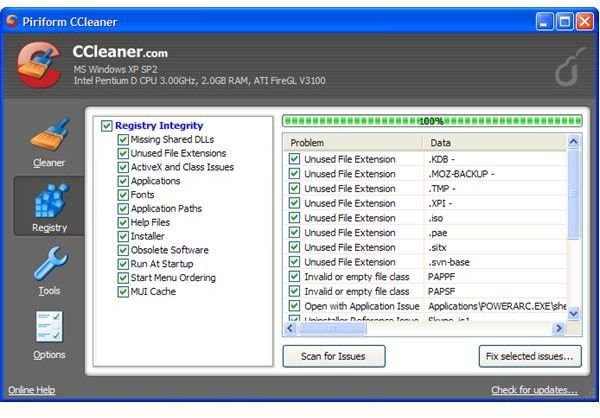
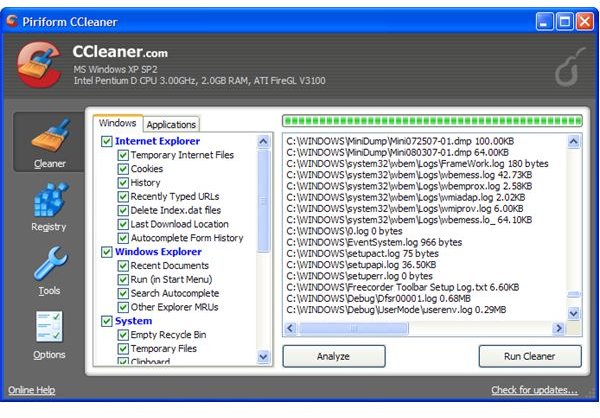
The solution to the above problems are easy with a cleaning utility. I would recommend Piriform’s CCleaner for this purpose. It is free and a small download with 3 megabytes and has a very small footprint. It can delete all your browser history, no matter if you’re using Internet Explorer, Firefox or Opera. The nicer part is that it can also scan your registry and remove missing file extensions, ActiveX controls, Class and Program Ids, shared dlls etc.. On my wife’s Windows box, we have been safely using this program for more than one year. It really helps to keep the computer in shape.
Security & Wiping
Security and wiping your drive, be it your hard disk or your USB thumb drive is a different issue. We first need to know why deleting files and wiping them is different: whan you delete your files from your drive, they are not deleted. The master file table entry, which tells the operating system where the file is, is deleted. So, your operating system is not able to see the file and you think the file is deleted. Really this is not more than an illusion because your data can easily be recovered with free programs. You would not want your confidential files to be recovered by a stranger after you sell your thumb drive on eBay. For that reason, it is imperative to use a wiping program.
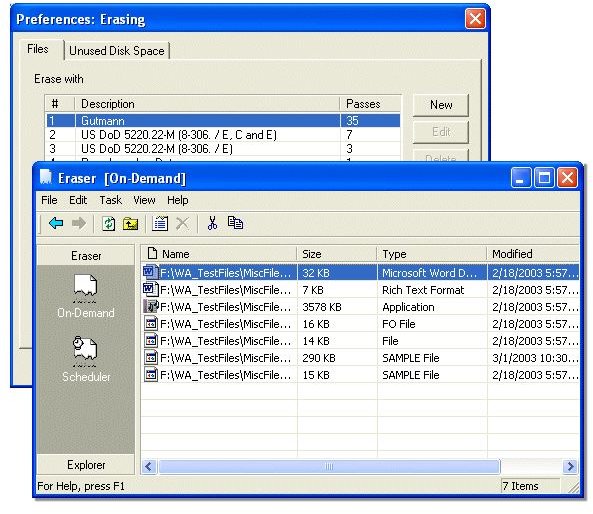
I will recommend Heidi Computer Ltd’s Eraser program. It is a free download and supports many wiping methods. I prefer the Guttmann method, which passes over the data 27 times in random order plus 8 times random data, whereas US Department of Defense requires seven-pass with random data. (Screenshot courtesy of Freeware365 .)
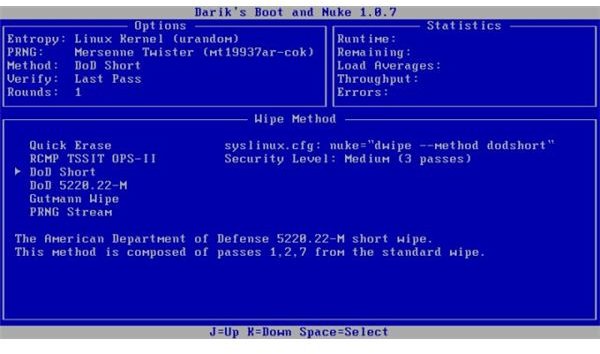
To wipe your entire drive is different. You cannot use the utilities to wipe your active installation. Here, I recommend you to use a program like Darik’s Boot and Nuke . You can use the program from the CD/Floppy/USB drive depending on your choice. You have to boot your system from the CD/Floppy/USB and then go through the menus to select the wiping method and then wipe your entire hard disk. The system is very intuitive and the presented options are very intuitive if you have followed our article so far.
When you are wiping your disk, be very careful. What you will do will have irrecoverable consequences and you will say farewell to your files and folders. We can not emphasize enough the importance of backing up your files before committing any operations above.


