Best Budget All In One Printer: Multifunction Printing for the Family or Small Office
Page content
Best Multi-Function Printers Under $500
Not sure which printer is right for you? Read »> Buying the right printer
Below is a list of the best multi-function printers you can buy for under $500. All offer highly impressive diversity of printing, scanning, fax facilities and speed. With outstanding flexibility and control of output media, they also include extensive features for all-in-one office printer functionality.
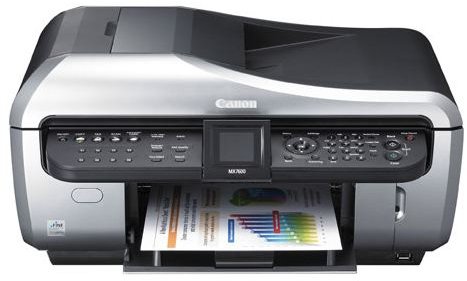
Canon Pixma MX7600 (5 out of 5)
The Good
- A great looking glossy printer. Build structure is solid but not detracting from the sleek elegance of the unit.
- Simple to handle, setup and configure for network use. Easy diagnostics, control panel and multi-tasking device.
- Best in class for speed of ‘alternative’ functions, i.e. faxing, scanning.
- Best in class for photo quality and a very high standard of print for all output.
- Printing of all media is faster than most multi-functions, even during duplex printing.
- Scanner is outstanding, crystal clear quality of both documents and photos and extremely fast.
- Auto document feeder and paper trays are very reliable and transitions media quickly.
- Auto-duplexing is a very impressive feature saving time and cost of consumables.
- Prints direct from digital hardware and media cards with brilliant results.
The Bad
- Colors can sometimes appear over saturated, and take a big hit on ink usage.
- Not the equal of a pure photo printer, and certainly not photo lab quality but the best in this range.
- Large design for an all-in-one which creates a rather large footprint (for length, not height)
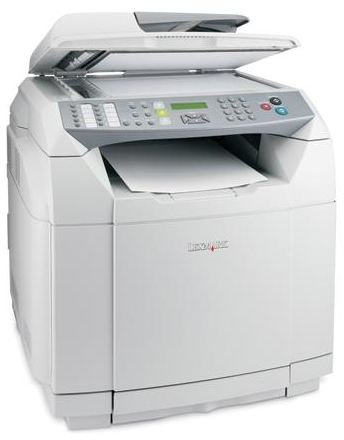
Lexmark X502n (4 out of 5)
The Good
- Simple, cleanly designed printer, solid and resilient. A true workhorse multi-function printer.
- Intuitive control panel with additional configurability of input trays and media types.
- Best in class for speed of printing. Fax and scanning speeds are also better than any in this range.
- Flatbed scanner and feeder system are flawless (note it only takes up to A4 sized media).
- Best color LaserJet multifunction for print quality. Not on a par with the color inkjets reviewed but superior to all lasers.
- Toner cartridges are not expensive and last a considerable amount of time.
- Cost per page is up there with any color laser, stand-alone or multifunction.
- A multifunction printer which offers a considerable range of features, speed and quality for the small business or workgroup setting (maybe even the home office).
The Bad
- Requires extra configuration/patches to run the scanner with Windows Vista.
- A bulky unit which needs a solid base and has a considerable footprint.
- Is noisy in power save/off mode as the internal fan constantly spins.
- Doesn’t support scanning across a Mac network.
- The fax facility is superb but it is worth mentioning there is no group dial facility which some users may require, as is provided on other multifunctions in this range.
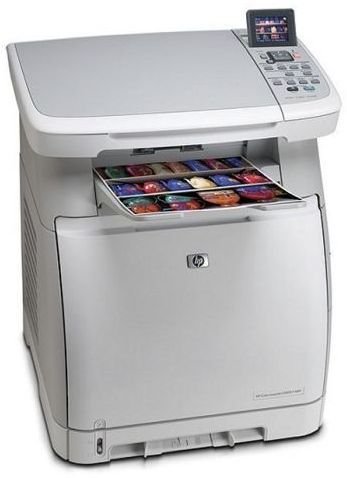
HP CM1017 (4 out of 5)
The Good
- Solid multifunction printer, highly reliable and durable. Excellent heavy duty unit.
- Simple installation and setup, all delivered via software install or LCD display which provides easy navigation.
- Memory slots offer printing direct from card, which is seamless and quick to action.
- Print quality is professional, with minimal loss of clarity or graininess.
- Another super performer for the small office or workgroup environment
- Much quieter than its more expensive siblings and quicker to calibrate.
- No great differential between cost of consumables and those of others.
The Bad
- Duplexing as advertised is only manual, hence it doesn’t really have duplex capabilities!
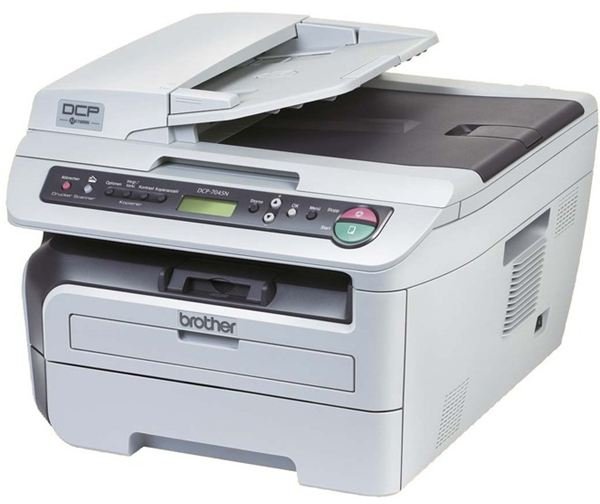
Brother DCP-7045 (4 out of 5)
The Good
- Impressive design build but the mix of glossy and matt finishing’s in various tones of grey does look somewhat dated.
- Robust workhorse multifunction printer, delivering excellent results and a smaller footprint than others reviewed here.
- Very impressive software bundle to help the novice user get the most from the printer and aid the intermediate/advanced user through advanced configuration/editing.
- Excellent print speed, good scanning quality and speed, if nothing to write home about.
- Clean, sharp print quality, both text based and graphics. Smooth image projection to multiple types of media.
The Bad
- Photo print quality lacks the depth of some printers reviewed here. Isn’t up to the standard of photo labs.
- No fax facility which will be a major turnoff for some potential buyers.
HP OfficeJet Pro L7780 (4 out of 5)
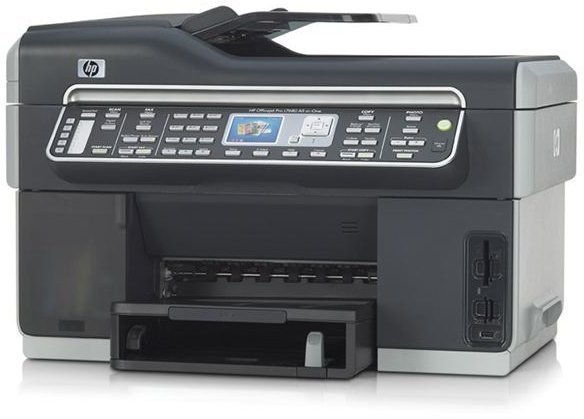
The Good
- An impressive, professional looking all-in-one printer. Solid build and extremely robust.
- Reliable in all departments of output delivery, printing, scanning and faxing.
- Highly intuitive control panel, with an excellent navigational setup.
- Simple to install and an abundance of advanced features for superior print management.
- Wired and wireless very easy to setup, very smooth during job processing and transition.
- Print quality is almost photo lab in standard, sharp and vivid. An all round superb performer.
- Customer support is one of the best of any manufacturer, on a par with Canon and Xerox and better than Dell and Brother.
- Duplex printing is best in class for speed and quality as a combination aim.
- For wireless (or wired) network printing, with reliable speed and excellent print quality this is a supreme all-in-one printer for the home, small office or workgroup.
The Bad
- Some of the software bundled with this printer may prove difficult to install on lower spec PC’s.
- Some reports of paper mis-feeding and paper jams. Can take some time to initialize/calibrate following malfunction.
Looking for the best Multi-Function Printer on a budget. Review of Best Multi-Function Printers (under $250)