How Does Corel WordPerfect Office X4 Compare to Microsoft Office 2007?
WordPerfect vs. Word
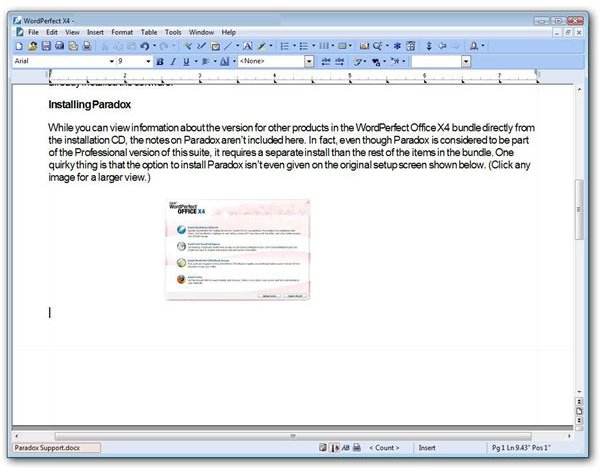
There once was a time when WordPerfect was the word processor. I still have fond memories of that laminated “cheat sheet” that listed all the function key commands and was designed to perfectly sit above those same keys on the keyboard. Even after the first Windows version of WordPerfect was released, I continued to cling to the DOS version for another year or two, because I was so sure that Windows thing was just another passing fad. But, I digress…
Actually, maybe I’m not digressing after all. WordPerfect was so firmly implanted as the leader of the word processing world during the late 1980s that it would have taken something huge to threaten that dominance. The name of that “something huge” was Windows.
By the time a stable version of WordPerfect was released for Windows, Microsoft Word had already staked its claim on the Windows operating system and the business world. Over the years, Word has never been able to completely demolish WordPerfect, but it has beaten and bruised it considerably.
However, it’s just possible that the tides may be starting to turn back a little now. When Word 2007 was released with its completely new look, a ribbon that replaced prior toolbar menus, and new OOXML file formats, a lot of longtime Word users were less than pleased. Even though the behind-the-scenes functions and capabilities of Word remained the same, it looked different. In fact, it looked and felt different enough that many compared it to having to learn a new program all over again. And, if you have to learn something new and different anyway, why not learn something that’s new, different, and cheaper?
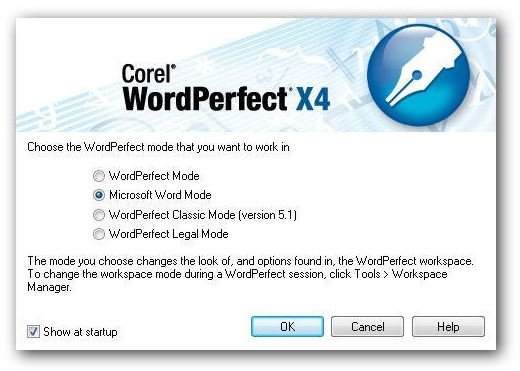
With the release of WordPerfect X4, Corel was very careful not to change the look or functionality of the user interface very much even though it introduced several new features. Moreover, WordPerfect X4 still gives users the option of what type of workspace they want to use – current WordPerfect Mode, WordPerfect Classic, WordPerfect Legal, and (insert drum roll here) traditional Microsoft Word. For those who have a hard time choosing between using an older version of software because its appearance is more comfortable, and upgrading to the latest version for the added new features, this gives the best of both worlds. We’ll delve a little deeper into those new features in the second part of this series in which we conduct a full review of WordPerfect X4.
Does this mean the future is looking brighter and that WordPerfect X4 may be able to pull a bit more of the market sector in its direction? That’s still a tough one to predict. There are lots of MS Office alternatives out there right now, many of which are making a splash of their own. Though they may not have all the features and capabilities of the WordPerfect Office X4 suite, they do have a decided price advantage with serious contenders such as OpenOffice.org actually being free. Plus, rumors are circulating that MS Office 14 could be released later in the year, and who knows how that may shake things up.
Next Up: We’ll take a look at the different editions of the WordPerfect Office X4 suite, including Family Pack 2009, and compare each bundle’s offering.
In addition, we’ll spend a little time looking at WordPerfect Lightning, Corel’s note-taking application, and how it compares to Microsoft OneNote.
WordPerfect Office X4 Versions
Just like Microsoft Office, Corel’s WordPerfect Office X4 suite has a number of different editions, each one targeting a specific audience.
Professional Edition – This is the most complete of the WordPerfect Office X4 editions, and it’s really intended to attract the “power-users” out there: developers, programmers, and businesses. One of the most noted features of this bundle is the inclusion of Paradox, a powerful database application that’s still the software of choice for a large community of programmers.
In fact, since Paradox is not available as a standalone product, there are a number of developers who purchase this bundle solely to obtain Paradox. The one application that is strangely absent in the Profession Edition is WordPerfect Mail. The full price of this edition is $399.99, and upgrades are available for $259.99. (Compare that to the list price of $679.95 for the Ultimate version of MS Office 2007.)
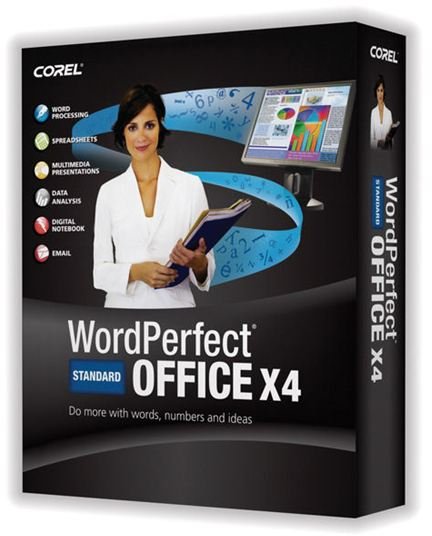
Standard Edition – Probably the most common version of the office suite, the Standard Edition includes almost everything found in the Professional Edition excluding Paradox, of course. The main applications of this package are the latest versions of WordPerfect, Quattro Pro, Presentations, Lightning, Visual Intelligence, and WordPerfect Mail.
The full price for this version is $299.99, and the upgrade from previous releases of the suite is priced at $159.99. Both the Standard and Professional Editions can be licensed for business use.
Home and Student Edition – The biggest differences between this version and the Standard edition are the absence of the Mail application and lack of advanced PDF editing tools. You can still create your own PDFs, but you won’t be able to edit those created by others. If you have no interest in this capability, and most home users probably don’t, you can save quite a bit by picking up this edition for $119.99.
Family Pack 2009 – This edition of the WordPerfect Office X4 suite is more geared toward casual home users who aren’t likely to be creating massive research reports or performing detailed statistical analysis. It only includes dumbed-down versions of WordPerfect and Quattro Pro, but it rounds off the package by throwing in basic video and image editing tools that aren’t part of the other three collections. The retail price of this bundle is $89, and it’s actually one of the best deals on the market today for families looking to pick up a collection of software that can do a little of everything.
WordPerfect Lightning
WordPerfect Lightning is probably the least well-known application in the WordPerfect Office X4 suite. Although very different in design and nature, it is Corel’s alternative to Microsoft OneNote. Lightning may not have all the capabilities of OneNote, but I’ll confess that I like it better for its intended purpose of taking notes when researching or surfing the web.
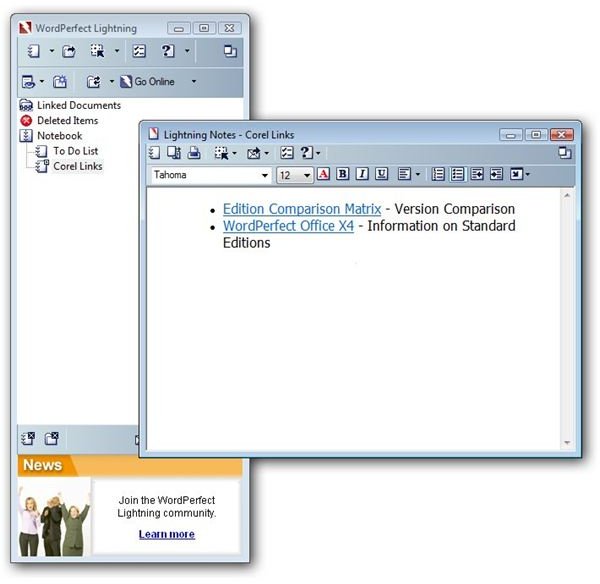
The navigation panel for Lightning is long and narrow, making it the perfect sidebar tool to use alongside any web browser, word processor, or other application. It doesn’t compete with other programs for much needed desktop space, and when you do need to open a new note or document, the workspace appears on your screen as a floating window, so you still won’t have to worry about the navigation panel getting in your way.
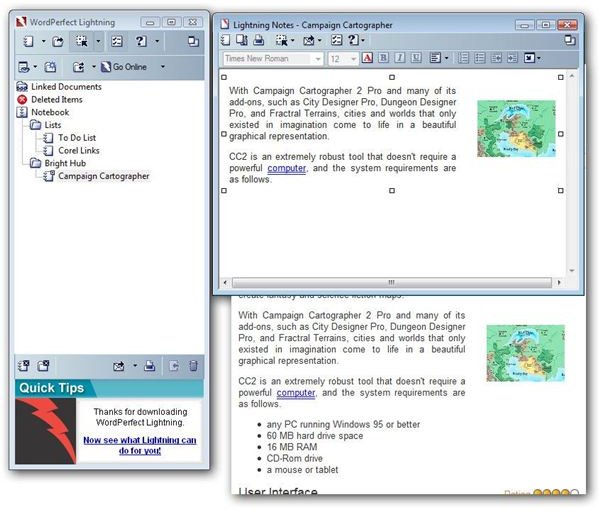
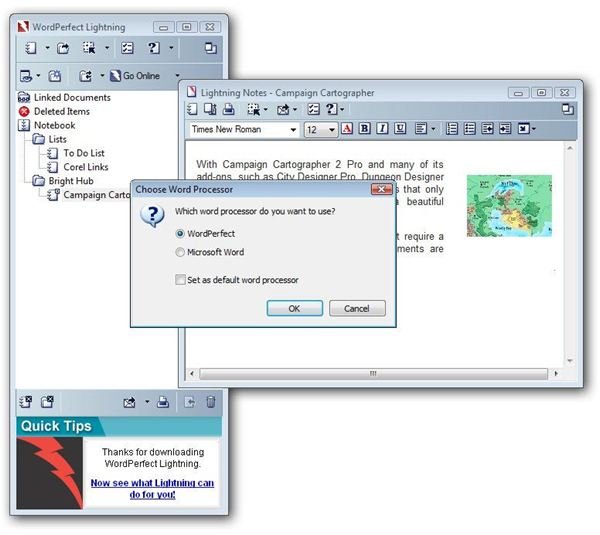
In comparison to the colorful, “busy” user interface of OneNote (which is actually quite appealing to many users), Lightning is unobtrusive and hides itself very well in the background, waiting to be needed. Even nicer, when you do want to copy something from one of your notes into a document, Lightning doesn’t “force” you to choose WordPerfect. You can just as easily bring your item into a Microsoft Word document without any fuss or muss. This is one handy little application that has found a permanent place on my desktop.
Other Applications in WordPerfect Office X4
Although Lightning is an excellent utility, it’s not the major reason for purchasing the WordPerfect Office X4 suite – it’s more like a nice little bonus. The three heavy hitters in this bundle are definitely WordPerfect itself, Quattro Pro, and Presentations. In the following articles of this series, we’ll take a look at each one of these, in turn.
This post is part of the series: Review of Corel WordPerfect Office X4
This series takes a look at the features available in each of the major applications that make up Corel’s latest release of WordPerfect Office X4. Can this suite give Microsoft Office some good, solid competition?
