Want to watch U.S. online video and listen to streaming music from another country? We’ve found an answer for you, but none for us, yet.
Introduction
If you live outside the United States and are having a problem playing online video from major US websites, you’re probably seeing an error message similar to, “Unfortunately this video is not currently available in your country or region. We apologize for the inconvenience.”
Such location-based restrictions really have two purposes. One is ensuring that the advertising you see is pertinent for your locale. The other, and this may require a leap of faith, is that it cuts down on piracy.
But information wants to be free, and you want to watch videos and hear streaming music from websites in the U.S. Here’s one way to bypass the restrictions.
Fake Them Out
Do this by making it appear that your computer’s location is in the U.S. For this you can try an application called Anchor Free Hotspot Shield .
Its main reason for existence is to provide security and encryption at public hotspots. We’re more interested in a side effect, however. When you connect through Hotspot Shield, as far as the website you’re interested in intercepting is concerned, the request is coming from within U.S. borders.
Hotspot Shield is advertising supported. This means that a banner ad appears at the top of your browser window when you’re using the service. They also have a 5 GB monthly download limit from their service, so resist the urge to go crazy watching episodes of “House.”
Images
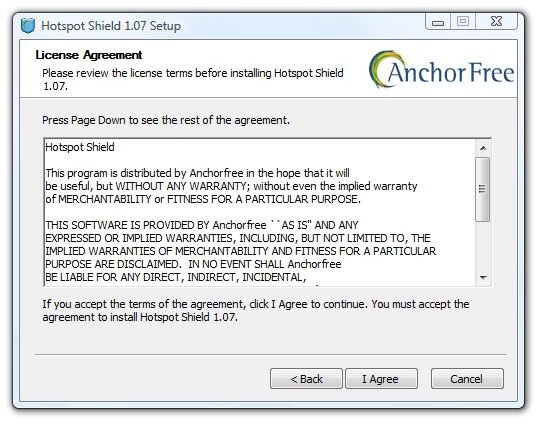

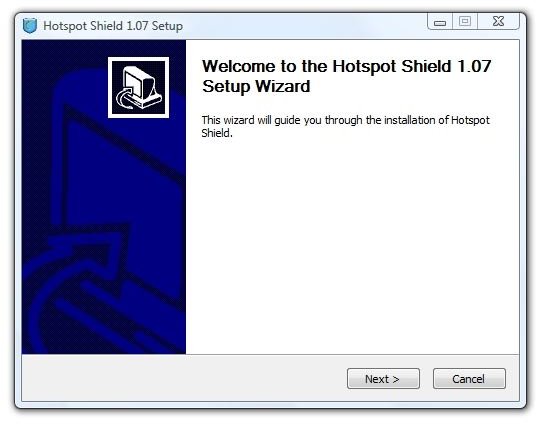
That third setup screen says, “After clicking ‘Next’ you will be offered additional useful, quality software provided by our reputable partners. Your support of these software offers allows us to provide you with FREE access to our services. All offers we present are 100% optional.”
Let’s see what they are.
Images
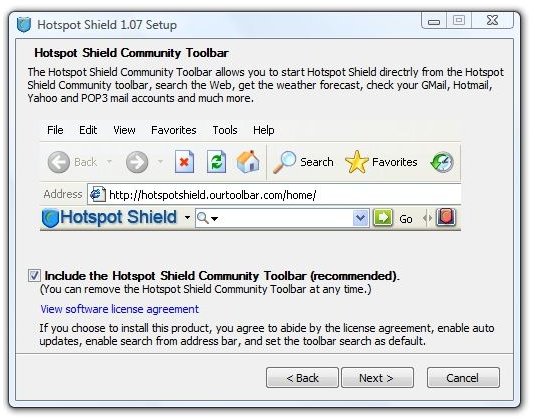
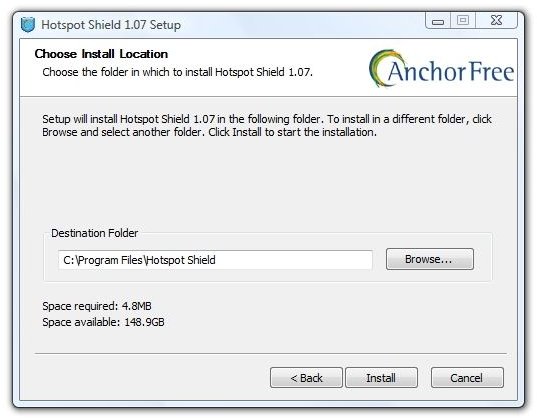

A toolbar that changes the default search provider is the only special offer in this version. Vista did have a hiccup when it couldn’t verify the provider, though. The final setup screen launched Hotspot Shield, directly into a Firefox tab, and directly into No-Script’s blocking.
Image

Testing
I opened the page in an IE tab and went to YouTube, where I watched about five minutes of Star Trek: The Original Series – The Enemy Within. There were a few pauses and some jerkiness, but the episode was watchable. The download rate peaked at 1019.6 KB/s and averaged 277.9 KB/s. After the title sequence, the download got ahead of the play progress indicator and things settled down nicely.
Next I tried Hulu.com, and watched some of “The Fifth Element.” The pre-roll advertisement peaked at 866.9 KB/s, and that seemed to be the highest throughput of the first five minutes, too. The download rate averaged 158.5 KB/s.
I also tried listening to some music from Pandora.com, and this was no problem whatsoever.
I am located in the southern U.S. and have no idea how much the throughput might vary in other countries (that probably have faster Internet than I do, anyway), but my first impression is that it works very well.
Nuts and Bolts
Hotspot Shield works by being a VPN, or Virtual Private Network, client. A VPN is a usually encrypted, private network that exists totally within a larger network – in this case, the Internet. The process by which VPNs work is sometimes called “tunneling” because they seem to bore holes from one point to the next, at least figuratively. In Hotspot Shield’s case, the destination is their servers and then the connection opens into the internet. In business usage, the tunneling is usually completed rather than open – it terminates at the physical system of the private corporate network.
Troubleshooting
If you have problems with Hotspot Shield and you’re sure you haven’t encountered the 5 GB cap, first try setting your system time to U.S. Mountain Time (GMT – 7:00). Anchor Free is based in Englewood, Colorado, and that is where the IP addresses appear to originate from. (It might need to be done in the PC’s BIOS rather than in Windows if you have an older system.)
I found some recent conversation on the Web that people in Canada using Rogers and Shaw were having connection problems with Hotspot Shield that haven’t yet been resolved.
Also, I read that Hotspot Shield does not update automatically. Seeing if there’s a later version would thus be a good troubleshooting step.
Finally, I read that Hotspot Shield sometimes goes down for a day or two. When this happens, you can Google for something like “Hotspot Shield down” and find plenty of folks fussing about it. When they stop fussing, the service will be back up.
Conclusion
I hope this helps those of you who are in other lands and who want to view U.S. videos and television shows and tune into streaming music sites.
Now I need to find a way to watch the BBC’s iPlayer service from America.
Thank you for reading this
Further Reading
Hands-On With Apple’s Latest Version of iTunes for Windows - After brewing for almost two years, iTunes 8 has arrived. The Windows and other versions try to be all-things-connected, bringing together Apple and us in music, TV, movies, and now HDTV. How well does it do? Bright Hub goes hands-on to bring you the facts.
Top Free Streaming Music Discovery Websites - Are you still listening to the same music that you did when you were a teenager or young adult? If you’ve bought the same Eagles album on 8-track tape, cassette tape, CD, and from iTunes, it’s time to give some new music a try. This article is for you.
Three Clocks for Three Time Zones - t’s always been there - that little digital clock in the System Tray in Windows. It’s a bit more talented in Vista than it used to be, and it can be easily tweaked to add one or more additional clocks set to any time zone in the world. Here we show you how.
How to Prevent Windows Live from Changing the Homepage in Internet Explorer - Want to keep Windows Live applications and malicious applications (malware) from hijacking your home page location in Internet Explorer? This Quick Tip shows you how to lock (and unlock) your home page location.


