Monitor user activity, protect documents and files and restrict application usage is what Watchman is offering. Find out if Watchman is what you should try.
Overview
Watchman is an advanced monitoring tool for all kind of users, say Anfibia Software. The program is interesting if you want no files or documents to be tampered and to guard and monitor which applications are allowed on a computer. This review will test the features and whether it’s worth to try or keep.
System Requirements and Installation (5 out of 5)
Watchman is designed for Windows 7, Vista and XP. It is compatible in Windows 2000 and Windows 2003. Installing Watchman is a quick process. The only install option is to either allow or not, the creation of its shortcut icons. There is also an option to change the installation directory. A system restart is not required to start using Watchman.
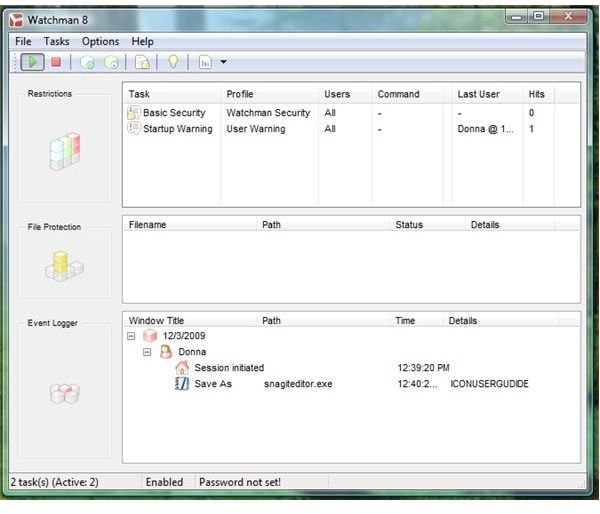
The User Interface of Watchman is simple that allows you to start choosing or creating Watchman tasks. A notification icon by Watchman is added with a handy command to stop all activities or tasks by Watchman.
Watchman Usage (4 out of 5)
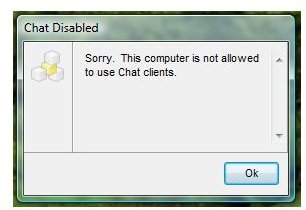
It is easy to start using Watchman in restricting any installed applications or using a keyword. I tried using
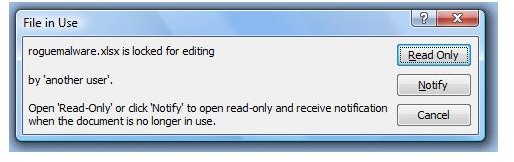
Watchman to block any chat programs in launching and customized the warning or notification message. I also configured Watchman to protect some documents and files by only allowing it to be viewed but modification or deletion should be prevented. Both tasks and feature of Watchman worked properly (see screenshots).
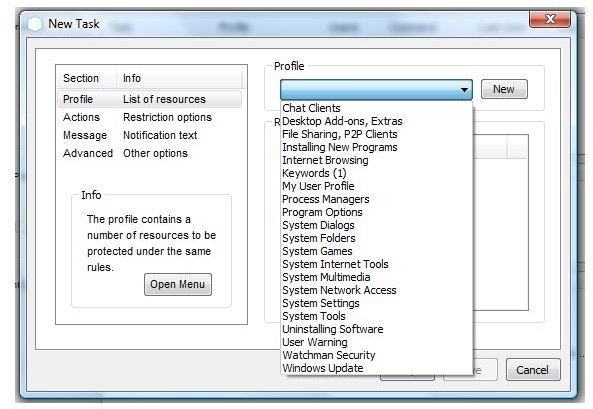
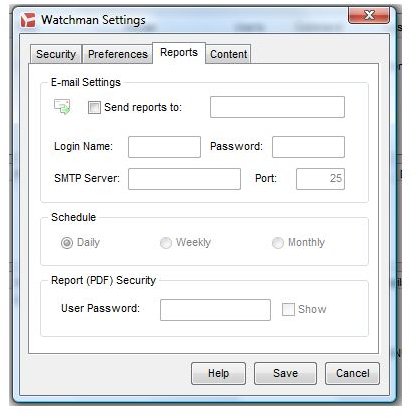
The neat feature in using Watchman is it has several type of profiles that are ready to use, allowing parents, administrators or guardians to start preventing the applications: chat clients, desktop add-ons, file sharing or P2P programs, installation of new programs (quite useful to protect the system from unwanted or rogue applications!), internet browsing, user profile, program options, system folder, system dialogs, folders, games, internet tools, settings, network access, windows update and many more. This does not mean you cannot create your own policy which is obviously allowed. You can also use Watchman to export and import the settings for deployment or as backup and receive activity logs by e-mail or just view it within the program.
Issue: While Watchman is able to prevent tampering of documents, it did not prevent in creating a duplicate copy of the document which is not protected since it’s a copy of protected document. The problem with this is a rogue user or any person with malicious intention to copy a document, tamper and send it via email or print will succeed to its goal.
Images
Price to Value (4 out of 5)
At €38, Watchman is worth to use until they fixed the issue I mentioned in the above review. 30 days trial is available and there is several type of license type to check which is great if you will buy many or you want Watchman for your organization.
Conclusion
Watchman is a great program with great features in protecting the computer from unwanted programs and unauthorized users. Recommended!


