Prevent unauthorized access to sensitive files or data that you’ve deleted using O&O SafeErase. The program is offering several algorithms to delete files. Learn more about SafeErase in this review.
Introduction
O&O SafeErase is a program to permanently and securely delete deleted data in your hard-disk. This will prevent anyone to access (view or copy) what you had in your hard-disk. SafeErase is introducing the features: MoveSecurely and TotalErase.
System Requirements and Installation (5 out of 5)
Installing SafeErase is a simple process. The 27MB SafeErase installer includes an
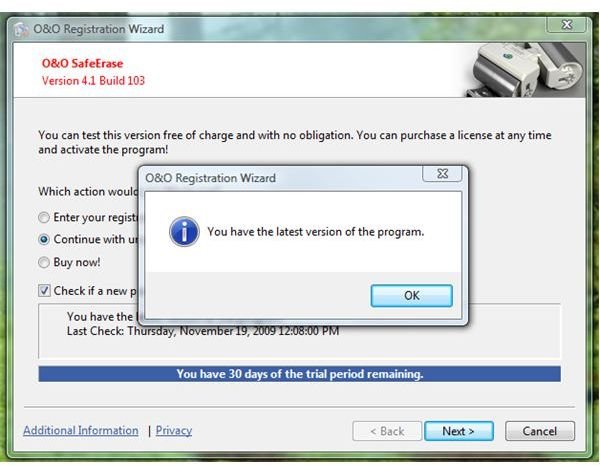
so you can download the new version instead of installing older build or version. SafeErase will run in Windows 2000, XP, Server 2003, Vista, Windows 7and Server 2008. A PC restart is not required after installation.
Features and User Interface (5 out of 5)
The User Interface of SafeErase is straight-forward. The program’s option to delete files, hard-disk or the entire computer is in the Main
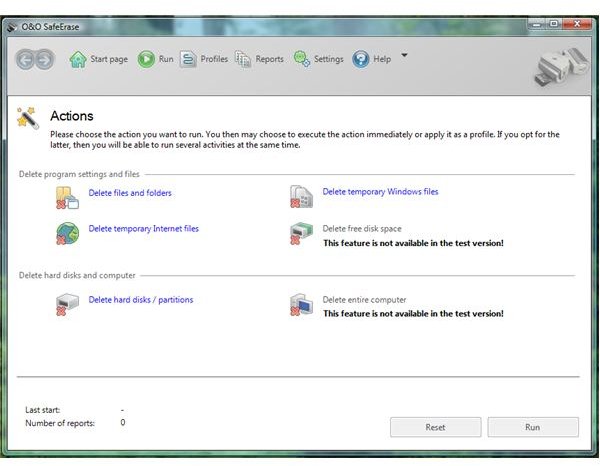
window. The menu bar is similar to the user interface of Windows Defender by Microsoft.
With SafeErase, you can enjoy the following features:
- Delete files and folders, temporary internet files or windows files and to delete free disk space.
- Delete hard-disk or partitions or delete the entire computer (TotalErase).
- Create a profile to use – this is allowing you to execute certain deletion method using different algorithms instead of changing the settings.
- Move securely – a feature in SafeErase to not to move the file in another partition or hard-drive while using a secure delete method from the source.
- Log and Save Reports.
Performance and Usage (4 out of 5)
The version of SafeErase in this review is a trial version only. The trial edition is not fully functional by not allowing using the deletion of free disk space and entire computer which they call as “TotalErase”.
It let me delete temporary internet files of Internet Explorer, Opera and Firefox. Also the temporary files in Windows and other folders or files of my choice. The program performed the requested operation without issue except that it failed to delete files that are in use which is normal outcome by any other clean-up utility. The only way to delete files that is currently in use or locked is by utility other programs (see How to Delete Locked Malware Files? ).
The available algorithm is displayed before you will run the deletion process using SafeErase. You can choose to use the highest secure deletion method by Peter Gutmann (35 cycles) or use 0, 1, 3, 6 or 7 runs of secure deletion. Depending on the size and used algorithm, the process of deleting securely is above average when using SafeErase. I like the feature to Move Securely for it will secure delete in real-time the deleted but moved file. The only item that I find annoying is the nag whether to run the program in trial or buy the program each time I will launch SafeErase.
Price to Value (2 out of 5)
At $29.95, SafeErase is a bit expensive. You can find similar utility for free or much cheaper with lifetime upgrade. With SafeErase, you have to pay $19.95 to upgrade. A 30 days trial version is available.
Conclusion
O&O SafeErase does what it claims to do. Recommended if you’re advanced user only!


