Unlocker: Deleting Files in Windows on Reboot for Free
Overview
Unlocker is a free utility to remove files that your access has been denied because it is used by another program. It is a small utility with some other functions with a catch. Find out what are those…
Installation and System Requirements (2 out of 5)
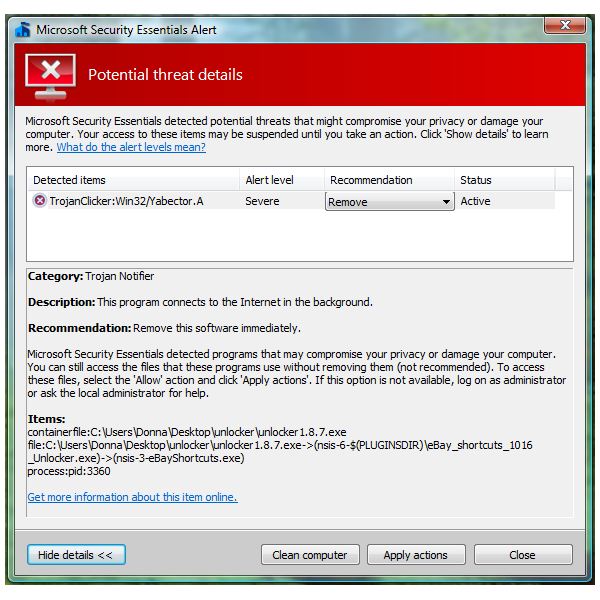
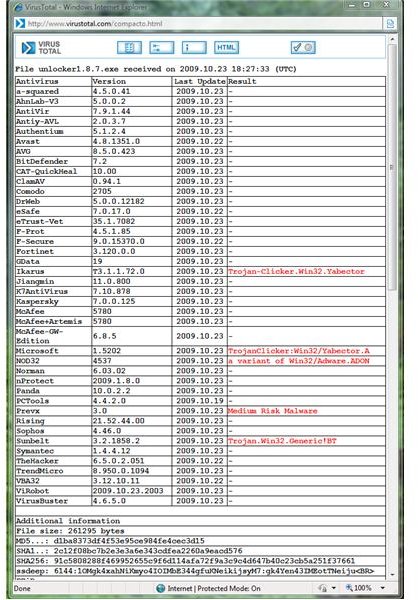
You can install Unlocker in Windows 2000, XP, Vista and Windows Server 2003. I tried installing the utility in Windows 7 and it worked without a glitch. Installing Unlocker is a quick process. However there is a catch, it comes bundled with eBay Shortcuts that some malware scanners will detect as threat. An example is Microsoft Security Essentials: the ebayshortcts.exe in Unlocker’s installer has been detected as TrojanClicker:Win32/Yabector.A with severe alert level. Other malware scanners that will find threat with Unlocker installer is NOD32, Ikarus, PrevX and Sunbelt. If you really want to install Unlocker and to work-around this threat alert, you will allow the installation to proceed and then uncheck the installation of eBay shortcuts. Some end-users who rather don’t install a program that is bundled with such security risk will not be able to install Unlocker especially if the malware scanner is configured to automatically remove threats with severe or high risk rating.
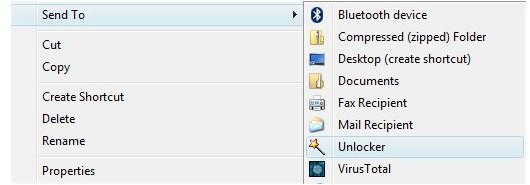
No reboot is required after installing Unlocker and if you opted to allow the installation of SendTo shortcut, it will be integrated in your Send To commands in addition to explorer’s menu (right-click). The Unlocker Assistant is available so the program will load during Windows logon but this option is not required to continue using the integration functionality via Explorer or SendTo.
Features of Unlocker (5 out of 5)
Unlocker allows you to:
- Unlock files use by another process or applications or access is denied – an example is the CloseHandle function in Windows where a remote or local process is not allowing you to delete or access the file. If it is a legitimate local application, you should not touch it unless you know what you are doing. If it’s a remote process that you do not have idea who or what, you can use Unlocker to handle CloseHandle.
- Unloading files
- Kill a process
- Delete index.dat files, delete, rename or move a file
- Unlock and delete files without a reboot (unless the process or files is really stubborn or requires a reboot for Unlocker to touch)
- Use command line or using its User Interface
- Context menu integration
Performance (4 out of 5)
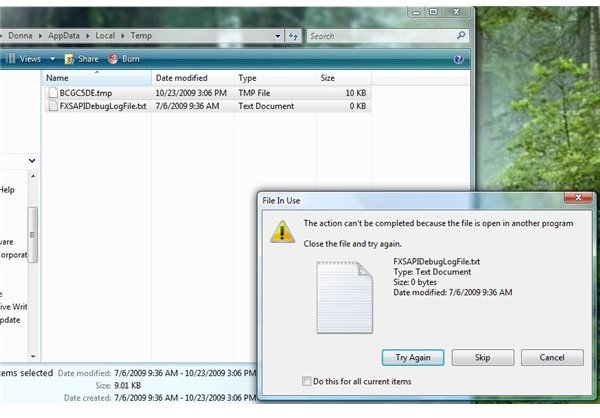
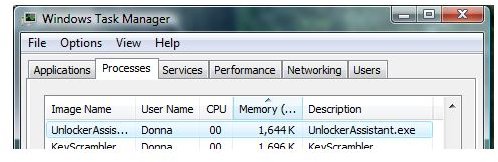
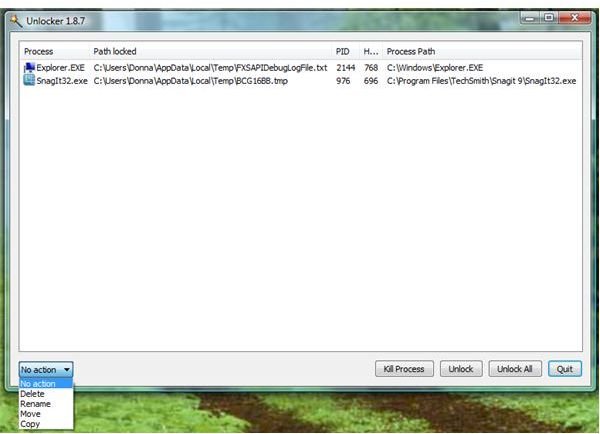
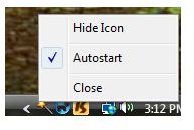
If you have Unlocker Assistant installed, you will find it using 1.6MB of memory which is not worth to add. You can remove this Unlocker Assistant by unchecking “Autostart” in Unlocker Assistant’s icon. I tried manually to empty the temporary files in Windows without using other program and as you can see from the images below, 2 files will not be able to remove because it is in use by another program. Right-clicking the Temp folder and choose Unlocker to unlock the file allows me delete the said files without a reboot.
Images
Price to Value (3 out of 5)
Free but bundled with third-party unwanted add-on.
Conclusion
Unlocker is quite useful program that you can keep as handy utility. It does the job in killing files but your privacy is at high-risk when installing the add-on, eBay Shortcuts. Installation might fail if your anti-malware is configured to automatically remove severe threats. You decide or use similar tool that don’t include such threat on installer. See another article: How to Delete Locked Malware Files with list of similar tools in deleting, unlocking and unloading processes and files.
