AVG Identity Protection: Behavior-based Protection Against Malware
Overview
AVG Identity Protection (AVG IDP) will protect you against malware and phishers that will steal your personally-identifiable data. AVG wrote “AVG Identity Protection™ goes way beyond the typical identity theft protection software. Not only will we keep you safe from online threats - we’re also able to see when anything potentially bad might be happening on your PC, and stop it before it can do any damage.” Let’s find out if AVG IDP will do that by putting it to simple test and of course, review what it can offer.
System Requirements and Installation (5 out of 5)
The installation process of AVG IDP is straight-forward and requires no computer restart. The program can be installed on Windows XP, Vista and Windows 7. You have the option to provide your e-mail address during the installation but not required.
The program will automatically check for configuration updates after installation and can quickly start protecting the computer by monitoring the active process in Windows.
Features of AVG Identity Protection (5 out of 5)
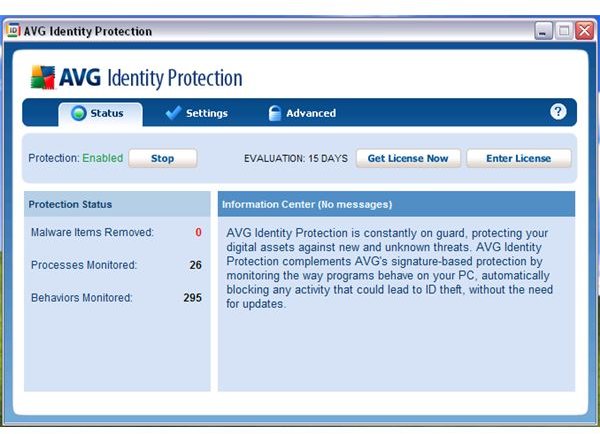
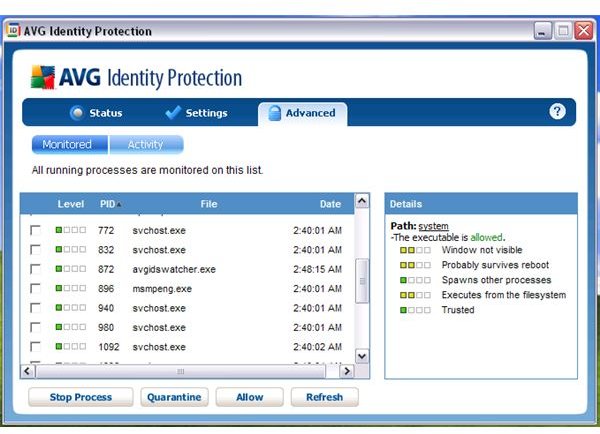
AVG IDP will sit in your notification area (systray) to guard and monitor the currently and new running processes in Windows. The processes are marked whether it’s safe, trusted or malicious. Similar to AVG LinkScanner, AVG IDP is using Community-based research for information about threats uncovered by the software from other AVG IDP end-users.
Behavioral analysis is also use by AVG IDP to quickly spot if the executable or file that you just opened is malicious. The program will try to prevent any malicious activity to prevent installation or infecting the system.
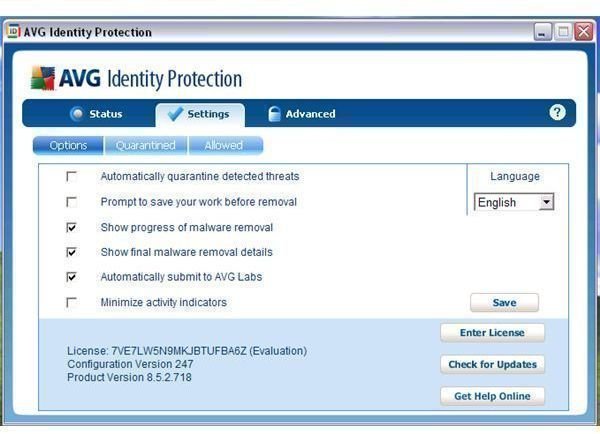
Below are the available options in using AVG IDP:
- Automatically quarantine detected threats
- Prompt to save your work before removing the threat
- Show progress of malware removal
- Show final removal details
- Automatically submit to AVG Labs
- Minimize Activity Indicators
- View, Submit, Restore or Delete Permanently quarantined threats.
- Manage allowed list
- View, Stop, Quarantine, Allow and Refresh the running processes monitored by AVG IDP
- View and Delete activity by AVG IDP. Executable’s Checksum, location of infection or infected file is generated when viewing the activity log.
- Built-in Updater
Performance and Effectiveness (3 out of 5)
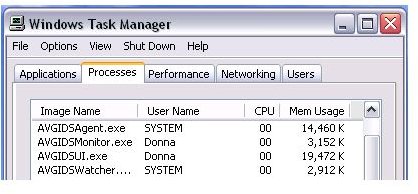
The memory usage by AVG IDP is quite huge – 39MB is in use by its 4 processes: AVGIDSAgent.exe, AVGIDSMonitor.exe, AVGIDSUI.exe and AVGIDSWatcher.exe.
I test the real-time protection by AVG IDP by executing
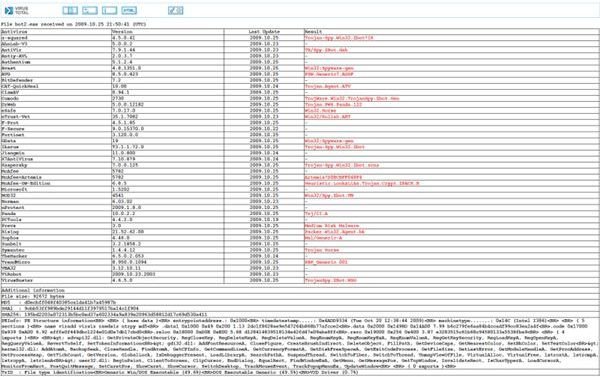
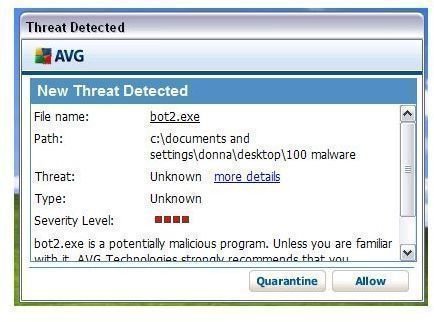
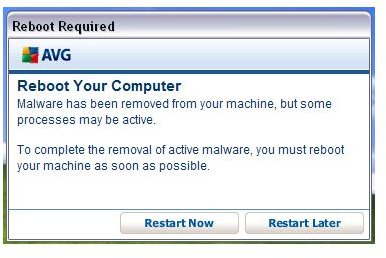
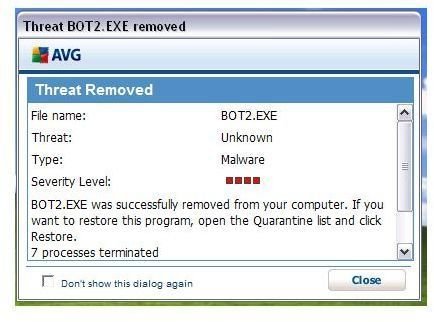
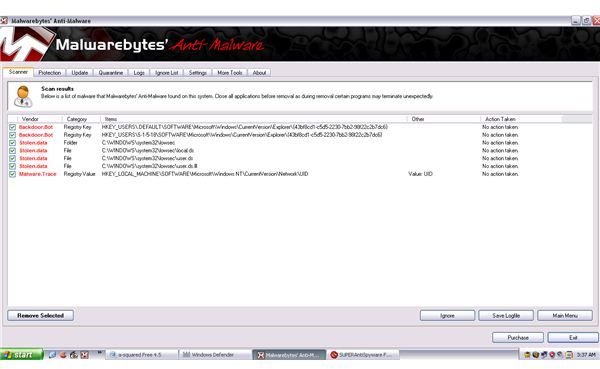
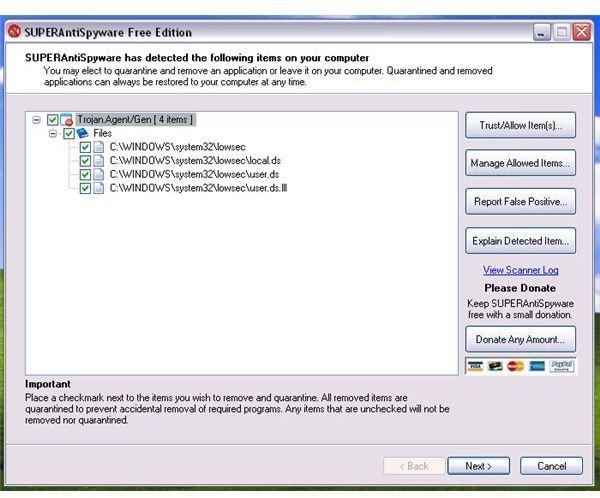
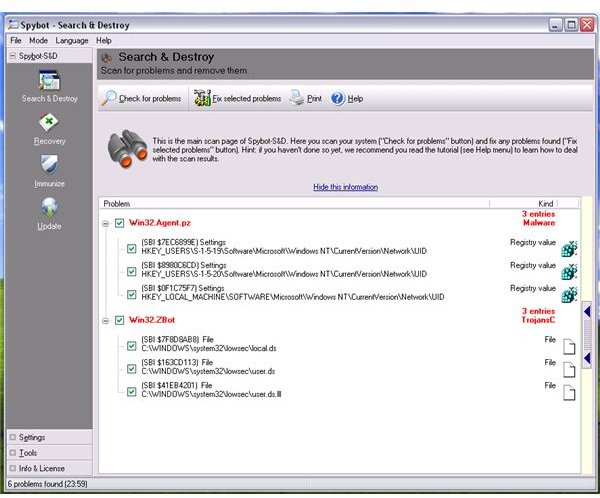
, Zbot a known malware that can steal personal data by intercepting HTTP requests from some online banking websites and/or any confidential banking data the victim types in is compromised. AVG is quick to detect the said executable as dangerous and offered to quarantine/remove. The system requires a restart to proceed in removing the detected threat. After restarting the system, AVG IDP reported that some malicious files were not removed. I scan the system using MBAM, A-squared, Windows Defender, Spybot-S&D, SUPERAntiSpyware and Ad-Aware to verify that AVG has indeed protect the system from being infected but to my disappointment, AVG IDP failed to prevent infection and also has failed to remove the files added by the malware. MBAM, SS&D and SAS have found infections on the system caused by bot2.exe that AVG IDP spotted as malware.
Using the same malware sample, I test again the real-time protection of AVG IDP by changing the settings to automatically handle threats instead of prompting me what to do. Again, AVG IDP is fast in spotting the executed malware sample and offered to reboot the computer to proceed in removing the malware. However, the malware is able to infect the system again and AVG IDP failed to prevent or remove infections.
Images
Price to Value (4 out of 5)
AVG Identity Protection costs $19.99 for 1 year. A 30-days trial is available.
Conclusion
AVG Identity Protection is not worth to use if your resident anti-malware or anti-virus has the ability to detect known and unknown threats based on signature and behavioral analysis. The quick detection is AVG IDP is good but the failure to prevent infection and removing detected threat made me decide to not to recommend this program. Users who want this kind of additional protection would be well advised to look elsewhere.
